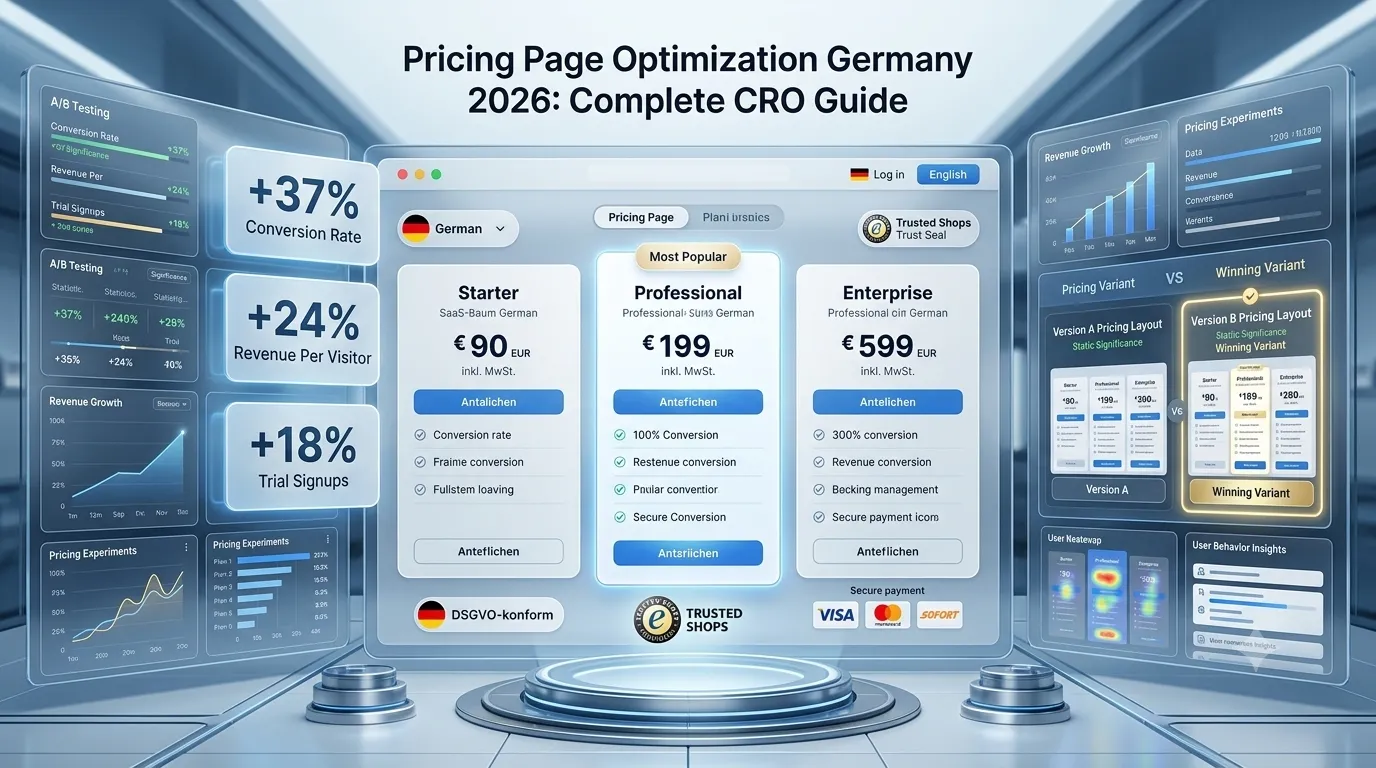
Your pricing page is the single highest-leverage page on your website. Visitors who reach it are far closer to a purchase decision than visitors on a homepage or blog post — yet most German websites treat the pricing page as an afterthought. A static three-column table, generic plan names, hidden VAT, and no clear path forward. Then they wonder why conversion rates stay below 1%.
This guide explains how to optimize a pricing page for the German market in 2026 — covering SaaS, agency services, and e-commerce. We cover psychological pricing principles, plan structure, German legal requirements (price transparency under PAngV, VAT display, Sie-form copy), trust signals near the buy button, and the specific A/B tests that move the needle. By the end, you’ll have a 40-point checklist you can apply to your own pricing page this week.
Why does the pricing page deserve disproportionate attention?
Pricing page visitors have intent. They’ve already qualified themselves through your homepage, features, and case studies. They clicked the pricing link because they want to know: can I afford this, and is it worth it? Every confusion, every hidden detail, every unanswered question on this page costs you a customer.
The math is brutal. If your homepage converts to pricing at 8%, your pricing-to-trial converts at 12%, and trial-to-paid converts at 25%, you have a 0.24% end-to-end rate. Doubling pricing-to-trial conversion (from 12% to 24%) doubles your entire funnel output. There is no other single page where a 2x improvement compounds across the whole business.
If you haven’t yet read our broader CRO foundation, our conversion rate benchmark Germany guide shows what realistic baseline rates look like by industry, and our CRO audit checklist walks through how to evaluate the full funnel before zooming into pricing.
What does the German market expect from a pricing page?
Germans buy differently than Americans. The default emotional state on a pricing page is skeptical — “what’s the catch, what am I really paying, is this company trustworthy enough to handle my data?” American-style pricing pages with aggressive countdown timers, fake scarcity, and vague “Contact sales for pricing” buttons typically convert badly here.
German buyers expect: clear net prices with VAT explicitly broken out, no hidden fees, complete plan feature lists (not “starting from”), an Impressum link in the footer, and a visible path to talk to a human if they have questions. The companies winning pricing-page CRO in Germany give buyers everything they need to decide in one screen — then make it easy to take the next step without phone calls or sales gates.
What pricing structure works best for the German B2B market?
For SaaS and service businesses targeting the German Mittelstand, the three-tier structure remains the most effective baseline. The middle tier is the anchor — most buyers will pick it if labeled clearly. The lower tier exists to make the middle tier look reasonable. The upper tier exists to provide an aspirational ceiling and to capture buyers who self-select as needing more.
Plan naming matters more than people realize. “Starter / Professional / Business” works fine but is generic. Plans named after target customer segments convert better: “Solo / Team / Agency” or “Freelancer / Startup / Mittelstand” or “Pro Monat 1-5 Mitarbeiter / 6-25 Mitarbeiter / 26+ Mitarbeiter”. When the plan name describes the buyer, the buyer recognizes themselves and chooses faster.
For complex B2B SaaS with significant variance in customer size, hybrid models work best: three published tiers plus a clearly visible Enterprise option labeled “Auf Anfrage” or “Custom” with a “Termin buchen” CTA. Avoid hiding all pricing behind “Contact sales” — German buyers will assume you have something to hide and bounce.
How should you display prices for compliance with German law?
The German Price Indication Regulation (Preisangabenverordnung, PAngV) requires that prices shown to consumers (B2C) be total prices including VAT and all mandatory fees. For B2B audiences, you may show net prices but must clearly indicate this. The penalty for non-compliance is potential Abmahnung (warning letter) from competitors or consumer protection associations — which costs €500–€3,000 per incident and often forces page changes under deadline.
Specific requirements: if your audience is consumer (B2C), display Brutto prices (including 19% MwSt.) prominently. If B2B, display Netto prices with a visible note like “zzgl. 19% MwSt.” or “Nettopreise zzgl. gesetzlicher Mehrwertsteuer”. If your audience is mixed (most SaaS), the safe pattern is a toggle: “Preise inkl. MwSt. / Preise ohne MwSt.” defaulting to whichever fits the majority of traffic. Cross-border EU buyers (B2B reverse charge) need a separate handling note.
Subscription pricing must disclose: the renewal term, the price after any introductory discount, and the cancellation method. “€29 für die ersten 3 Monate, dann €49/Monat. Jederzeit zum Monatsende kündbar.” satisfies disclosure. Hiding the renewal price after a discounted intro period is a common Abmahnung trigger.
What psychological pricing principles still work in 2026?
Anchor pricing remains effective: show the highest plan first or highlight a “most popular” badge on the middle plan. The brain compares the cheaper option against the visible anchor and feels the cheaper option is a deal. This is not manipulation — buyers genuinely make better decisions when shown a range.
Charm pricing (€29 instead of €30) still works in B2C and lower-priced B2B contexts. For enterprise SaaS above €500/month, round numbers signal seriousness — €1,000/month converts better than €997/month for executive buyers. The threshold is roughly: under €100/month use charm pricing; over €500/month use round numbers; in between, test both.
Annual-billing discount framing matters. Instead of “Save 20%” (the savings amount feels abstract), try “2 Monate gratis” or “€348 sparen pro Jahr” (concrete monetary benefit). For German buyers especially, concrete amounts in EUR outperform percentage discounts in tests we’ve run.
Decoy pricing is legitimate when honest: a $79 print-only magazine subscription, a $125 print+digital subscription, and a $125 digital-only subscription drives most buyers to print+digital. The “decoy” is the digital-only at the same price as the bundle — it makes the bundle look obviously better. Use this carefully and only when the decoy genuinely exists.
What features should the feature list emphasize?
The feature list is where most pricing pages break. Two common mistakes: listing every internal feature in jargon (“Multi-tenant RBAC with SSO”) or being too sparse (“Everything you need”). The optimal pattern: 5–8 features per plan, written as outcomes the buyer cares about, with progressive inclusion (each higher plan includes everything below).
Start each feature with the outcome, not the feature name. “Reduce support tickets by 40% with automated FAQ chatbot” converts better than “Automated chatbot”. For German B2B audiences specifically, lead with concrete numbers (team size limits, GB of storage, number of users, hours of support) rather than abstract claims.
Show compliance features prominently for German buyers: DSGVO-Konformität, AVV (Auftragsverarbeitungsvertrag) availability, EU data hosting, ISO 27001 certification, BSI Grundschutz. These are not nice-to-haves in regulated industries — they are gate features. If you’re DSGVO-compliant, say so explicitly on the pricing page. Don’t make buyers hunt through a separate trust page.
For SaaS specifically, see our B2B SaaS CRO guide which covers feature presentation, plan structure, and qualification flows in depth.
How do you optimize the “compare plans” section?
Below the three pricing cards, most SaaS sites add a detailed feature comparison table. This table is often the deciding artifact for buyers in evaluation mode — they scroll to it specifically to see what’s actually different between plans.
Optimization principles: group features into 4–6 logical categories (Core Features, Collaboration, Security & Compliance, Support, Integrations) rather than dumping 50 rows in one list. Use checkmarks and X marks sparingly — show actual limits (“5 users”, “Unlimited”) instead of “✓” wherever quantitative. Highlight the recommended plan column with subtle background color so the eye stays anchored.
Sticky plan headers help on long tables. When buyers scroll down through feature rows, they shouldn’t have to scroll back up to remember which column is which plan. CSS position: sticky on the table header is a one-line addition that measurably improves engagement time.
The “Contact sales” or Enterprise tier should still show some feature differentiation in the comparison table even if pricing is custom. “Custom integrations”, “Dedicated account manager”, “99.9% SLA with credits”, “Custom AVV terms” all communicate concrete value without committing to a price.
How should pricing toggles work?
The monthly/annual toggle is now a near-standard UI pattern. Best practices: default to annual (it’s better for cash flow and customer LTV), show the savings amount in concrete EUR not just percentage, and update prices in place with a brief animation so buyers see the change. Hidden “save 20%” is less compelling than visible “€59/Monat → €47/Monat bei jährlicher Zahlung (€144 sparen)”.
Currency toggles matter for cross-border German audiences. If you serve Austria and Switzerland in addition to Germany, consider a EUR/CHF toggle (CHF for Swiss visitors, EUR for everyone else). Don’t auto-detect by IP without offering manual override — VPN users and frequent travelers hate it. Detect on first visit, remember the preference in localStorage, and show a small flag/currency button to switch.
Avoid toggle proliferation. Monthly/annual is one toggle. Currency is another. Region might be a third. Adding a fourth (e.g., users vs companies) starts confusing buyers. If you need more than three toggles, your plan structure is too complex — split into separate pricing pages by use case instead.
What goes near the CTA buttons?
The buy button is the moment of commitment. The 200 pixels around each CTA button are the highest-leverage real estate on your entire website. Use them deliberately.
Above the CTA: a single benefit or risk-reversal statement. “14-Tage-Geld-zurück-Garantie”, “Keine Kreditkarte erforderlich”, “Jederzeit kündbar zum Monatsende”. One line, max 50 characters. Below the CTA: trust signal — Trusted Shops badge, ISO certification, or customer count (“Über 1.200 Unternehmen vertrauen uns”).
Button copy matters. “Jetzt starten” beats “Kaufen” for SaaS trials. “Termin buchen” beats “Kontakt” for enterprise plans. “Plan auswählen” beats “Mehr erfahren” when the buyer has already decided on the plan. The verb should match the buyer’s actual mental state at that scroll position.
Button color should contrast with the rest of the page but match brand identity. Green and orange convert well in tests; red works for urgency but feels aggressive in German B2B. Test specifically — there is no universal “best converting button color” — but high contrast against the page background is non-negotiable.
For deep CTA optimization specifically, see our CTA button optimization Germany guide (forthcoming as #155).
How do you handle objections on the pricing page?
Every buyer has objections. The buyers who churn from your pricing page have objections you didn’t address. The optimization opportunity: surface and answer the top 5 objections on the page itself, not in a separate FAQ.
Common SaaS objections: “What if I need more users mid-month?”, “Can I downgrade if the team shrinks?”, “Is my data hosted in Germany?”, “What happens to my data if I cancel?”, “Do you have an AVV for DSGVO?”. Each objection answered inline (small text below the relevant feature, or a “?” tooltip that expands) saves buyers from leaving to email support and never coming back.
Risk-reversal mechanisms compress objections into single statements. A 30-day money-back guarantee answers “What if it doesn’t work?”. A “no questions asked” cancellation policy answers “Am I locked in?”. A “your data stays yours, export anytime” statement answers “What if I want to leave?”. These aren’t gimmicks — they shift the buyer’s mental risk calculation.
What role does social proof play on the pricing page?
Social proof on the pricing page is more important than anywhere else on the site. The buyer is on the page where they will spend money. Doubt peaks here. Strategic social proof reduces doubt fast.
Effective placements: a customer logo bar above or between pricing tiers (“Vertraut von Mittelstand-Unternehmen”), a short testimonial above the comparison table (one quote, one face, one company name, one outcome metric), and review aggregator stars near the CTAs (“4.7/5 auf Trusted Shops, 142 Bewertungen”). Don’t dump 20 testimonials on the pricing page — pick 1–2 that match the visiting buyer’s persona.
For B2B audiences specifically, named customer logos beat star ratings. For consumer audiences, star ratings and review counts beat logos. Mix both when serving mixed audiences.
For detailed German market social proof tactics, see our social proof German market guide.
How do you handle freemium vs free trial vs paid-only pricing
Three viable models exist for SaaS: freemium (permanent free tier), free trial (limited-time access to paid features), and paid-only with money-back guarantee. Each has a different pricing-page optimization implication.
Freemium pricing pages: emphasize the upgrade path. Free should feel like a starting point, not a destination. List one or two features the free tier is missing that 80% of users will need within 3 months. The free tier exists to acquire users; the pricing page exists to convert them upward.
Free-trial pricing pages: focus on what they get during the trial. “14 Tage kostenlos testen — alle Pro-Features inklusive” is more compelling than “Pro-Plan ab €49/Monat”. The first CTA should be “Kostenlos starten” with the price as secondary information.
Paid-only with money-back: lean on the guarantee. The buyer is paying immediately, so risk-reversal is critical. “30 Tage Geld zurück — keine Fragen, keine Bedingungen” near the CTA does most of the work.
What A/B tests should you run on the pricing page first?
In order of historical impact in our agency work:
- Plan structure test: 3 tiers vs 4 tiers, or different middle-tier feature mixes. Plan structure is the highest-leverage element and the test most often skipped.
- CTA button copy: “Jetzt starten” vs “Kostenlos testen” vs “Plan wählen” vs “Demo anfordern”. Run for at least 4 weeks to capture trial-to-paid downstream impact, not just initial click rate.
- Pricing display format: monthly default vs annual default, or with/without savings amount called out.
- Trust signal placement: above vs below CTAs, or testimonial above pricing tiers vs below.
- Anchor plan: highlighting middle plan with “Beliebteste Wahl” badge vs no badge vs highlighting top plan.
- Feature list length: 5 features vs 8 features per tier, or detailed comparison table on by default vs collapsed.
- Currency/VAT toggle: default to inc-VAT vs ex-VAT, or showing both prices simultaneously.
Test downstream metrics, not just clicks. A button color change might increase clicks by 10% but reduce paid conversions because it attracted lower-intent visitors. The pricing page lives or dies by revenue per visitor (RPV), not click-through rate.
For test setup mechanics, see our A/B testing tools comparison and statistical significance guide — pricing page tests need careful sample size planning because traffic is usually limited compared to homepage tests.
How do you handle pricing changes without breaking trust?
If you increase prices, existing customers expect grandfathering or generous transition. Public pricing pages should show new pricing immediately, but emails to existing customers should announce the change with a clear timeline (90+ days), explanation, and an upgrade-or-stay option.
On the pricing page itself during transitions: a small note acknowledging the change builds trust rather than hiding it. “Preise aktualisiert am 15.04.2026. Bestandskunden behalten bis zum 31.07.2026 ihre aktuellen Konditionen.” Transparent transitions reduce churn during the change window.
A/B test pricing increases carefully — segment by traffic source, geography, or new-vs-returning. Showing different prices to different visitors of identical demographic profiles is questionable practice; showing market-based pricing (DE vs CH, or B2B vs B2C) is standard.
What pricing page mistakes should German B2B sites avoid?
Common patterns that hurt conversion specifically in the German market:
- Hiding VAT until checkout: Triggers immediate distrust. Show it on the pricing page.
- No Impressum link in pricing footer: Required by law on every page including pricing. Missing it triggers Abmahnung risk.
- “Contact us for pricing” without any price ranges: German B2B buyers will bounce 70%+ of the time. Show at least a “ab €X/Monat” or “ab €X pro Projekt”.
- Generic stock photos near pricing: Real customer faces or no photos at all. Fake-looking imagery destroys trust in seconds.
- English-only pricing page on a German site: If your main site is in German, your pricing page should be in German too. Mixing languages mid-funnel kills conversion.
- No phone number visible: Even if you don’t take sales calls, displaying a phone number near pricing increases conversions by signaling legitimacy. The phone number does not have to be answered by a human — voicemail with callback works.
- Comparison table that doesn’t fit on screen: Mobile pricing pages need a horizontal-scroll-friendly or vertically-stacked comparison. Don’t force buyers to pinch and zoom.
What pricing page checklist should you run before launch?
Before launching or relaunching a pricing page, run through this 40-point checklist:
Compliance (10 points)
- Prices display VAT clearly (Brutto for B2C, “zzgl. MwSt.” for B2B)
- Renewal pricing disclosed after any intro discount
- Cancellation method visible on the page or one click away
- Impressum link in footer
- AGB and Widerrufsbelehrung accessible
- AVV / DPA mentioned where relevant
- Data hosting location disclosed
- Currency clearly labeled (€ EUR, not just “€” if you also serve CHF)
- Subscription auto-renewal terms visible
- No misleading scarcity (“Nur noch 2 Plätze” if not literally true)
Structure (8 points)
- Three tiers (or three-plus-enterprise)
- Middle tier highlighted as recommended
- Plan names describe buyer segments
- Monthly/annual toggle present
- Currency/region toggle if relevant
- Feature comparison table below tiers
- Sticky table headers on scroll
- Mobile-optimized layout
Persuasion (8 points)
- One benefit statement above each CTA
- Trust signal below each CTA
- Risk reversal (money-back, no card needed, etc.)
- Customer logo bar
- 1–2 targeted testimonials
- Review aggregator stars or rating
- “Beliebteste Wahl” or equivalent badge
- Annual savings shown in concrete EUR
Content (8 points)
- Features written as outcomes, not jargon
- Compliance features called out for German buyers
- 5–8 features per tier
- Plan-specific objections answered inline
- Enterprise/Custom tier visible with “Termin buchen”
- FAQ section below pricing
- Comparison rows grouped logically
- Quantitative limits shown (users, GB, etc.) not just checkmarks
Technical (6 points)
- Page loads under 2 seconds on 4G mobile
- CTAs work on all viewports
- Analytics events fire on CTA click
- A/B testing tool configured
- Heatmap tool running (Hotjar/Clarity setup guide)
- Pricing changes announced via in-app or email when applicable
How do you measure pricing page success?
Track these metrics weekly:
- Pricing page → CTA click rate: typical 12–25% for SaaS, 5–15% for service businesses
- CTA click → trial/signup completion rate: typical 40–70% for low-friction trials
- Trial → paid conversion: typical 8–25% for SaaS, varies wildly by ICP fit
- Revenue per pricing page visitor (RPV): the master metric — total revenue ÷ pricing page sessions
Set up GA4 events on every pricing page interaction: tier hover, CTA click, toggle change, comparison table expansion, FAQ open. Pair with heatmap data to see where attention concentrates. Our GA4 conversion tracking guide explains the event setup specifically for pricing pages.
What does a pricing page optimization engagement cost?
A standalone pricing page CRO engagement in Germany typically costs €5,000–€15,000 for a 6–10 week project that includes user research, redesign, build, A/B test setup, and the first 2–3 test cycles. Pricing pages are dense — the work isn’t just visual redesign but plan structure analysis, competitive teardowns, feature audit, copy rewrites, legal compliance review, and analytics setup.
Ongoing optimization (continuous A/B testing of the pricing page) runs €2,000–€5,000/month depending on test volume and traffic. Higher-traffic sites can run 4–6 simultaneous tests; lower-traffic sites should sequence tests and protect statistical power. See our CRO cost Germany guide for the broader budget context.
Frequently asked questions about pricing page optimization
Yes, A/B test prices. Don’t show different prices to identical visitors simultaneously without a clear reason. Time-based changes are fine.
At least 4 weeks, often 6–8. Capture downstream paid conversions, not just signups.
For services/consulting: yes. For SaaS: usually on /about-us. Pricing page focuses on the buyer’s decision.
Show starting price + 2–3 project size examples. Hiding all pricing loses 60–80% of qualified leads.
Three for most SaaS. Two for simple products. Four for genuinely tiered feature sets. Five+ usually signals indecision.
For DACH: EUR default with CHF toggle. Auto-detect by IP is fine with manual override. Avoid 3+ currencies inline.
Very important. 8–12 commercially-focused questions: cancellation, refunds, contract terms, data ownership.
Match brand and trust signals exactly. Don’t strip down landing pages — buyers smell it and bounce.
Ready to optimize your pricing page for the German market?
If your pricing page hasn’t been touched in 12+ months, or if it’s converting below 5% click-to-trial, you have meaningful upside. The work isn’t glamorous — plan restructure, copy rewrite, compliance audit, A/B test infrastructure, weekly iteration — but the compound effect on revenue is hard to match anywhere else.
Book a meeting for a free pricing-page audit where we’ll walk through your current page, identify the top 5 friction points, and show you what a tested German-market pricing page looks like for your business model. Or browse our conversion rate optimization services and contact us directly to discuss a full pricing-page CRO engagement.