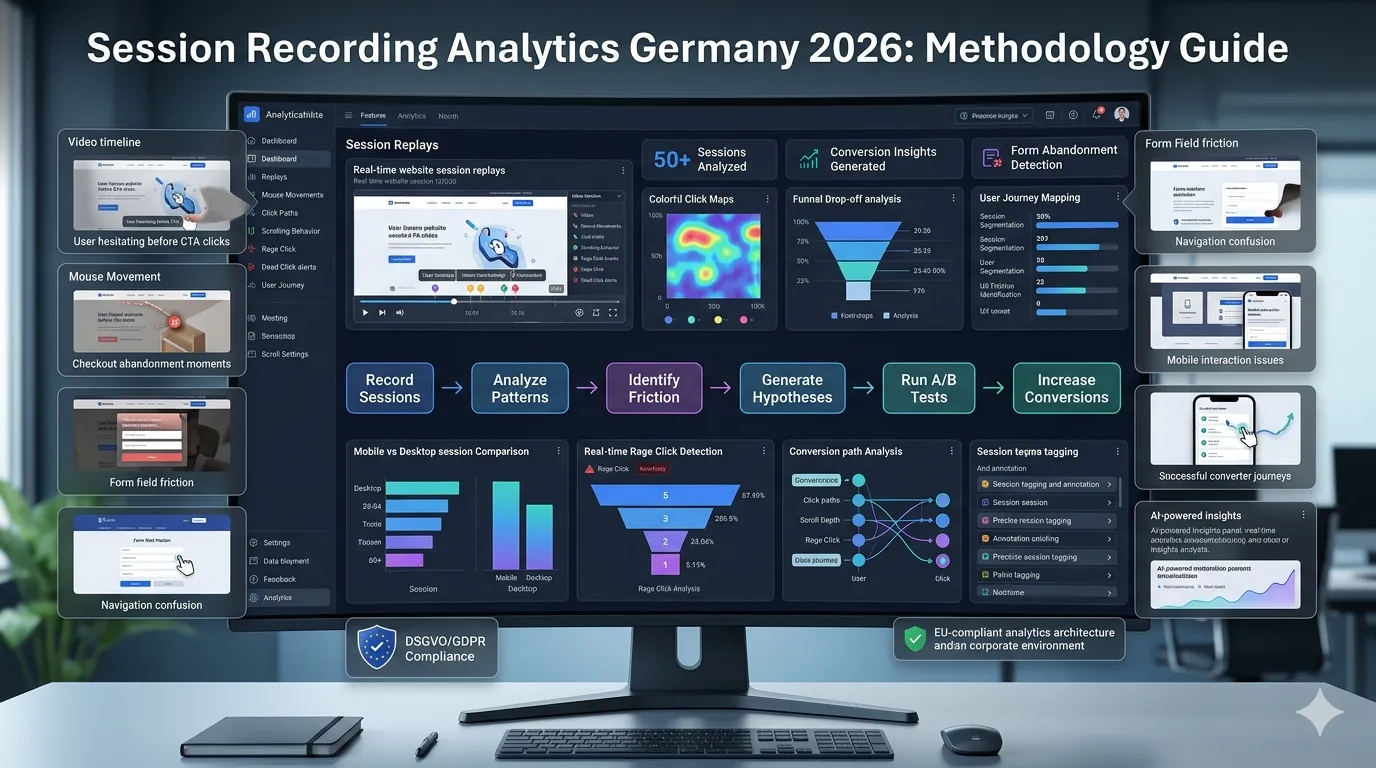
Session recordings let you watch real users use your website as if standing behind their shoulder. Most German businesses install session recording tools and never use them effectively. Real session recording analytics requires methodology — segmenting sessions, watching patterns, generating hypotheses from observations.
This guide walks through what session recording analytics for German CRO actually requires in 2026: methodology for effective watching, segment analysis, DSGVO redaction, common observable patterns, and converting observations to test hypotheses.
For broader heatmap tools see our heatmap tools Germany guide.
What are session recordings?
Video-like recordings of user sessions:
What’s captured
- Mouse movements
- Clicks
- Scrolls
- Form interactions
- Page navigations
- Browser viewport changes
What’s typically NOT captured
- Form input text (redacted for DSGVO)
- Password fields (always redacted)
- Personal data fields (usually redacted)
- Sensitive content (configurable)
Tools
Hotjar, Microsoft Clarity, FullStory all offer session recording. See our heatmap tools Germany guide.
Why does watching sessions matter?
Five high-value reasons:
Reveals “why” behind analytics
Analytics shows what happened. Recordings show why.
Catches UX bugs
Issues not visible in heatmaps or analytics.
Builds team empathy
Watching real users changes assumptions.
Generates hypotheses
Observations → test ideas.
Validates analytics interpretation
Heatmap shows click pattern. Recording shows context.
How do you actually watch sessions effectively?
A 7-step methodology:
Step 1: Define analysis goal
“Why do users abandon checkout step 2?” Not “let’s watch some sessions.”
Step 2: Filter sessions
By page, behavior, segment. Watching random sessions = waste.
Step 3: Watch 20–50 sessions
For patterns to emerge. Below 20 = noise.
Step 4: Take structured notes
Format: timestamp + observation + hypothesis.
Step 5: Tag interesting sessions
Categorize for team review.
Step 6: Aggregate observations
Common patterns vs. isolated cases.
Step 7: Convert to hypotheses
What tests would address observed patterns?
What segments should you filter by?
Five high-value session segments:
By page
Sessions visiting specific page. Understand on-page experience.
By behavior
Cart abandoners. Form starters who didn’t complete. Long-session users.
By conversion outcome
Converters vs. non-converters. Comparison reveals patterns
By traffic source
Different sources behave differently. Filter to understand each.
By device
Mobile vs. desktop. Major UX differences typically.
By geographic location
DE / AT / CH may show different patterns.
What patterns reveal UX issues?
Six common observable patterns:
Hesitation patterns
User reads same area repeatedly. Indicates unclear content.
Rage clicks
Multiple frustrated clicks on non-interactive elements. UX gap.
Dead clicks
User clicks something expected to be interactive but isn’t.
Mouse hover without clicking
User considers but doesn’t act. Trust or value-proposition concern.
Repeated scroll patterns
User scrolls up + down repeatedly. Lost in content.
Form abandonment patterns
Where in form users leave. Reveals friction.
What about converters’ behavior?
Watching converters reveals what works:
Path analysis
What pages did converters visit?
Time-to-decision
Quick vs. researched decisions.
Specific page interactions
What features/content did they engage with?
Returning sessions
Did they return multiple times before converting
Conversion moment
What was the last interaction before completing?
Comparing converter + non-converter patterns surfaces winning behaviors.
What German-specific patterns to watch?
Three observation areas:
Cookie banner interaction
Do users dismiss + immediately convert? Do they engage with banner? Affects subsequent behavior.
Trust signal attention
Do users hover/click Trusted Shops badges? Customer logos? Tells you what builds confidence.
Payment method scanning
Users scan payment options before adding to cart. Watch which they look at.
For broader German CRO see our CRO services Germany guide.
What DSGVO considerations for session recording?
Six items:
Cookie consent before recording
Recording starts only after explicit consent.
Personal data redaction
Form inputs, names, emails — redacted by default. Verify.
Card / payment data
Always redacted. Never visible in recording.
Data residency
EU-hosted recordings preferred. Microsoft Clarity, Hotjar EU regions, FullStory custom.
Retention policy
Define + enforce. Typically 30–90 days, max 12 months.
Right to deletion
User can request data deletion. Implement workflow.
For broader DSGVO see our GDPR compliance guide.
How does session recording inform A/B tests?
Three workflows:
Generating hypotheses
Watching reveals issues. Become test hypotheses.
Pre-test validation
Before testing solution, watch sessions confirm problem exists.
Post-test analysis
Watch sessions from winning + losing variants. Why did winner work?
What’s the typical session recording analysis cadence?
For active CRO programs:
Weekly: Quick reviews
10–20 sessions per priority page. Catch issues early.
Monthly: Deep dives
50+ sessions on specific funnel step. Major insight generation.
Quarterly: Comprehensive analysis
Full funnel session analysis. Update CRO roadmap.
Continuous: Tagged session review
When something interesting happens, watch + document.
What are common session recording mistakes?
Five patterns:
Watching random sessions
No filter, no goal. Watching 5 random sessions = noise. Filter first.
Watching too few sessions
3 sessions ≠ insight. 20+ for patterns.
No team sharing
Insights stuck with one analyst. Share clips + observations.
No documentation
Watching without writing. Insights lost.
Drawing conclusions from outliers
One weird session = anomaly. Patterns matter.
How does AI affect session recording analytics in 2026?
Three shifts:
AI summarization
Tools (Microsoft Clarity, FullStory) auto-summarize session patterns. Saves analyst time.
Auto-tagging
AI identifies common patterns (rage clicks, abandonment) automatically.
Anomaly detection
AI surfaces unusual sessions worth watching.
Use AI as accelerant
Not replacement. Human analysis still required for nuanced interpretation.
What about mobile session recording?
Mobile sessions different from desktop:
Touch instead of mouse
Different interaction patterns.
Smaller screens
Different attention zones.
Different friction points
Form fields, button sizes, navigation.
Watch mobile sessions separately
Don’t aggregate with desktop. Different insights.
What CRO insights come from session recording?
Common patterns observed:
Hidden navigation
Users hunt for things you assume obvious.
Form friction
Specific field issues you didn’t expect.
Cart abandonment reasons
Specific moments users leave.
Mobile UX issues
Touch target problems, scroll issues.
Trust signal scanning
What builds confidence + what doesn’t.
Content reading patterns
What users actually read vs. skim.
Frequently asked questions about session recording analytics
Video-like replay of user behavior. Mouse, clicks, scrolls, form interactions captured (with redactions).
Hotjar (most popular), Microsoft Clarity (free), FullStory (enterprise).
20–50 per analysis topic for patterns. Below 20 = noise.
Cookie consent before recording, personal data redaction, EU regions, retention policy.
By page, behavior, conversion outcome, device, traffic source, geography.
Hesitations, rage clicks, dead clicks, repeated scrolls, form abandonment, hover without action.
Generates hypotheses, validates problems pre-test, analyzes post-test results.
Weekly quick reviews, monthly deep dives, quarterly comprehensive analysis.
Need help with session recording analytics?
If you’re scoping session recording for your German CRO program and want a 30-minute scoping conversation about methodology + tools + DSGVO, book a meeting or send details via our contact page.
Need expert help? Gem Programmers provides conversion rate optimization services for businesses in Germany, Austria and Switzerland. Request a free, no-obligation quote and get a clear plan with scope, timeline and price.