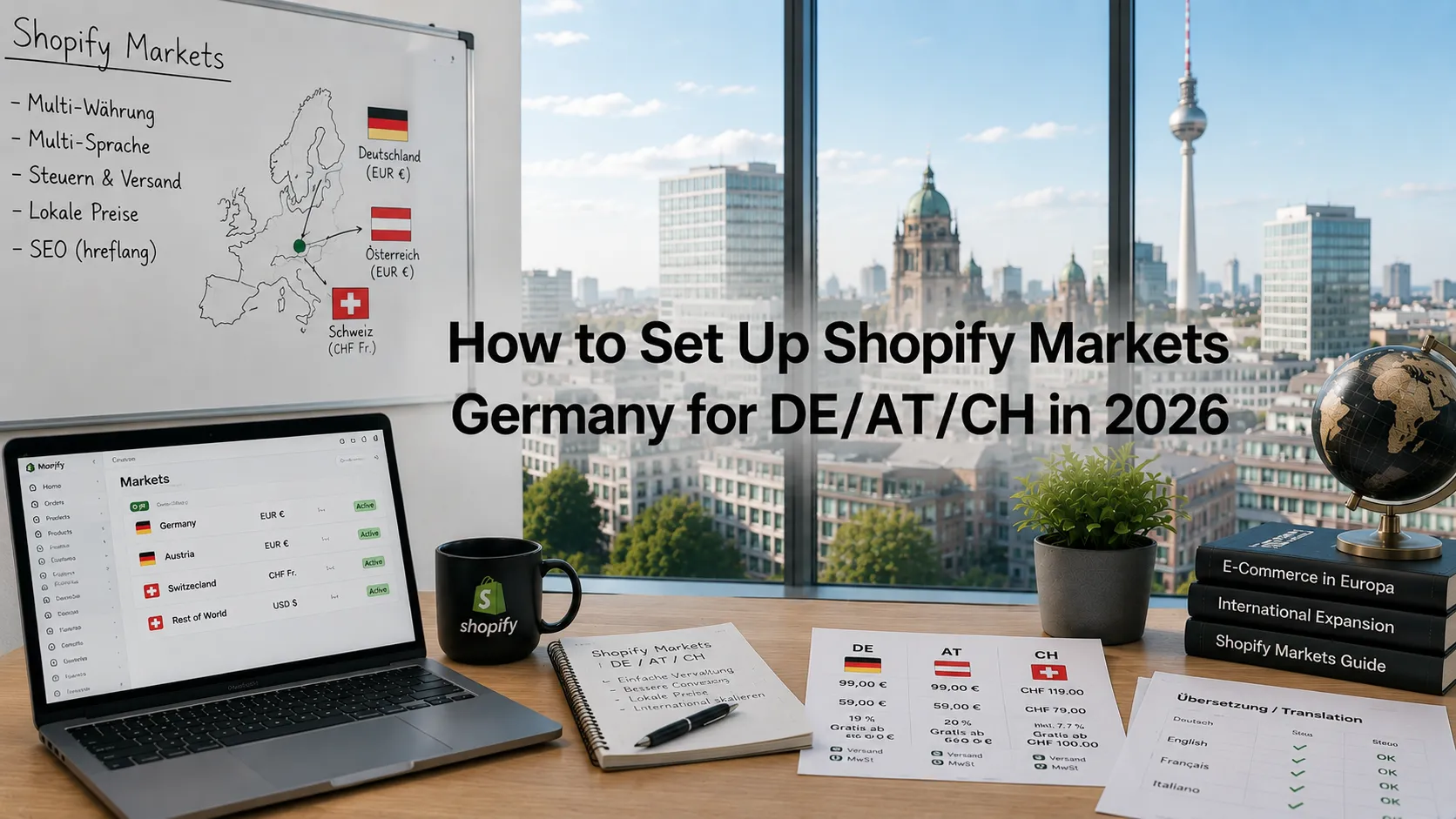
Shopify Markets Germany is how German brands expand to Austria, Switzerland, broader EU, and international markets with multi-currency and multi-language commerce. Shopify Markets — Shopify’s native tooling for this — has matured significantly through 2024–2026, making cross-border commerce achievable without separate stores or heavy custom development.
This guide walks through what Shopify Markets Germany setup actually requires in 2026: Shopify Markets, DE/AT/CH multi-region setup, translation tooling (Weglot vs Langify vs Shopify Translate & Adapt), hreflang SEO, and realistic EUR build costs.
What does Shopify Markets do in 2026?
Shopify Markets is the native multi-region tool. Single store can serve multiple markets with:
Multi-currency
Customers see prices in their local currency. EUR for DE/AT, CHF for CH, USD/GBP for international. Automatic conversion or manual price-per-market.
Multi-language
Customers see content in their local language. Shopify Translate & Adapt is the native tool; third-party apps (Weglot, Langify) extend it.
Multi-region tax + shipping
Different VAT rates per region. OSS for cross-EU B2C. Different shipping rates per region.
Custom URL structures per market
Subfolders (yourbrand.de/de, /at, /ch) or subdomains (de.yourbrand.de, at.yourbrand.de). ccTLDs (yourbrand.at, yourbrand.ch) require separate domain ownership.
Custom domains per market
Plus customers can run separate custom domains per Market.
Market-specific pricing
Strategic pricing per region. €99 in Germany, €109 in Switzerland, $129 in US.
Market-specific products
Show/hide products per region. Some products only available in specific markets.
When does Shopify Markets fit German brands?
Five common scenarios:
DE → AT/CH expansion
Most common. German brand expands to Austria + Switzerland. Markets handles all three regions natively.
DE + EN international
Selling primarily in Germany + offering English option for international buyers. Markets supports.
EU-wide expansion via OSS
Selling B2C across multiple EU countries. Markets + OSS handles VAT per destination.
Selling to non-EU markets
UK post-Brexit, US, Switzerland. Markets supports but each market may have specific compliance needs.
B2B + B2C separation
Combined with Expansion Stores (Plus only) for distinct B2B + B2C with their own market configurations.
What does Shopify Markets cost?
Markets-only setup (no extra subscription)
Markets is included with all Shopify plans. Multi-currency, basic multi-language: free.
Markets + Shopify Translate & Adapt
Native translation. Free for first 2 languages. Custom pricing for more.
Markets + third-party translation app
Weglot, Langify, Weglot for Shopify: €15–€499/month depending on content volume.
Markets Pro (Plus tier)
Custom domains per market, advanced pricing rules. Included with Plus.
Custom development for advanced multi-region
For brands needing custom market-specific UX, custom apps, etc.: €8,000–€60,000+.
For broader Shopify cost context see our Shopify cost Germany guide.
How do you set up DE/AT/CH multi-region step by step?
Step 1: Plan market structure
- Markets: Germany (DE), Austria (AT), Switzerland (CH)
- Currencies: EUR (DE/AT), CHF (CH)
- Languages: DE primary, EN optional
- URL structure: /de/, /at/, /ch/ subfolders (default) or custom domains (Plus)
Step 2: Enable Shopify Markets
Settings → Markets → Add Market for each region.
Step 3: Configure multi-currency
Settings → Markets → currency per market. EUR for DE+AT, CHF for CH.
Step 4: Configure pricing per market
Choose: auto-convert from base currency, OR manually set prices per market. For Switzerland, often manual (higher Swiss prices).
Step 5: Configure tax + shipping per market
- DE: 19% VAT (default)
- AT: 20% VAT
- CH: handled separately (Swiss VAT or non-EU)
OSS registration if B2C cross-EU > €10,000/year. See our Shopify VAT and OSS Germany guide.
Step 6: Set up translation
For DE-only: skip. For DE + EN: install Shopify Translate & Adapt or Weglot. Translate product titles, descriptions, navigation, footer, legal pages.
Step 7: Configure URL structure
Default subfolder /de/, /at/, /ch/. For brand consistency, Plus customers can use custom domains per market.
Step 8: Configure hreflang for SEO
Shopify Markets auto-generates hreflang. Verify in Search Console. See our Shopify SEO Germany guide.
Step 9: Test market detection
Customer visiting from DE → DE market. From AT → AT market. Auto-detect via IP + language; manual switcher available.
Step 10: Test end-to-end
Place test orders from each market. Verify currency, VAT, shipping, language all correct.
What translation tools work best for Shopify in 2026?
Shopify Translate & Adapt (native)
Free for first 2 languages. AI-assisted translation. Good baseline. Limited customization vs. third-party.
Weglot
Most popular third-party Shopify translation app. Strong UX, good auto-translation, professional translation marketplace. €15–€499/month.
Langify
Long-standing competitor. Solid features. Often cheaper than Weglot.
Bablic
Less popular but still active.
Manual translation via Shopify metafields
For brands wanting full manual control, store translations in metafields. Custom theme + custom workflow.
Most German brands expanding to AT/CH can rely on Shopify Translate & Adapt since the language is the same with only minor regional differences.
DE + EN international setups work best with Weglot or Translate & Adapt plus manual review for key commercial pages.
Brands serving 5+ languages should use a professional translation workflow combining human translators with tools like Weglot or Langify.
How does hreflang work on Shopify?
Critical for SEO:
hreflang tells Google which language version to serve
Each page version (DE-version, EN-version) tagged with hreflang. Google can serve the right version for the right user.
Shopify Markets auto-generates hreflang
For Markets-enabled stores, hreflang tags appear in HTML automatically.
Verify implementation
In Google Search Console: International Targeting → hreflang section. Errors fix-able via theme.liquid customization or Shopify settings.
Common pattern for German brands
de-DEfor Germanyde-ATfor Austriade-CHfor Switzerlanden(default) for international Englishx-defaultfor fallback
For SEO depth see our Shopify SEO Germany guide.
What about Swiss-specific considerations (CHF, Swiss VAT)?
Switzerland is the most complex market for German brands:
Currency (CHF)
Customers expect Swiss Franc prices. Markets handles conversion or manual pricing.
Swiss VAT
7.7% standard rate (different from EU). Swiss VAT registration required if Swiss sales exceed CHF 100,000/year.
Customs / duty
For physical goods, customs at Swiss border. Either delivered Duty Paid (DDP) for buyer’s convenience or Delivered Duty Unpaid (DDU) where buyer pays at delivery.
Swiss payment methods
Twint (Swiss mobile payment) increasingly important. PostFinance Card. Otherwise similar to German + cards + PayPal.
Swiss-specific legal pages
Different consumer protection rules. Separate AGB / Datenschutzerklärung review recommended.
For Swiss-specific tax + customs: engage a Steuerberater with Swiss expertise.
What’s the right URL structure?
Three options:
Subfolders (default Shopify Markets)
yourbrand.com/de, /at, /ch. Easiest. Default Markets behavior. Recommended unless you have specific need otherwise.
Subdomains
de.yourbrand.com, at.yourbrand.com, ch.yourbrand.com. Plus required for custom domains. More setup work.
ccTLDs (country-specific domains)
yourbrand.de, yourbrand.at, yourbrand.ch. Stronger local SEO signal but requires separate domain ownership + management.
For most German brands: subfolders are the right starting point. Migrate to ccTLDs only if local SEO competition demands it.
What are common multi-region mistakes German brands make?
Five patterns:
Auto-translating commercial pages
Product titles, descriptions, marketing copy machine-translated to broken German/English. Hurts conversion + SEO.
Same prices across all markets
Charging €99 in both Germany and Switzerland. Swiss market typically supports higher prices (€115–€140 range for same product).
Skipping OSS registration
Cross-EU B2C above €10,000/year without OSS = tax compliance gap.
Wrong hreflang implementation
Markets auto-handles but custom themes can break. Verify in Search Console.
Treating Switzerland as just another EU country
Swiss VAT, customs, payment methods, legal rules all differ. Treat as separate market with its own setup.
When should you skip Markets for separate stores?
Three signals:
- Highly differentiated brand per region (different product line, different brand voice)
- Need for completely separate inventory/fulfillment
- Plus customer wanting maximum operational separation
For these: use Expansion Stores (Plus) for separate storefronts. Otherwise Markets is the right approach.
Frequently asked questions
Included with all plans; translation apps EUR 15 to 499 per month.
Yes; Markets handles DE/AT/CH natively.
Translate & Adapt for basics; Weglot for advanced needs.
Auto-convert from base currency or manual pricing per market.
Yes if Swiss sales exceed CHF 100,000 per year.
Subfolders for most brands; ccTLDs for local-SEO-competitive markets.
Hreflang via Markets; verify in Search Console.
Yes; Markets supports market-specific product visibility.
Need help with multi-region setup?
If you’re expanding from Germany to AT/CH or beyond and want a 30-minute scoping conversation about Markets setup, translation strategy, or pricing per region, book a meeting or send details via our contact page.
Need expert help? Gem Programmers provides experienced Shopify developers for businesses in Germany, Austria and Switzerland. Request a free, no-obligation quote and get a clear plan with scope, timeline and price.