
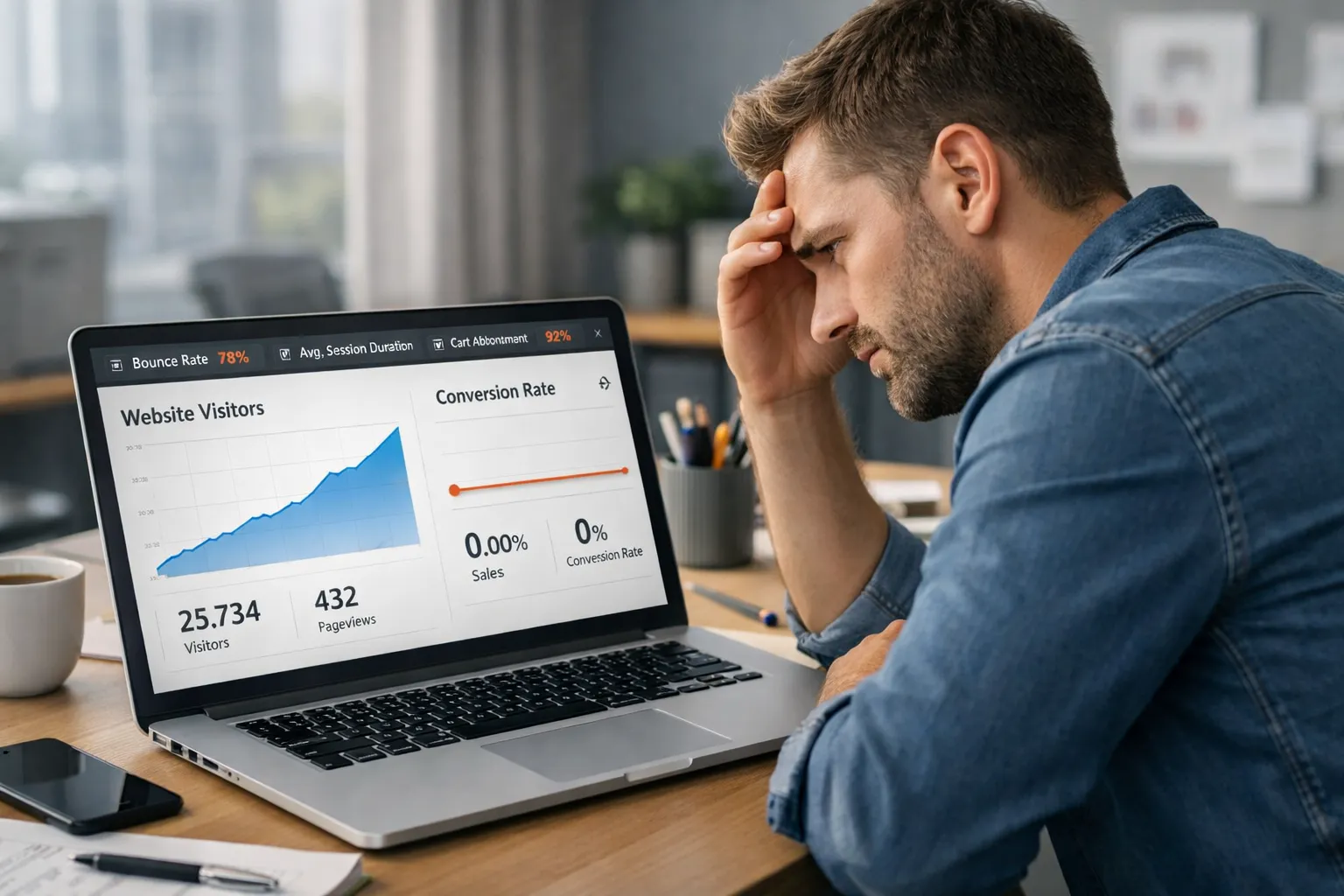
You are getting traffic. Ads are running. SEO is working. Visitors are coming daily.
But orders? Almost zero.
This is one of the most common problems in online stores. Many business owners complain about ecommerce traffic no sales. Traffic alone does not guarantee revenue. Conversion does.
If your ecommerce store gets visitors but no orders, the issue is not marketing only. The issue is conversion optimization.
In this detailed guide, you will learn:
- Why visitors don’t convert
- Hidden checkout issues
- UX mistakes that kill sales
- CTA and design problems
- Trust signal gaps
- CRO fixes that actually work
- How to turn traffic into buyers
Let’s break it down step by step.
What Does “Ecommerce Traffic No Sales” Really Mean?
It means people visit your store but do not buy.
They browse.
The scroll.
They leave.
No add to cart. Not checkout. No payment.
This shows a conversion gap.
Your traffic strategy is working. Your conversion strategy is weak.
Conversion Rate Optimization (CRO) focuses on fixing this gap.
Why Do Visitors Leave Without Buying?
Visitors leave because something blocks their confidence or clarity.
Most stores fail in these areas:
- Bad user experience
- Slow website speed
- Confusing design
- Weak product pages
- No trust signals
- Checkout issues
- Poor mobile layout
- Weak CTA buttons
- Hidden costs
- No urgency
Let’s go deeper.
Is Your Website Speed Killing Conversions?
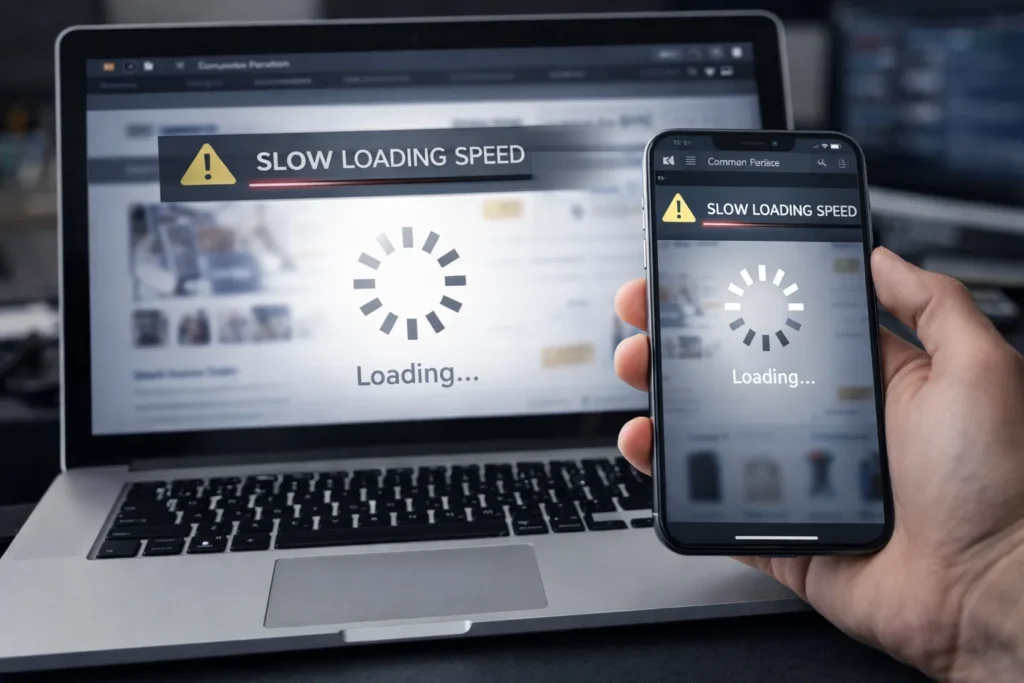
Speed optimization directly impacts conversion.
If your store loads slowly, users leave fast.
Studies show:
- 1–3 second delay = big drop in sales
- Mobile users leave even faster
Speed issues include:
- Heavy images
- Bad hosting
- No caching
- Too many scripts
- Unoptimized themes
Fix
- Compress images
- Use fast hosting
- Enable caching
- Reduce plugins
- Optimize code
Fast sites convert better. Always.
Does Your Store Look Trustworthy?
Visitors ask one question first:
“Can I trust this store?”
If the answer is unclear, they leave.
Trust problems cause ecommerce traffic no sales more than pricing.
Missing Trust Signals
- No reviews
- No testimonials
- No company info
- No contact page
- No real address
- No refund policy
- No SSL badge shown
- No secure payment icons
Add Trust Elements
- Customer reviews
- Verified badges
- Secure checkout icons
- Return policy
- About page
- Real photos
- Business registration details
- Support contact
Trust removes fear. Fear blocks orders.
Are Your Product Pages Weak?
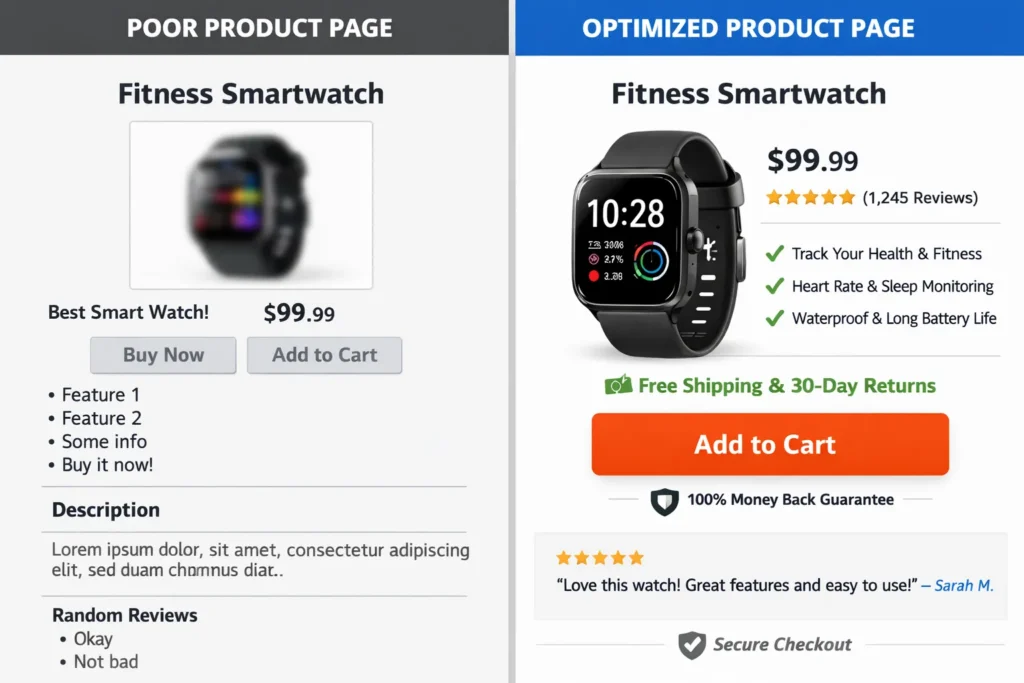
Many stores fail at product presentation.
Bad product pages = no sales.
Common Product Page Mistakes
- Short descriptions
- No benefits listed
- Only features shown
- No real images
- No zoom photos
- No size guides
- No comparison info
- No FAQs
What Works Better
Use this structure:
- Clear headline
- Problem it solves
- Key benefits
- Bullet features
- Real photos
- Use cases
- Customer reviews
- Guarantee note
People buy solutions, not features.
Are Your CTAs Too Weak?
CTA = Call To Action.
If your CTA is weak, users don’t act.
Bad CTA Examples
- Click here
- Submit
- Learn more
Strong CTA Examples
- Buy Now
- Get Yours Today
- Start Free Trial
- Add to Cart Now
- Secure Your Order
CTA Best Practices
- Use action words
- Use contrast color
- Make buttons big
- Place above fold
- Repeat CTA
Strong CTA = more conversions.
Is Your Design Confusing?
Design should guide users, not confuse them.
If users get lost, they leave.
Bad UX Signals
- Too many colors
- Cluttered layout
- Tiny text
- Bad spacing
- Hard navigation
- No product filters
- No search bar
Good UX Practices
- Clean layout
- Clear menus
- Easy filters
- Large buttons
- Simple fonts
- White space
- Visual hierarchy
Good UX increases CRO fast.
Do You Have Checkout Issues?
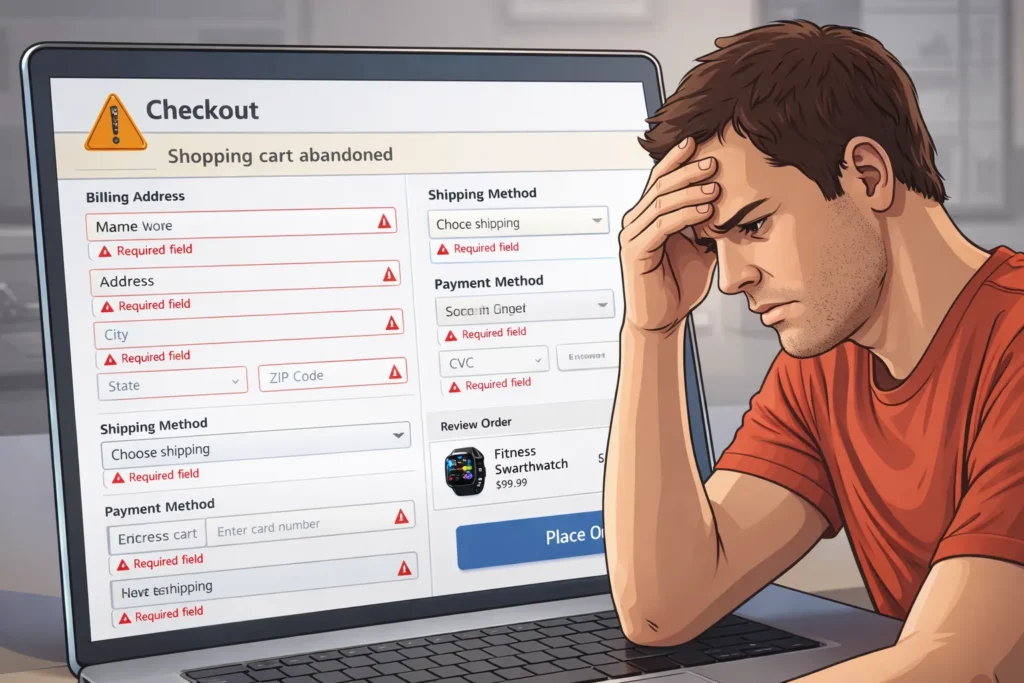
Checkout is where most stores lose buyers.
This is a major reason behind ecommerce traffic no sales.
Checkout Problems
- Too many steps
- Forced signup
- Hidden shipping cost
- No guest checkout
- Complex forms
- Limited payment methods
- No progress bar
Checkout Fix
- One page checkout
- Guest checkout
- Show total price early
- Autofill fields
- Multiple payments
- Progress indicator
Reduce friction. Increase orders.
Are You Showing Hidden Costs Late?
Nothing kills conversion like surprise cost.
Users add to cart.
Then see shipping + tax.
They leave.
Fix
- Show shipping early
- Offer free shipping threshold
- Show tax estimate
- Add shipping calculator
Transparency increases trust.
Are You Targeting the Wrong Audience?
Sometimes traffic is wrong.
Visitors come but are not buyers.
Traffic Quality Problems
- Wrong ad targeting
- Broad keywords
- Irrelevant influencers
- Mismatch between ad & page
Fix
- Use buyer keywords
- Improve targeting
- Align landing page
- Match ad message
Right traffic converts better.
Is Mobile Experience Broken?
Most ecommerce traffic is mobile now.
If CRO is desktop only, sales drop.
Mobile Issues
- Tiny buttons
- Hard checkout
- Slow load
- Broken layout
- Popup overload
The Mobile Fix
- Mobile first design
- Large tap buttons
- Simple forms
- Fast loading
- Test on real devices
Mobile CRO is critical.
Do You Create Urgency and Scarcity?
No urgency = delayed decision = no purchase.
Users think: “I will buy later.”
Later never comes.
Add Urgency
- Limited stock
- Time offers
- Countdown timers
- Flash sales
- Low stock labels
Use honestly. Not fake.
Are You Using Social Proof Properly?
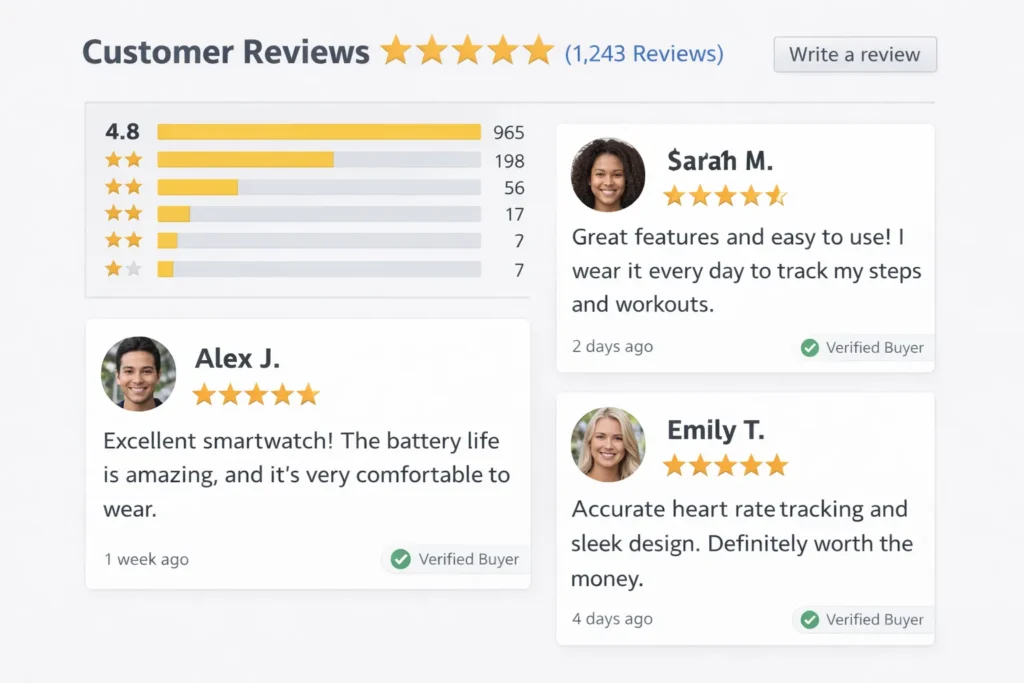
People follow people.
No social proof = no confidence.
Add Social Proof
- Star ratings
- User reviews
- Video testimonials
- Before/after
- Customer photos
- Usage numbers
Social proof boosts CRO strongly.
Do You Answer Objections Early?
Visitors have doubts.
If you don’t answer, they leave.
Common Objections
- Is it durable?
- What if it breaks?
- Can I return?
- Is payment safe?
- Delivery time?
Fix
Add:
- FAQ on product page
- Guarantee badge
- Return policy summary
- Delivery timeline
Remove doubts early.
Are Your Forms Too Long?
Long forms reduce conversion.
Each extra field reduces orders.
Keep Only Needed Fields
Remove:
- Unnecessary phone
- Extra address lines
- Optional data
- Survey questions
Short forms convert more.
Do You Test Your Store Regularly?
CRO needs testing.
No testing = guessing.
What to Test
- CTA colors
- Button text
- Layout
- Images
- Headlines
- Checkout steps
A/B testing improves results.
How Does Professional Website Development Help?
Many conversion issues are technical.
Professional developers fix:
- UX design
- Speed
- Checkout flow
- CRO layout
- Mobile optimization
- Funnel structure
Internal recommended link placement:
For best results, consider professional Website Development Services to rebuild your conversion funnel properly.
CRO Checklist to Fix Ecommerce Traffic No Sales
Use this quick list:
Fast website
Clean design
Strong CTA
Trust badges
Reviews
Simple checkout
No hidden cost
Mobile optimized
Clear product info
Social proof
Urgency signals
Short forms
Multiple payments
Final Thoughts
Getting traffic is not enough.
Sales come from trust, clarity, and ease.
If you are facing ecommerce traffic no sales, focus on:
- UX
- CRO
- Checkout fixes
- Trust signals
- CTA strength
- Speed
- Mobile design
Small changes can double conversions.
Traffic brings visitors.
Conversion turns them into customers.
Faqs
Usually due to poor UX, weak trust signals, checkout issues, or bad product pages. Visitors don’t feel confident or clear enough to buy.
Checkout friction and lack of trust are the top causes. Complicated checkout and missing security signals stop buyers.
CRO improves design, CTA, UX, and checkout flow. It removes friction and increases the percentage of buyers.
Yes. Security badges, reviews, and guarantees reduce fear and improve purchase confidence significantly.
Yes. Forced signup increases abandonment. Guest checkout improves conversion rate.
Strongly. Most users are mobile. Poor mobile UX leads to high drop-offs and low orders.
When your store has speed, UX, or checkout problems. Experts can rebuild your funnel for better conversions.