

In today’s online marketplace, e‑commerce website designs are more than just pretty pages — they directly impact user satisfaction, search rankings, and conversion rates. A well‑designed e‑commerce site answers key shopper questions, reduces friction, and guides users toward buying — making design a critical growth lever.
This guide walks you through proven principles, common pitfalls, design strategies that work in 2026, and practical solutions to typical e‑commerce challenges.
What “E‑commerce Website Design” Really Means
An e‑commerce Website Development refers to the planning and arrangement of visual elements, navigation, and interactive functionality on an online store. It covers:
- The user interface (UI) — how the site looks
- The user experience (UX) — how easy and satisfying it is to use
- Performance and mobile responsiveness
- Search‑friendly structure, navigation, and content
Effective design isn’t just aesthetic — it’s functional and strategic. It helps users find products fast, trust your brand, and complete purchases.
Why E‑commerce Design Matters More Than Ever
Good design influences:
- User Engagement: Clear layouts make browsing easy.
- Conversion Rates: Smooth checkout and intuitive flows reduce abandonment.
- SEO Performance: Fast, responsive sites rank better on Google.
- Brand Perception: Professional design builds trust.
Core Principles of High‑Converting E‑commerce Website Designs
1. Start with Responsive, Mobile‑First Layouts
Mobile shopping continues to grow — your design must adapt to all screen sizes seamlessly. Responsive web design ensures layouts adjust fluidly across devices so users can browse and buy anywhere.
2. Use Intuitive Navigation & Search
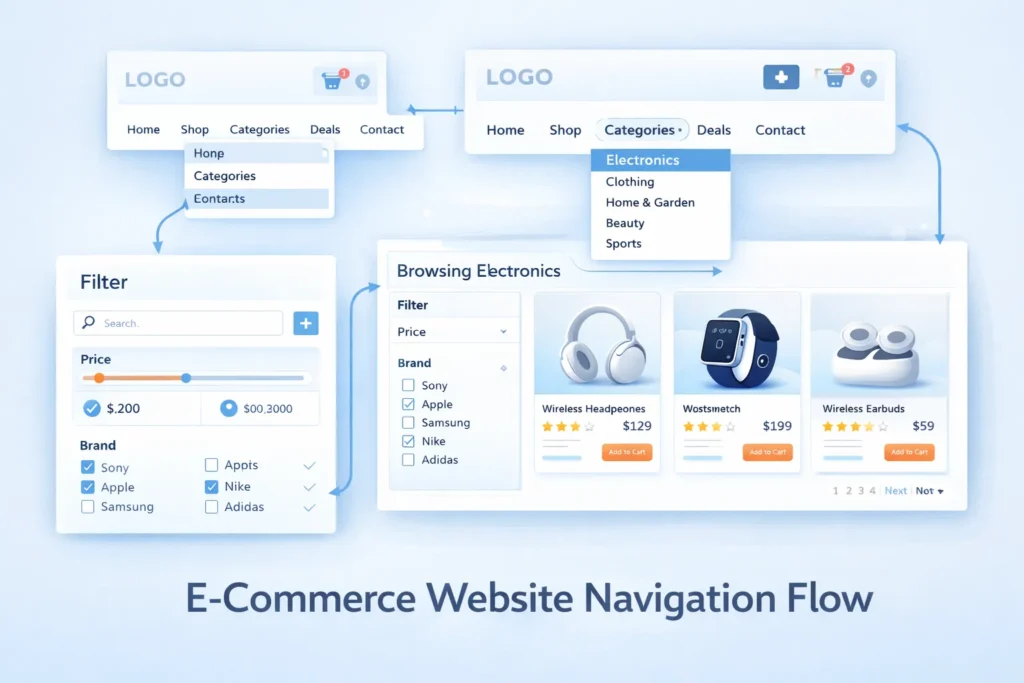
Shoppers want to find what they need quickly. A clean menu, intuitive categories, and a prominent search bar reduce frustration. Options like autocomplete and smart filters help users refine results faster.
3. Showcase Products Clearly
Use high‑quality visuals, accurate descriptions, and multiple views (where possible) to help users make decisions. Visual product previews and clear descriptions reduce doubts and returns.
4. Design for Performance and Speed
Fast loading is non‑negotiable. Pages should load ideally under 3 seconds — slow speed increases bounce rate and hurts SEO. Techniques include compressing images, lazy loading, and leveraging CDNs.
5. Build a Seamless Checkout Process
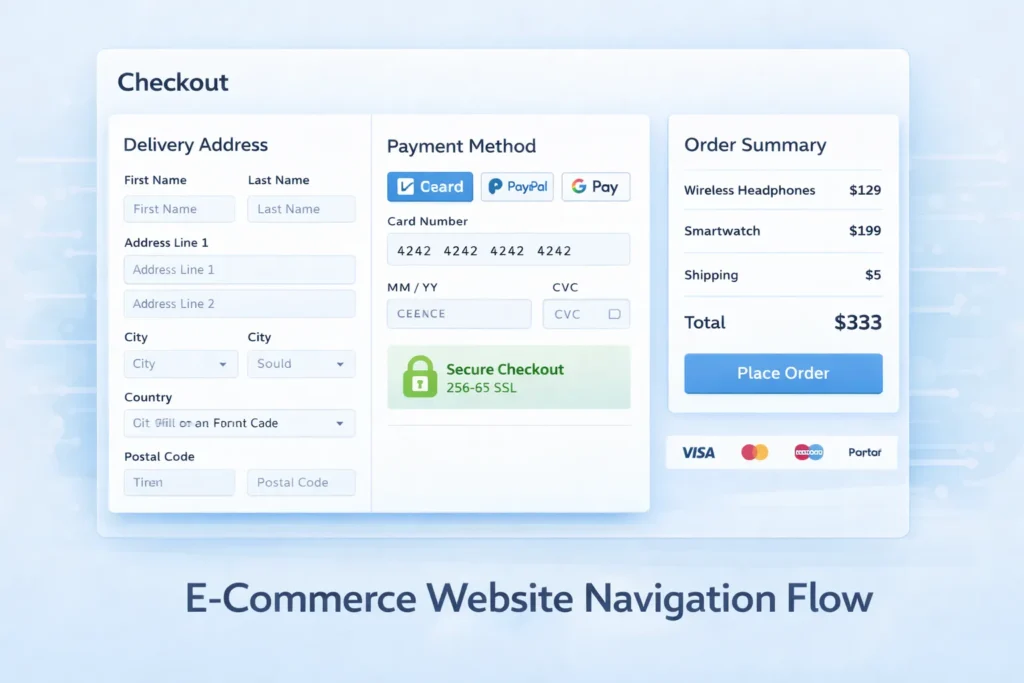
Checkout should be quick, simple, and secure. Reduce required fields and steps. Offer guest checkout and familiar payment options to prevent drop‑offs.
6. Clear Calls to Action (CTAs)
Every page should guide the user toward an action — “Buy Now,” “Add to Cart,” “View Details.” A well‑placed CTA helps users know what to do next.
7. Trust Signals and Security Features
Display SSL badges, secure payment symbols, clear return and privacy policies, and customer reviews. These elements reassure users and increase purchase confidence.
8. Personalization and Recommendations
Tailored suggestions help users discover relevant products. Personalization increases engagement and average order value by showing items that match user behavior and interests.
Common E‑commerce Design Problems (and How to Fix Them)
Problem: Visitors Leave Quickly
Solution: Improve navigation clarity and call‑to‑action visibility. Ensure key elements like search and category blocks appear above the fold.
Problem: High Cart Abandonment
Solution: Simplify checkout, reduce form fields, and offer guest checkout plus trusted gateways.
Problem: Poor SEO Visibility
Solution: Focus on mobile‑friendly layout, fast speed, keyword‑rich product descriptions, and descriptive tags.
Problem: Confusing Product Pages
Solution: Use clear titles, accurate pricing, specs, and feature lists. Add reviews and structured content sections.
Emerging E‑commerce Design Trends for 2026
- AI‑Driven Personalization
AI will tailor experiences in real time — from recommended products to customized layouts. - Immersive Visuals & Interaction
Enhanced product experiences like 360° views, videos, and interactive elements are becoming standard. - Micro‑Interactions
Small animations that provide feedback (like “added to cart” effects) create a more dynamic experience. - Dark Mode & Adaptive UI
Offering a dark mode and adaptive themes improves accessibility and user comfort.
Checklist: Must‑Have Features in Your E‑commerce Design
Use this quick checklist to make sure nothing is missed:
Responsive layout
Easy navigation + search
High‑quality product info
Fast page loading
Simple checkout
Trust and security signals
Strong CTAs
Personalized recommendations
SEO Optimization‑friendly structure
Conclusion
Great e‑commerce website designs solve real problems. They help users find what they want, build trust, and make buying simple. Focusing on intuitive UX, performance, and user needs — while keeping up with design trends — will help your store stand out and convert more visitors into loyal customers.
Start with the principles above, test continuously, and refine based on real user behavior to stay ahead in the competitive e‑commerce landscape.
Faqs
A great design is user-friendly, mobile-responsive, fast-loading, visually appealing, and optimized to guide users from browsing to purchasing efficiently.
Good design builds trust, simplifies navigation, improves user experience, and reduces cart abandonment, directly increasing conversion rates and sales.
Essential features include responsive layout, intuitive navigation, product search, high-quality images, clear CTAs, secure checkout, and fast performance.
Always prioritize mobile-first design, as most users browse and shop on smartphones. Ensure the site adapts seamlessly to all devices.
Use high-quality images, detailed descriptions, customer reviews, clear pricing, and structured content to help customers make confident buying decisions.
Avoid cluttered layouts, slow-loading pages, confusing navigation, long checkout processes, and missing trust signals like SSL badges or return policies.
AI personalization, interactive product visuals, micro-interactions, dark mode, and immersive UI are trending in 2026 for better user engagement and conversions.