
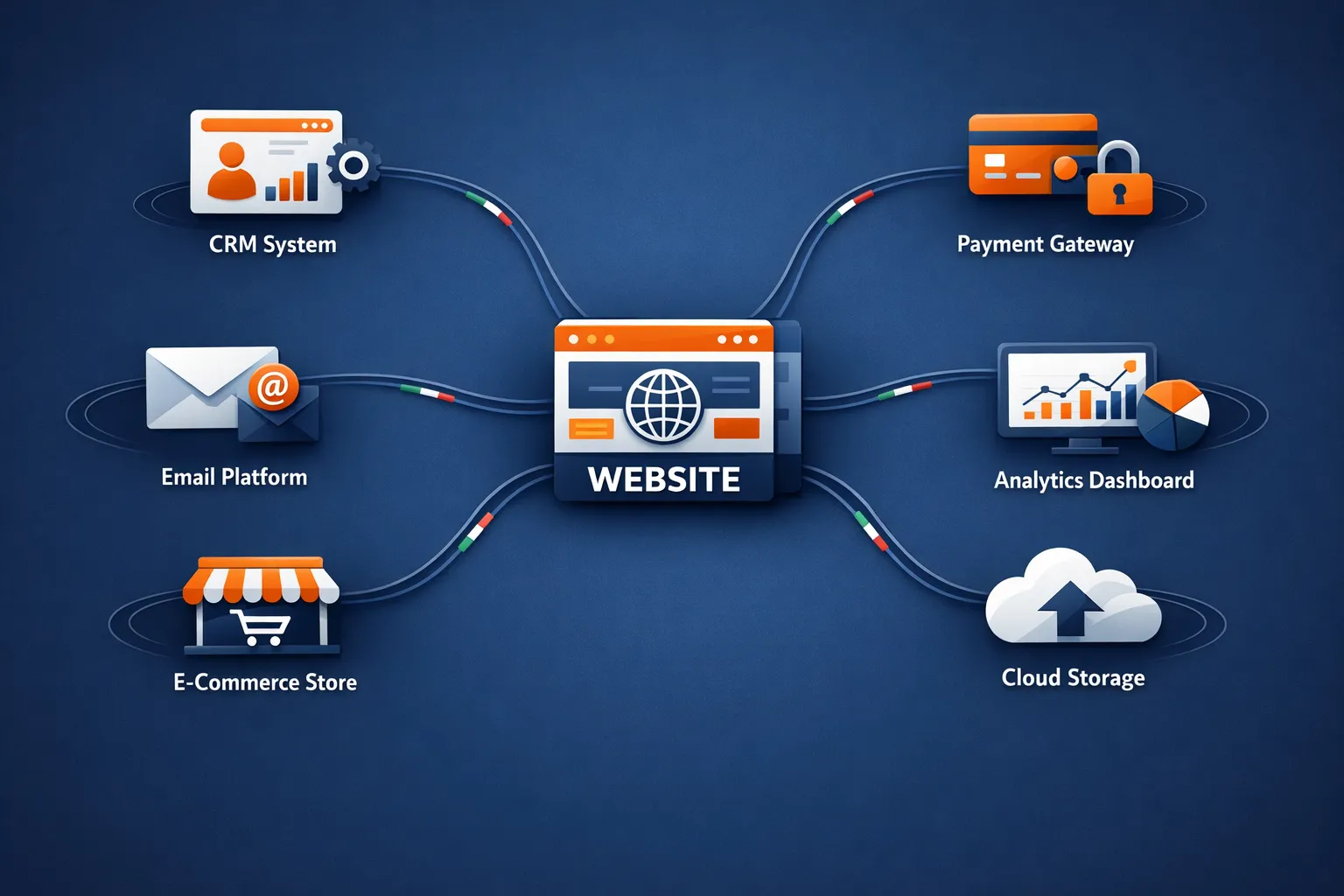
In today’s competitive digital landscape, simply having a website is insufficient. Your website must be a dynamic, connected hub for businesses in Italy, from the bustling fashion houses of Milano to the charming agriturismi of Tuscany. This is where the power of website integrations comes into play.
Think of your website not as a static brochure, but as the central nervous system of your business. Website integrations are the connections that allow this system to communicate seamlessly with all the other tools you use, transforming your online presence from a simple digital placeholder into a powerful engine for growth.
This comprehensive guide will demystify website integrations, explore different types and methods, examine industry-specific solutions, and show you why mastering integrations is no longer optional—it’s essential for staying ahead in the Italian and European market.
What Are Website Integrations? Connecting the Dots
In simple terms, a website integration is a bridge that allows your website to automatically share data and functionality with another software application. Instead of your team manually copying information from a web form into a CRM or updating inventory spreadsheets, integrations do this work instantly and error-free.
Imagine a customer fills out a contact form on your site. With the right integration, that leads information can automatically:
- Appear in your CRM (Customer Relationship Management system)
- Trigger a personalized welcome email from your marketing platform
- Create a new task for your sales team
- Update your analytics dashboard
- Add the contact to your newsletter list
This seamless flow of information is the magic of integration, eliminating data silos, saving time, and reducing costly human errors. For Italian businesses, where efficiency and personal relationships are highly valued, this automation frees your team to focus on what truly matters: building customer relationships and growing your business.
Why Your Italian Business Needs a Connected Website
A disconnected website creates operational friction and missed opportunities. For businesses operating in Italy’s dynamic market, integrations offer tangible benefits that directly impact your bottom line.
Supercharge Lead Generation and Sales
Connect your website forms directly to tools like Mailchimp, HubSpot, or your sales team’s CRM. Every inquiry from potential clients in Rome, Milan, or anywhere in Italy is instantly captured, categorized, and routed to the right team member. Never let a qualified lead slip through the cracks again due to manual data entry delays or oversight.
Automate Customer Service
Implement live chat integration (like LiveChat or Zendesk) to offer instant support during business hours. CRM website integration means your support team has the full customer history at their fingertips, enabling personalized and efficient service that Italian customers expect and appreciate.
Streamline E-commerce Operations
If you sell products online, integrations are your best friend. Sync your website with inventory management systems to prevent overselling, connect with accounting software like Prima Nota or Fatture in Cloud for automated invoicing, and integrate shipping carriers like Poste Italiane, Bartolini, or DHL for real-time tracking and label printing.
Enhance User Experience
Integrate social media feeds to build trust, implement booking systems for restaurants or hotels, add real-time payment gateways like PayPal, Stripe, or Satispay for smooth transactions, and connect review platforms to showcase your reputation. A seamless experience keeps visitors engaged and dramatically increases conversion rates.
Ensure GDPR Compliance
For Italian and European businesses, GDPR compliance isn’t optional. Properly configured integrations can automatically handle consent management, data processing agreements, and right-to-deletion requests, reducing your legal risk while maintaining customer trust.
Understanding Integration Methods: Technical Foundations
Before diving into specific integration types, it’s crucial to understand the different technical methods used to connect systems. Each method has its strengths, use cases, and ideal scenarios.
REST APIs: The Industry Standard
REST (Representational State Transfer) APIs are the most common integration method used today. They work on a request-response pattern where your website sends a request to another application and receives data back.
How it works: When a user submits a form, your website sends an HTTP request to your CRM’s REST API with the user’s information. The CRM processes this data and sends back a confirmation response.
Best for:
- Standard CRUD operations (Create, Read, Update, Delete)
- Simple, stateless interactions
- Wide compatibility across platforms
- When you need predictable, well-documented endpoints
Advantages:
- Easy to understand and implement
- Excellent caching capabilities
- Platform and language agnostic
- Widespread adoption and community support
Limitations:
- Can require multiple requests for complex data
- Over-fetching or under-fetching data issues
- Fixed data structures
GraphQL: Flexible Data Querying
GraphQL, developed by Facebook, addresses REST’s limitations by providing a single endpoint where clients can request exactly the data they need.
How it works: Instead of accessing multiple endpoints like REST, you send a query to a single GraphQL endpoint specifying exactly which fields you want. The server returns only that data, nothing more, nothing less.
Best for:
- Complex data requirements
- Mobile applications with bandwidth constraints
- When you need to aggregate data from multiple sources
- Applications requiring frequent UI changes
Advantages:
- Eliminates over-fetching and under-fetching
- Single request for complex data
- Strong typing and self-documenting
- Perfect for evolving APIs
Limitations:
- Steeper learning curve
- More complex caching strategies
- Potential security concerns if not properly configured
Webhooks: Event-Driven Integration
Webhooks flip the traditional request-response model. Instead of your website repeatedly asking other systems for updates, those systems proactively notify your website when something happens.
How it works: You configure a webhook URL on your website. When a specific event occurs in another application (like a payment completion or form submission), that application sends a POST request to your webhook URL with the event data.
Best for:
- Real-time notifications
- Event-driven architectures
- Reducing unnecessary API calls
- Immediate action triggers
Advantages:
- Real-time updates without polling
- Reduces server load and API calls
- Efficient resource usage
- Perfect for time-sensitive actions
Limitations:
- Requires public endpoint configuration
- Needs robust error handling
- Can be challenging to debug
- Security considerations for public endpoints
SOAP: Legacy System Integration
SOAP (Simple Object Access Protocol) is an older protocol still used by many government agencies, banks, and enterprise systems in Italy.
How it works: SOAP uses XML-based messages to exchange information between systems, with strict standards and contracts (WSDL) defining the communication structure.
Best for:
- Banking and financial systems
- Government integrations
- Enterprise legacy systems
- When security and ACID compliance are critical
Advantages:
- Built-in security standards (WS-Security)
- ACID compliance for transactions
- Language and platform independent
- Formal contracts via WSDL
Limitations:
- More complex than REST
- Larger message sizes (XML verbose)
- Slower performance
- Steeper learning curve
WebSockets: Real-Time Bidirectional Communication
WebSockets enable persistent, two-way communication between client and server, perfect for real-time applications.
Best for:
- Live chat applications
- Real-time dashboards
- Collaborative tools
- Stock tickers or live sports scores
Advantages:
- True real-time communication
- Low latency
- Reduces server overhead
- Perfect for interactive applications
Exploring Common Types of Website Integrations
Understanding the categories of integrations available helps you identify what your business needs. Here are the most impactful integration types for Italian businesses.
CRM and Marketing Platform Integrations
This is one of the most critical integrations for any business. A CRM website integration ensures that every interaction a visitor has with your site is logged, tracked, and actionable.
Popular CRM integrations:
- HubSpot CRM
- Salesforce
- Zoho CRM
- Pipedrive
- ActiveCampaign
How it works: When a visitor downloads an ebook, requests a quote, subscribes to your newsletter, or makes a purchase, their data is automatically sent to your CRM. The system creates or updates contact records, assigns lead scores, triggers follow-up sequences, and provides your sales team with complete customer journey visibility.
The outcome: Your marketing and sales teams can track the customer journey from first website visit to final purchase, segment audiences for targeted campaigns, automate follow-up communications, and run highly personalized marketing—all without manual data entry.
Italian market considerations: Many Italian businesses use local CRM solutions. Ensure your integration supports Italian language interfaces, Euro currency formatting, Italian address formats, and local tax ID fields (Codice Fiscale, Partita IVA).
Payment and E-commerce Solutions
For any Italian business selling online, a secure and smooth payment process is non-negotiable. Payment integrations handle transactions securely while providing a frictionless checkout experience.
Popular payment integrations for Italy:
- Stripe (international standard)
- PayPal (widely trusted)
- Satispay (popular Italian mobile payment)
- Nexi (Italian payment solutions)
- Banca Sella GestPay
- CartaSi
How it works: Your website connects to payment processors through secure APIs that handle sensitive financial data. When a customer checks out, the payment gateway processes the transaction, handles security compliance (PCI DSS), and returns confirmation to your website to complete the order.
The outcome: Customers enjoy a fast, trustworthy checkout process with multiple payment options. Your business benefits from reduced cart abandonment, automated payment reconciliation, instant payment confirmation, and built-in fraud protection.
E-commerce platform integrations:
- WooCommerce + payment gateways
- Shopify + inventory management
- Magento + shipping carriers
- PrestaShop + accounting software
Email Marketing and Automation
Email remains one of the highest-ROI marketing channels. Integrating your website with email marketing platforms enables sophisticated automation and personalization.
Popular platforms:
- Mailchimp
- SendinBlue (now Brevo)
- ActiveCampaign
- MailerLite
- GetResponse
Key automation workflows:
- Welcome series for new subscribers
- Abandoned cart recovery
- Post-purchase follow-ups
- Re-engagement campaigns
- Birthday and anniversary emails
Italian market best practices: Ensure compliance with Italian privacy laws, provide clear opt-in mechanisms, respect GDPR consent requirements, and offer Italian language content and support.
Analytics and Tracking Integrations
Understanding user behavior is crucial for SEO optimization. Analytics integrations provide insights into how visitors interact with your website.
Essential analytics tools:
- Google Analytics 4
- Google Tag Manager
- Hotjar (heatmaps and session recordings)
- Matomo (privacy-focused alternative)
- Microsoft Clarity
What you can track:
- User behavior and navigation patterns
- Conversion funnel performance
- Traffic sources and campaign effectiveness
- E-commerce transactions and revenue
- Form abandonment and errors
GDPR considerations: Implement cookie consent management (Cookie banner compliance), anonymize IP addresses, provide clear privacy policies, and allow users to opt out of tracking.
Accounting and Financial Software
Financial integration eliminates double-entry bookkeeping and ensures accurate, real-time financial data.
Popular Italian accounting software:
- Fatture in Cloud
- TeamSystem
- Passepartout
- Zucchetti
- Danea Easyfatt
What gets automated:
- Invoice generation from orders
- Payment reconciliation
- Expense tracking
- VAT calculation and reporting
- Financial statement preparation
Benefits for Italian businesses: Automatic Partita IVA and Codice Fiscale validation, Italian invoice format compliance (Fattura Elettronica), integration with Sistema di Interscambio (SDI), and automated quarterly VAT reporting.
Social Media Integrations
Social media integration extends your website’s reach and builds social proof.
Key integrations:
- Social sharing buttons
- Social login (Facebook, Google, LinkedIn)
- Instagram feed display
- Facebook Pixel for retargeting
- Social media review aggregation
Benefits:
- Simplified user registration
- Increased content sharing
- Enhanced trust through social proof
- Retargeting capabilities
- Community building
Communication and Collaboration Tools
Keep your team connected and responsive with communication integrations.
Popular tools:
- Slack (team communication)
- Microsoft Teams
- Zendesk (customer support)
- Intercom (live chat)
- WhatsApp Business API
Use cases:
- Instant internal notifications for new leads
- Customer support ticket creation
- Team collaboration on customer issues
- Real-time chat support
- Automated chatbots for common questions
Booking and Scheduling Systems
For service-based businesses, appointment booking integrations are essential.
Popular booking platforms:
- Calendly
- Acuity Scheduling
- Booking.com (for hospitality)
- TheFork/OpenTable (for restaurants)
- Booksy (for salons and wellness)
Features:
- Real-time availability checking
- Automated confirmation emails
- Calendar synchronization
- Reminder notifications
- Payment collection at booking
Integration Tools and Platforms: Choosing the Right Solution
Understanding the tools available for implementing integrations helps you make informed decisions about your technology stack.
No-Code Integration Platforms
No-code platforms allow non-technical users to create powerful integrations without writing code. They’re ideal for small to medium Italian businesses looking for quick implementation.
Zapier: The Integration Giant
Overview: Zapier connects over 7,000 applications, making it the most comprehensive integration platform available.
Strengths:
- Extremely user-friendly interface
- Massive app ecosystem
- Pre-built templates for common workflows
- Excellent documentation and support
- Multi-step workflows (Zaps)
Pricing for Italian businesses:
- Free: 100 tasks/month, 5 Zaps
- Starter: €19.99/month, 750 tasks
- Professional: €49/month, 2,000 tasks
- Team: €299/month, 50,000 tasks
Best for: Small businesses, marketing teams, quick implementations, standard workflows.
Limitations: Can become expensive at scale, limited customization for complex workflows, and slower execution than code-based solutions.
Make (formerly Integromat): Advanced Automation
Overview: Make offers more advanced automation capabilities with a visual workflow builder and complex logic support.
Strengths:
- Visual scenario builder
- Advanced data manipulation
- Complex conditional logic
- More affordable at scale
- Better for technical users
Pricing:
- Free: 1,000 operations/month
- Core: €9/month, 10,000 operations
- Pro: €16/month, 10,000 operations
- Teams: €29/month, 10,000 operations
Best for: Growing businesses, complex workflows, users comfortable with some technical concepts, and cost-conscious organizations.
Limitations: Steeper learning curve than Zapier, smaller app ecosystem, less beginner-friendly.
Other Notable Platforms
Pabbly Connect:
- Unlimited automation for a flat fee
- Great value for high-volume needs
- Starting at $19/month
Integrately:
- One-click integrations
- Simple workflows
- Budget-friendly option
n8n:
- Open-source alternative
- Self-hosted option available
- Developer-friendly
Integration Platform as a Service (iPaaS)
For larger enterprises and complex integration needs, iPaaS solutions offer enterprise-grade capabilities.
MuleSoft (Salesforce):
- Enterprise-level integration
- API management
- High scalability
- Premium pricing
Dell Boomi:
- Cloud-native integration
- Master data management
- Enterprise connectivity
- Subscription-based pricing
Workato:
- Business automation
- Enterprise app integration
- AI-powered recipes
- Mid-market to enterprise focus
Custom API Development
For unique requirements or when pre-built integrations don’t suffice, custom development offers maximum flexibility.
When to choose custom development:
- Unique business logic requirements
- Legacy system integration
- Proprietary software connections
- High-security requirements
- Specific performance needs
Development approaches:
- In-house development team
- Italian development agencies specializing in integrations
- Freelance developers with integration expertise
- Hybrid approach (no-code + custom)
Industry-Specific Integration Solutions
Different industries have unique integration requirements. Here’s how website integrations address specific needs across Italian business sectors.
E-commerce: Complete Store Automation
E-commerce businesses benefit most dramatically from integrations, with the potential to automate nearly every operational aspect.
Critical e-commerce integrations:
Inventory Management:
- Real-time stock level synchronization
- Multi-channel inventory tracking
- Automatic reorder notifications
- Warehouse management system (WMS) connection
Popular Italian solutions: Danea Easyfatt, Passepartout Mexal, TeamSystem
Order Management:
- Automatic order processing
- Order status updates
- Returns and refunds handling
- Multi-store order consolidation
Shipping and Logistics:
- Poste Italiane API integration
- Bartolini shipping labels
- DHL Express Italy
- GLS tracking integration
- Automated shipping notifications
Payment Processing:
- Multiple payment gateway support
- Automatic payment reconciliation
- Refund processing
- Installment payment options (Klarna, Scalapay)
Accounting Integration:
- Automatic invoice generation
- Electronic invoicing (Fattura Elettronica)
- SDI (Sistema di Interscambio) integration
- Revenue and expense tracking
Example workflow:
- The customer places an order on the website
- Inventory automatically decreases
- Payment processes through Stripe/Satispay
- Order sent to the warehouse management system
- Shipping label generated via Poste Italiane API
- Customer receives tracking notification
- Invoice automatically created in Fatture in Cloud
- Invoice sent to SDI for B2B orders
- Accounting records updated
- Customer receives review request email
Real Estate: Property Marketing Automation
Real estate agencies in Italy can leverage integrations to manage listings, leads, and client communications efficiently.
Key integrations:
Property Listing Syndication:
- Immobiliare.it API integration
- Casa.it listing synchronization
- Idealista automated updates
- Facebook Marketplace property ads
CRM for Real Estate:
- Lead capture from website inquiries
- Viewing appointment scheduling
- Follow-up automation
- Property matching algorithms
Document Management:
- Contract generation
- Digital signature integration (DocuSign, Adobe Sign)
- Document storage and retrieval
- Compliance tracking
Communication Automation:
- WhatsApp Business API for quick responses
- Email campaigns for new listings
- SMS notifications for viewings
- Virtual tour integrations
Hospitality: Seamless Guest Experience
Hotels, B&Bs, agriturismi, and restaurants can enhance guest satisfaction through smart integrations.
For Accommodations:
Booking Management:
- Booking.com channel manager integration
- Airbnb calendar synchronization
- Expedia connectivity
- Direct booking engine
Property Management System (PMS):
- Room availability synchronization
- Rate management across channels
- Guest check-in/check-out automation
- Housekeeping task assignment
Payment Processing:
- Secure pre-authorization
- Multiple currency support
- Split payments
- Refund management
Guest Communication:
- Automated booking confirmations
- Pre-arrival information emails
- Post-stay review requests
- Special offer announcements
For Restaurants:
Reservation Systems:
- TheFork (formerly The Fork Manager) integration
- OpenTable connectivity
- Google Reserve
- Direct website booking
Order Management:
- Online ordering system
- Delivery platform integration (Glovo, Deliveroo, Just Eat)
- Kitchen display system connection
- Table management
Inventory and Suppliers:
- Ingredient inventory tracking
- Supplier order automation
- Menu cost calculation
- Waste tracking
Professional Services: Client Management
Consultants, lawyers, architects, and agencies benefit from integrations that enhance client relationships.
Project Management:
- Time tracking integration (Toggl, Harvest)
- Task management (Asana, Trello, Monday.com)
- Team collaboration (Slack, Microsoft Teams)
- File sharing (Google Drive, Dropbox)
Client Portal:
- Secure document sharing
- Project status updates
- Invoice and payment access
- Communication hub
Invoicing and Billing:
- Time-based automatic invoicing
- Project milestone billing
- Expense tracking and reimbursement
- Payment reminder automation
Calendar and Scheduling:
- Calendly appointment booking
- Google Calendar synchronization
- Zoom meeting automation
- Reminder notifications
Healthcare: Patient Care Coordination
Medical practices, clinics, and healthcare providers need HIPAA-compliant and GDPR-compliant integrations.
Patient Management:
- Online appointment booking
- Patient portal access
- Medical history synchronization
- Prescription management
Compliance Requirements:
- Data encryption in transit and at rest
- Access control and audit logs
- Consent management
- Right to access/deletion workflows
Communication:
- Appointment reminders (SMS, email)
- Test result notifications
- Follow-up care instructions
- Telemedicine platform integration
Note: Healthcare integrations in Italy must comply with both GDPR and Italian privacy laws regarding health data (special category data under GDPR).
Security and GDPR Compliance: Protecting Your Integration
Security isn’t optional for Italian businesses operating in the EU. Proper integration security protects your business and your customers while ensuring regulatory compliance.
GDPR Requirements for Website Integrations
The General Data Protection Regulation applies to any business processing personal data of EU residents. Integrations that transfer data between systems must comply with strict requirements.
Key GDPR principles affecting integrations:
Data Minimization:
- Only transfer the necessary data through integrations
- Avoid sending excessive personal information
- Implement field-level mapping to control data flow
- Regular audits of data being transferred
Purpose Limitation:
- Document specific purposes for each integration
- Ensure data isn’t used for incompatible purposes
- Update privacy policies to reflect integrations
- Obtain consent for new data processing activities
Data Processing Agreements (DPA):
- Establish DPAs with all integration providers
- Verify third-party GDPR compliance
- Ensure adequate data protection measures
- Document data processing activities
Data Residency and Transfers:
- Understand where integrated systems store data
- For non-EU services, ensure adequate safeguards
- Consider using EU-based integration platforms
- Implement Standard Contractual Clauses (SCCs) when needed
Rights of Data Subjects:
- Implement the right to access across integrated systems
- Enable the right to rectification in all connected systems
- Support right to erasure throughout the integration chain
- Provide data portability mechanisms
Consent Management:
- Integrate cookie consent platforms (OneTrust, Cookiebot)
- Track consent status across systems
- Respect withdrawal of consent in all integrations
- Maintain consent records
Security Best Practices for Integrations
Beyond GDPR compliance, implementing robust security measures protects your business from breaches and attacks.
Authentication and Authorization:
OAuth 2.0 Implementation:
- Industry-standard authorization framework
- Secure token-based authentication
- Granular permission control
- Automatic token expiration
API Key Management:
- Store API keys in environment variables (never in code)
- Rotate keys regularly (quarterly recommended)
- Use different keys for development/production
- Implement key expiration policies
Multi-Factor Authentication (MFA):
- Require MFA for integration platform access
- Use authenticator apps over SMS
- Implement backup authentication methods
- Regular security training for team members
Data Encryption:
In Transit:
- Always use HTTPS/TLS for API communications
- Implement TLS 1.2 or higher
- Validate SSL certificates
- Use secure WebSocket connections (WSS)
At Rest:
- Encrypt sensitive data in databases
- Use industry-standard encryption (AES-256)
- Implement encryption key management
- Regular security audits
Rate Limiting and Throttling:
- Implement API rate limits to prevent abuse
- Monitor for unusual traffic patterns
- Use exponential backoff for retry logic
- Set up alerts for rate limit violations
Error Handling and Logging:
Secure Error Messages:
- Never expose sensitive data in error messages
- Avoid revealing system architecture details
- Use generic error messages for users
- Log detailed errors securely for developers
Audit Logging:
- Log all integration activities
- Include timestamps, user IDs, and actions
- Maintain logs for compliance periods
- Regularly review logs for suspicious activity
Third-Party Risk Management:
Vendor Assessment Checklist:
- Review security certifications (ISO 27001, SOC 2)
- Verify GDPR compliance documentation
- Check data breach history
- Assess financial stability
- Review SLA guarantees
Regular Security Audits:
- Quarterly security reviews of all integrations
- Vulnerability scanning
- Penetration testing for critical integrations
- Third-party security assessments
Monitoring and Incident Response:
- Real-time monitoring of integration health
- Automated alerts for failures or anomalies
- Incident response plan for data breaches
- Regular disaster recovery testing
Common Security Vulnerabilities to Avoid
API Key Exposure:
- Never commit API keys to version control
- Don’t include keys in client-side code
- Avoid embedding keys in mobile apps
- Use secret management tools (AWS Secrets Manager, HashiCorp Vault)
Insufficient Input Validation:
- Validate all data received from integrations
- Sanitize inputs to prevent injection attacks
- Implement schema validation
- Use parameterized queries
Inadequate Access Controls:
- Implement the principle of least privilege
- Regular access reviews and revocations
- Role-based access control (RBAC)
- Separation of duties
Man-in-the-Middle Attacks:
- Certificate pinning for critical integrations
- Verify SSL/TLS certificates
- Use VPNs for sensitive connections
- Monitor for certificate anomalies
Common Integration Challenges and Solutions
Even well-planned integrations face challenges. Understanding common issues helps you prepare and respond effectively.
Technical Challenges
Challenge 1: API Version Changes
Problem: Third-party services update their APIs, potentially breaking your integrations without warning.
Solutions:
- Subscribe to API changelog notifications
- Implement API version pinning where available
- Build version detection into integration code
- Maintain test environments for API updates
- Create fallback mechanisms for breaking changes
- Document all API dependencies
Challenge 2: Rate Limiting Issues
Problem: Exceeding API rate limits causes integration failures and service disruptions.
Solutions:
- Implement exponential backoff retry logic
- Use queuing systems for high-volume operations
- Cache frequently accessed data
- Batch requests where possible
- Monitor rate limit consumption
- Upgrade to higher-tier plans when justified
Challenge 3: Data Format Inconsistencies
Problem: Different systems use different data formats, causing synchronization errors.
Solutions:
- Implement robust data transformation layers
- Use data validation before transmission
- Create field mapping documentation
- Build error handling for format mismatches
- Standardize internal data formats
- Use integration platforms with built-in data transformation
Challenge 4: Synchronization Conflicts
Problem: Data updated in multiple systems simultaneously creates conflicts and data loss.
Solutions:
- Implement conflict resolution strategies (last-write-wins, manual review)
- Use timestamp-based synchronization
- Create a single source of truth where possible
- Implement two-way sync carefully
- Regular reconciliation audits
- Clear data ownership policies
Challenge 5: Timeout Errors
Problem: Long-running operations timeout, causing incomplete data transfers.
Solutions:
- Implement asynchronous processing for large operations
- Use webhooks for long-running tasks
- Increase timeout thresholds appropriately
- Break large operations into smaller chunks
- Implement retry mechanisms
- Use job queuing systems
Business Challenges
Challenge 1: Integration Maintenance Costs
Problem: Hidden ongoing costs for monitoring, updating, and maintaining integrations.
Solutions:
- Calculate total cost of ownership before implementation
- Budget for annual maintenance (typically 15-20% of development cost)
- Use monitoring tools to reduce manual oversight
- Document integrations thoroughly for easier maintenance
- Consider managed integration services
- Regular cost-benefit analysis
Challenge 2: Vendor Lock-In
Problem: Dependence on specific platforms makes switching costly and complex.
Solutions:
- Use abstraction layers in custom Shopify Development
- Choose integration platforms with broad compatibility
- Maintain data export capabilities
- Document integration architecture independently
- Evaluate alternatives annually
- Negotiate contract terms with exit strategies
Challenge 3: Scalability Issues
Problem: Integrations that work at low volume fail under increased load.
Solutions:
- Design for scale from the beginning
- Load testing before production deployment
- Implement horizontal scaling capabilities
- Use cloud-based integration platforms
- Monitor performance metrics continuously
- Plan capacity based on growth projections
Challenge 4: Change Management
Problem: Team resistance to new automated workflows and integration dependencies.
Solutions:
- Involve stakeholders early in planning
- Provide comprehensive training
- Create clear documentation and SOPs
- Demonstrate ROI and efficiency gains
- Gradual rollout with pilot programs
- Continuous support and feedback loops
Challenge 5: Integration Complexity
Problem: Multiple integrations create complex, hard-to-maintain systems.
Solutions:
- Map integration architecture visually
- Limit the number of integrated systems
- Use integration platforms as central hubs
- Document dependencies thoroughly
- Regular architecture reviews
- Consider the API gateway pattern for complex ecosystems
Troubleshooting Guide
When integrations fail, follow this systematic approach:
Step 1: Identify the Failure Point
- Check error logs and messages
- Determine which system reported the error
- Review recent changes to either system
- Verify network connectivity
2: Verify Credentials and Permissions
- Confirm API keys are valid
- Check token expiration
- Verify user permissions
- Test authentication separately
3: Test Data Flow
- Validate input data format
- Check for required fields
- Test with a minimal data set
- Compare with working examples
4: Review System Status
- Check third-party service status pages
- Verify your own system health
- Confirm no scheduled maintenance
- Review rate limit status
5: Implement Temporary Workaround
- Switch to manual process if critical
- Use the backup integration method
- Queue failed requests for retry
- Communicate with affected stakeholders
6: Permanent Resolution
- Address the root cause
- Update error handling
- Document the issue and solution
- Implement monitoring to prevent recurrence
Cost Analysis and ROI for Website Integrations
Understanding the financial implications of integrations helps justify investment and set realistic expectations.
Integration Cost Breakdown
Pre-Built Integration Costs (No-Code Platforms):
Setup Costs:
- Platform subscription: €0-€300/month
- Configuration time: 2-8 hours at €50-€100/hour
- Testing and validation: 2-4 hours
- Training: 1-3 hours
- Total initial investment: €250-€2,000
Ongoing Costs:
- Monthly platform fee: €20-€300/month
- Maintenance time: 1-2 hours/month
- Updates and adjustments: €50-€200/month
- Total annual cost: €500-€4,000
Custom Integration Development:
Development Costs:
- Requirements analysis: 4-8 hours at €75-€150/hour
- Development: 20-100 hours at €75-€150/hour
- Testing: 8-16 hours
- Documentation: 4-8 hours
- Deployment: 2-4 hours
- Total initial investment: €3,000-€20,000
Ongoing Costs:
- Monitoring: €100-€500/month
- Updates and bug fixes: €200-€800/month
- Security patches: €100-€300/month
- Total annual cost: €4,800-€19,200
Enterprise Integration Platform:
Setup Costs:
- Platform licensing: €10,000-€100,000/year
- Implementation services: €20,000-€200,000
- Training: €5,000-€20,000
- Total initial investment: €35,000-€320,000
Ongoing Costs:
- Annual licensing: €10,000-€100,000
- Support and maintenance: €5,000-€50,000
- Dedicated resources: €50,000-€150,000
- Total annual cost: €65,000-€300,000
Calculating Return on Investment
To justify the integration investment, calculate the tangible benefits and time savings.
Time Savings Calculation:
Example: E-commerce Order Processing
Before Integration:
- Manual order entry: 5 minutes per order
- Invoice creation: 3 minutes per order
- Inventory update: 2 minutes per order
- Shipping label: 3 minutes per order
- Customer notification: 2 minutes per order
- Total: 15 minutes per order
Orders per day: 50 Total time: 12.5 hours/day Monthly cost (at €25/hour): €6,250
After Integration:
- Automated processing: 30 seconds per order (review/exception handling)
- Total: 0.5 minutes per order
Time saved: 14.5 minutes per order Monthly time savings: 362.5 hours Monthly cost savings: €9,062.50 Annual savings: €108,750
Integration cost: €5,000 initial + €2,000/year maintenance Payback period: Less than 1 month First-year ROI: 2,060%
Error Reduction Benefits:
Before Integration:
- Error rate: 5% of orders (manual entry mistakes)
- 50 orders/day × 5% = 2.5 errors/day
- Cost per error (time + customer service): €30
- Monthly error cost: €1,875
- Annual error cost: €22,500
After Integration:
- Error rate: 0.5% (mostly exception handling)
- Annual error cost: €2,250
- Annual savings from error reduction: €20,250
Revenue Impact:
Customer Experience Improvements:
- Faster order processing increases satisfaction
- Reduced errors improve retention
- Better data enables personalization
Conservative estimates:
- 5% increase in customer retention = €50,000 additional annual revenue (for €1M revenue business)
- 2% conversion rate improvement from better UX = €20,000 additional annual revenue
Total First-Year Benefits:
- Time savings: €108,750
- Error reduction: €20,250
- Revenue increase: €70,000
- Total: €199,000
Total First-Year Investment:
- Initial setup: €5,000
- Annual maintenance: €2,000
- Total: €7,000
Net benefit: €192,000 ROI: 2,743% Payback period: 13 days
Cost-Benefit Analysis Framework
Use this framework to evaluate specific integration opportunities:
Step 1: Identify Current Costs
- Labor hours spent on manual tasks
- Error rates and correction costs
- Lost revenue from delays or mistakes
- Customer service time addressing issues
2: Estimate Integration Costs
- Initial implementation (development or platform setup)
- Ongoing subscription or maintenance
- Training and change management
- Potential downtime during implementation
3: Project Benefits
- Time savings (hours × hourly rate)
- Error reduction (error count × cost per error)
- Revenue impact (increased conversions, retention, average order value)
- Competitive advantage (difficult to quantify but real)
4: Calculate Metrics
- ROI = (Total Benefits – Total Costs) / Total Costs × 100
- Payback Period = Initial Investment / Monthly Net Benefit
- Net Present Value (for multi-year analysis)
5: Make a Decision
- Positive ROI over a reasonable timeframe (typically 1-2 years)
- Payback period acceptable to business (typically 6-18 months)
- Strategic value beyond pure financial metrics
Testing and Monitoring Your Integrations
Proper testing and ongoing monitoring ensure integrations remain reliable and performant.
Testing Strategies
Unit Testing: Test individual integration components in isolation.
What to test:
- API authentication functions
- Data transformation logic
- Error handling routines
- Validation rules
Tools:
- Jest (JavaScript)
- pytest (Python)
- PHPUnit (PHP)
- JUnit (Java)
Integration Testing: Test complete workflows across connected systems.
What to test:
- End-to-end data flow
- Multi-step automation sequences
- Error propagation and handling
- Rollback mechanisms
Approach:
- Use test/sandbox environments
- Test with realistic data volumes
- Simulate various scenarios (success, failure, partial failure)
- Verify data consistency across systems
Load Testing: Ensure integrations handle expected and peak volumes.
What to test:
- Response time under normal load
- Performance degradation under peak load
- Recovery from overload conditions
- Rate limit handling
Tools:
- Apache JMeter
- Gatling
- k6
- Locust
Acceptance Testing: Verify integrations meet business requirements.
What to test:
- Business logic correctness
- User experience impact
- Data accuracy
- Compliance requirements
Process:
- Involve end users in testing
- Test real-world scenarios
- Verify against documented requirements
- Sign-off before production deployment
Monitoring Best Practices
Health Monitoring: Continuously check integration availability and performance.
Key metrics:
- Uptime/availability percentage
- Response time (average, median, 95th percentile)
- Error rate
- Request volume
- Queue depth (for asynchronous integrations)
Monitoring tools:
- Datadog
- New Relic
- Grafana + Prometheus
- Elastic Stack (ELK)
Alerting: Set up proactive notifications for issues.
Alert types:
- Critical: Integration is completely down (immediate notification)
- Warning: Degraded performance or elevated error rate (15-minute delay)
- Info: Rate limit approaching, unusual patterns (daily digest)
Alert channels:
- Email for non-critical alerts
- SMS/Phone for critical production issues
- Slack/Teams for team awareness
- PagerDuty for on-call escalation
Log Management: Comprehensive logging enables troubleshooting and analysis.
What to log:
- All API requests and responses (sanitize sensitive data)
- Authentication attempts
- Data transformations
- Errors with full context
- Performance metrics
- User actions triggering integrations
Log retention:
- Operational logs: 30-90 days
- Audit logs: 1-7 years (depending on compliance requirements)
- Error logs: 1 year
Performance Monitoring: Track and optimize integration efficiency.
Metrics to track:
- API response times
- Data processing duration
- Queue processing time
- Database query performance
- Network latency
Optimization triggers:
- Response time > 2 seconds: Investigate caching opportunities
- Error rate > 1%: Review error handling and data validation
- Queue depth increasing: Add processing capacity or optimize code
Business Metrics: Monitor the business impact of integrations.
Key performance indicators:
- Leads captured and synced to CRM
- Orders processed automatically
- Invoices generated
- Emails sent
- Appointments scheduled
- Customer service tickets created
Dashboard recommendations:
- Real-time operational dashboard for the technical team
- Daily/weekly business metrics dashboard for stakeholders
- Monthly performance review dashboard for management
Choosing the Right Integration Partner
For Italian businesses without in-house technical resources, selecting the right integration partner is crucial.
Questions to Ask Potential Partners
Experience and Expertise:
- How many similar projects have you completed?
- Do you have experience with our specific industry?
- Can you provide case studies from Italian businesses?
- What integration platforms do you specialize in?
- Do you have certifications (Zapier Expert, MuleSoft Developer)?
Technical Capabilities:
- What programming languages does your team use?
- How do you handle custom API development?
- What’s your approach to security and GDPR compliance?
- Do you offer ongoing maintenance and support?
- What testing processes do you follow?
Project Management:
- What’s your typical project timeline?
- How do you handle scope changes?
- What communication cadence do you maintain?
- Who will be our primary point of contact?
- How do you handle project delays or issues?
Support and Maintenance:
- What support options do you offer post-launch?
- What are your response time guarantees?
- Do you provide proactive monitoring?
- How do you handle emergency issues?
- What are your ongoing maintenance fees?
Business Considerations:
- Can you provide detailed cost estimates?
- What payment terms do you offer?
- Do you have liability insurance?
- Can you provide references we can contact?
- What happens if we need to change vendors?
Red Flags to Avoid
Warning signs of unreliable partners:
- Unwilling to provide references or a portfolio
- Vague or unrealistic timeline estimates
- No discussion of security or compliance
- Pressure to commit without proper discovery
- No documented development process
- Inability to explain technical approaches in understandable terms
- No contract or poorly defined terms
- Offshore-only teams with no Italian language support
- No ongoing support offerings
- Promises of “100% uptime” or “zero errors.”
Evaluation Criteria
Technical competence: 30%
- Demonstrated expertise in required technologies
- Quality of past work
- Technical problem-solving approach
Communication: 25%
- Responsiveness
- Clarity of explanations
- Italian language capability
- Cultural understanding
Cost: 20%
- Competitive pricing
- Transparent cost breakdown
- Reasonable payment terms
- Good value for services offered
Support and reliability: 15%
- Support options and response times
- Company stability and reputation
- Team availability
- Emergency procedures
Process and methodology: 10%
- Structured approach
- Testing and quality assurance
- Documentation practices
- Project management capabilities
Future Trends in Website Integrations
Understanding emerging trends helps future-proof your integration strategy.
AI-Powered Integrations
Artificial intelligence is transforming integrations from simple data transfer to intelligent automation.
AI capabilities:
- Intelligent data mapping and transformation
- Predictive error detection and prevention
- Natural language integration configuration
- Automated workflow optimization
- Smart routing based on content analysis
Example: AI analyzes incoming customer inquiries and automatically routes to appropriate team members based on content, sentiment, and urgency—no manual rules required.
Platforms leading AI integration:
- Zapier (AI-powered workflow suggestions)
- Make (AI scenario builder)
- Workato (machine learning recipes)
No-Code/Low-Code Expansion
The no-code movement continues empowering non-technical users to build sophisticated integrations.
Trends:
- Visual workflow builders are becoming more powerful
- Pre-built templates for common scenarios
- Integration marketplaces expanding
- Citizen developer enablement
- Reduced dependency on IT departments
Impact for Italian businesses: Small businesses can implement enterprise-grade automation without large technical teams or budgets.
API-First Architecture
More companies are building products with APIs as the primary interface, with UI as a secondary layer.
Benefits:
- Easier integration with other systems
- Flexibility to build custom interfaces
- Better scalability
- Improved developer experience
- Future-proof architecture
Adoption strategy: When selecting new software, prioritize tools with robust, well-documented APIs.
Event-Driven Architecture
Moving from request-response to event-driven patterns for more responsive, scalable systems.
Characteristics:
- Systems publish events when state changes
- Other systems subscribe to relevant events
- Loose coupling between components
- Real-time data propagation
- Better scalability
Use case: When a customer completes a purchase, a single event triggers multiple actions: inventory update, invoice generation, shipping label creation, CRM update, and email notification—all happening independently and simultaneously.
Microservices and Containerization
Breaking monolithic applications into smaller, independent services that integrate via APIs.
Benefits:
- Independent scaling of components
- Technology flexibility (different languages per service)
- Easier maintenance and updates
- Better fault isolation
- Team autonomy
Relevance for integrations: Microservices architecture relies heavily on integrations between services, making integration expertise increasingly valuable.
Blockchain and Decentralized Integrations
Emerging use of blockchain for trusted, transparent integrations.
Potential applications:
- Supply chain tracking
- Digital identity verification
- Smart contracts for automated payments
- Immutable audit trails
- Cross-border transactions
Current status: Still emerging, but worth monitoring for specific use cases in logistics, finance, and legal sectors.
Resources and Next Steps
Integration Platform Resources
Zapier:
- Website: zapier.com
- Learning Center: zapier.com/learn
- Community: community.zapier.com
Make:
- Website: make.com
- Academy: make.com/en/academy
- Templates: make.com/en/templates
API Documentation Resources:
- HubSpot API: developers.hubspot.com
- Stripe API: stripe.com/docs/api
- Shopify API: shopify.dev
Learning Resources
API and Integration Fundamentals:
- “RESTful API Design Best Practices” (online courses)
- “Understanding GraphQL” tutorials
- Webhook implementation guides
GDPR Compliance:
- Italian Data Protection Authority (Garante): garanteprivacy.it
- EU GDPR Portal: gdpr.eu
- GDPR compliance checklists
Italian Business Technology:
- Digital Italy Summit resources
- Italian Tech Association materials
- Local integration consultants and agencies
Conclusion
Website integrations are no longer a luxury—they’re a fundamental requirement for competitive Italian businesses in the digital economy. From the smallest boutique e-commerce shop in Naples to the largest B2B manufacturer in Turin, integration benefits are universal: saved time, reduced errors, improved customer experience, and increased revenue.
The journey to a fully integrated business starts with a single connection. Whether you begin with a simple form-to-CRM integration or implement a comprehensive e-commerce automation system, every integration brings measurable benefits.
Key takeaways:
- Start small with no-code platforms like Zapier or Make
- Prioritize CRM and payment integrations first
- Never compromise on security and GDPR compliance
- Measure ROI to justify continued investment
- Choose integration partners carefully
- Plan for ongoing maintenance and monitoring
- Stay informed about emerging trends
Your website is one of your most valuable business assets. By strategically implementing website integrations, you transform it from a cost center into a profit center. You unlock new levels of efficiency, create exceptional customer experiences, and build a resilient, connected business ready for the future of the Italian digital economy.
The question isn’t whether to integrate—it’s which integrations to implement first. Start exploring the connections that can take your online presence to the next level today.
Faqs
What is a website integration?
A connection that lets your website share data and work with other apps automatically.
Plugin vs integration – what’s the difference?
Plugins add features; integrations connect your website to external apps.
Are website integrations secure?
Yes, if they use secure APIs, proper authentication, and data encryption.
How much do website integrations cost?
From €20/month for no-code tools to €50,000+ annually for enterprise solutions.
Can I manage integrations without coding skills?
Yes, platforms like Zapier and Make let you set up integrations easily.
Most important integration for a small Italian business?
A CRM integration to manage leads and sales efficiently.