
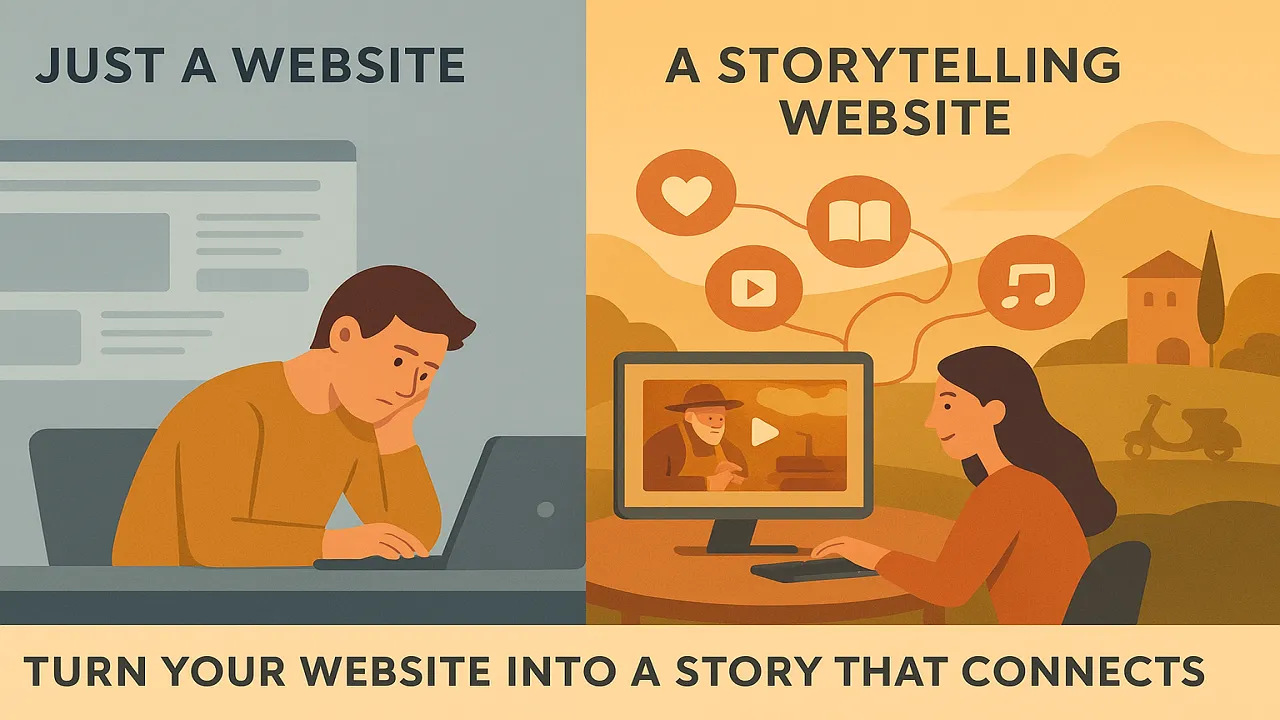
In today’s crowded digital landscape, a beautiful website isn’t enough. With the average person spending just 54 seconds on a website, you need to forge a genuine connection with your visitors within moments. This is where the power of storytelling in web design becomes your greatest asset.
It’s not just about listing features or displaying products—it’s about weaving a narrative that engages emotions, builds trust, and makes your brand unforgettable. Mastering this art can transform your online presence from a simple brochure into a compelling digital journey that resonates deeply with your audience.
Why Narrative Design is the Heart of Modern Web Experiences
People are naturally drawn to stories. Our brains are wired to process information through narratives, making stories up to 22 times more memorable than facts alone. When storytelling in web design is executed well, it does more than just inform—it resonates, connects, and converts.
The Neuroscience Behind Storytelling
When we encounter a well-crafted story, our brains release oxytocin, often called the “trust hormone.” This neurochemical response creates emotional connections and builds empathy with your brand. Research from Princeton University shows that storytelling causes the speaker’s and listener’s brain patterns to synchronize—a phenomenon called “neural coupling.”
This approach, often called narrative design, structures the user’s journey as a cohesive story with measurable benefits:
- It builds empathy: A story allows visitors to see themselves in your narrative, creating immediate identification with your brand.
- It enhances memory: People remember 65-70% of information shared through stories compared to just 5-10% from statistics alone.
- It differentiates your brand: Your unique story is something competitors cannot replicate, giving you an authentic competitive advantage.
- It increases engagement: Websites with strong storytelling see average time-on-page increases of 300% and bounce rates decrease by up to 50%.
Consequently, a website becomes an experience rather than just a source of information.
The Psychology of Web Storytelling
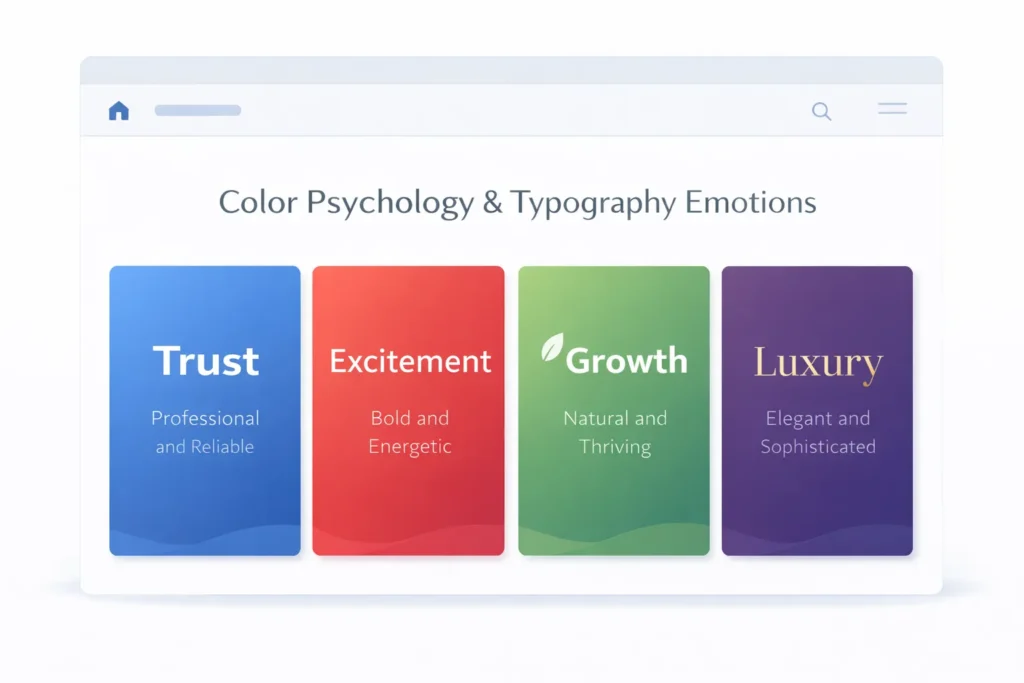
Understanding the psychological principles behind storytelling is essential for creating truly effective narrative web experiences. Your design choices directly influence how visitors feel, think, and ultimately, act.
Color Psychology in Storytelling
Colors evoke specific emotions and associations that can reinforce or undermine your narrative:
- Blue: Trust, reliability, calmness—ideal for financial services, healthcare, and B2B brands
- Red: Urgency, passion, excitement—effective for calls-to-action, sales, and food businesses
- Green: Growth, nature, tranquility—perfect for environmental brands, wellness, and organic products
- Yellow: Optimism, warmth, creativity—great for innovative brands and children’s products
- Purple: Luxury, sophistication, creativity—excellent for premium brands and artistic ventures
- Black: Elegance, power, sophistication—ideal for luxury goods and high-end services
Strategic color choices should align with your brand story and the emotions you want to evoke at each stage of the user journey.
Typography as Emotional Communication
Typography does more than make text readable—it conveys personality, tone, and emotion. Serif fonts often communicate tradition, reliability, and elegance, while sans-serif fonts suggest modernity, simplicity, and approachability. Script fonts add personal touches and creativity, though they should be used sparingly for readability.
The size, weight, and spacing of your typography create a visual hierarchy that guides users through your narrative. Large, bold headlines capture attention and set expectations, while varied font weights create rhythm and emphasize key story points.
Cognitive Load and Information Architecture
The human brain can process only 3-5 pieces of information in working memory at once. Effective storytelling web design respects these cognitive limitations by:
- Progressive disclosure: Revealing information gradually as users scroll, preventing overwhelm
- Chunking information: Breaking complex ideas into digestible story segments
- Visual hierarchy: Using size, color, and placement to guide attention through the narrative
- White space: Creating breathing room that allows the story to unfold naturally
Emotional Design: The Three Levels
Don Norman, pioneer of user experience design, identified three levels of emotional design that apply perfectly to storytelling websites:
Visceral Level: The immediate emotional impact based on appearance. This is your first impression—the hero section, the color palette, the initial visual hook that draws users into your story.
Behavioral Level: How effectively the website works and how satisfying it is to use. This is where usability meets narrative—smooth scrolling effects, intuitive navigation, and responsive interactions that make the storytelling journey effortless.
Reflective Level: The meaning users derive from the experience and how it affects their self-image. This is where brand values, mission, and authentic storytelling create lasting emotional connections and brand loyalty.
Story Structure and User Journey Mapping
Every compelling story follows a structure that creates tension, builds interest, and delivers satisfaction. Applying classic narrative frameworks to web design transforms random page elements into a cohesive journey.
The Classic Story Arc for Web Design
The traditional story structure consists of five key elements that map beautifully to website sections:
1. Exposition (Homepage/Hero Section) Introduce your world, establish the setting, and present your protagonist (which could be your brand, your customer, or both). Set expectations for the journey ahead.
2. Rising Action (Product/Service Pages) Present the challenge or problem your audience faces. Build tension by highlighting pain points and obstacles. Show understanding of their situation through research, statistics, or relatable scenarios.
3. Climax (Value Proposition/Solution) Reveal your solution at the peak of engagement. This is where you demonstrate how your product, service, or approach resolves the central conflict. Make this your most visually impactful section.
4. Falling Action (Features, Benefits, Testimonials) Provide evidence that your solution works. Share case studies, testimonials, and detailed explanations that build confidence and address objections.
5. Resolution (Call-to-Action) Guide users toward the desired action with clear next steps. The resolution should feel natural, not forced—a logical conclusion to the story you’ve told.
The Hero’s Journey Framework
Joseph Campbell’s Hero’s Journey, used in countless films and novels, translates powerfully to web narratives:
- Ordinary World: Show your customer’s current situation (their challenge, frustration, or aspiration)
- Call to Adventure: Present the opportunity for change (your product/service introduction)
- Meeting the Mentor: Establish your expertise and credibility (about section, credentials, authority signals)
- Crossing the Threshold: Encourage the first commitment (email signup, free trial, initial purchase)
- Tests and Allies: Provide resources, support, and community (blog content, customer service, user community)
- Return with the Elixir: Show transformation and success (testimonials, case studies, results)
Mapping Emotional Beats to Website Sections
Create an emotional journey map that plans the feelings you want to evoke at each stage:
Homepage: Curiosity, intrigue, recognition Problem Section: Empathy, validation, understanding Solution Section: Hope, excitement, possibility Evidence Section: Trust, confidence, certainty CTA Section: Eagerness, readiness, commitment
Track how users move through these emotional states using analytics and heat mapping to optimize your narrative flow.
Touchpoint Storytelling Across Pages
Your story shouldn’t end on the homepage. Create narrative continuity across all touchpoints:
- Blog posts: Expand on specific chapters of your brand story
- Product pages: Tell individual product origin stories
- About page: Share your founder’s journey and company evolution
- Checkout flow: Reinforce the transformation they’re investing in
- Thank you pages: Begin the next chapter of their customer journey
- Email sequences: Continue the narrative through ongoing communication
Crafting Your Brand Story: The Foundation of Narrative Design
Before a single pixel is designed, your story must be clear. Your brand’s story is its soul, the authentic core that differentiates you from every competitor in your market.
The Brand Story Framework
Answer these foundational questions to build your narrative:
Origin Story
- What problem did you set out to solve?
- What was the “aha moment” that inspired your business?
- What challenges did you overcome in the early days?
- Who were the key people in your journey?
Mission and Purpose
- Why does your business exist beyond making money?
- What change do you want to create in the world?
- What values guide your decisions?
- What future are you working toward?
Customer Transformation
- Who is your customer before they find you?
- What specific problem keeps them up at night?
- How does their life improve after working with you?
- What does success look like for them?
Unique Approach
- What do you do differently from competitors?
- What’s your philosophy or methodology?
- What controversial stance do you take?
- What secrets or insights have you discovered?
The Italian Context: Cultural Storytelling
For businesses targeting the Italian market, incorporating cultural values creates powerful resonance:
- Heritage and Tradition: Italians deeply value history and craftsmanship. Emphasize generational knowledge, traditional methods, and time-honored practices.
- Family and Relationships: Family isn’t just important—it’s central. Stories about family businesses, family values, or treating customers like family resonate powerfully.
- Quality and Artisanship: Italian culture celebrates bella figura—making a good impression through quality and style. Your story should emphasize excellence, attention to detail, and taking pride in workmanship.
- Passion and Emotion: Italians embrace emotional expression. Your storytelling should be warm, passionate, and authentic rather than cold and corporate.
- Local Pride: Regional identity matters deeply. When relevant, connect to specific Italian cities, regions, or localities.
Technical Storytelling Techniques: Bringing Narratives to Life
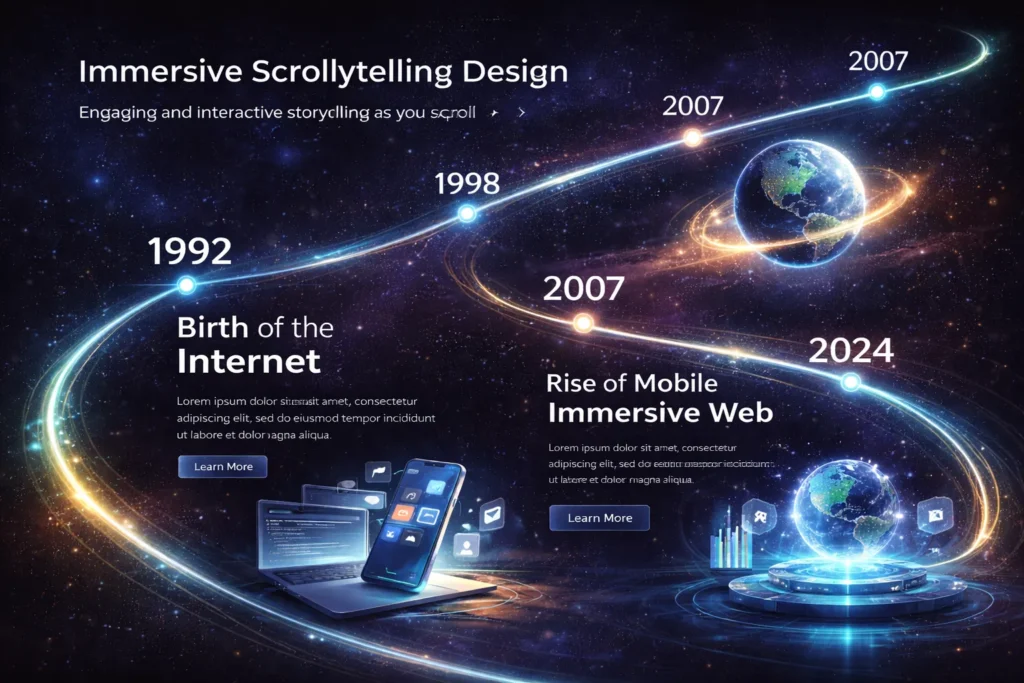
Modern web technology offers unprecedented opportunities to create immersive narrative experiences. Understanding these technical approaches allows you to choose the right tools for your story.
Scrollytelling: The Art of Scroll-Triggered Storytelling
Scrollytelling combines “scrolling” and “storytelling” to create dynamic narratives that unfold as users scroll down the page. This technique became mainstream after The New York Times published “Snow Fall” in 2012, an immersive piece that revolutionized journalism.
Key Scrollytelling Techniques:
Progressive Revelation Elements appear, disappear, or transform as users scroll. Text fades in over background images, creating cinematic transitions between story beats. This maintains constant engagement and controls the pace of information delivery.
Fixed Background Scrolling: Background images or videos remain stationary while text scrolls over them. This technique is perfect for lengthy narratives where the visual context remains constant, but the information evolves.
Scroll-Triggered Animations Charts grow, illustrations animate, and graphics transform based on scroll position. This is particularly effective for data storytelling, where numbers come to life as users discover them.
Timeline Narrative:s Horizontal or vertical timelines that progress as users scroll, perfect for company histories, process explanations, or chronological stories.
Benefits of Scrollytelling:
- Increases average time-on-page by 200-400%
- Reduces bounce rates significantly
- Creates memorable, shareable experiences
- Maintains narrative control while allowing user agency
Implementation Considerations:
- Requires careful performance optimization to prevent lag
- Must work flawlessly on mobile devices
- Needs clear visual cues to indicate scrollable content
- Should always include accessible alternatives for screen readers
Parallax Scrolling Effects
Parallax creates depth by moving foreground and background elements at different speeds, creating a 3D illusion as users scroll. When used strategically, parallax adds visual interest without overwhelming the narrative.
Effective Parallax Applications:
- Hero sections with layered depth
- Product showcases with dimensional movement
- Background ambiance that doesn’t distract from content
- Transitional moments between story sections
Parallax Pitfalls to Avoid:
- Overuse causes motion sickness and distraction
- Heavy implementation slows page load times
- Can create accessibility and SEO challenges
- Often performs poorly on mobile devices
Interactive Elements That Enhance Narrative
Hover Effects and Microinteractions: Small animations that respond to user actions create delight and encourage exploration. When the cursor hovers, reveal additional information, they reward curiosity and make the experience feel responsive and alive.
Click-to-Reveal Storytelling Accordion sections, tabbed content, or expandable cards allow users to choose which story threads to explore. This is perfect for complex products or services with multiple features, giving users agency while maintaining narrative structure.
Interactive Infographics: Transform static data into explorable stories. Users can hover, click, or drag to discover information, making complex data digestible and engaging. This is particularly effective for annual reports, research findings, or product comparisons.
Scroll-Progress Indicators: Visual indicators showing how far through the story users have progressed. These can be simple progress bars or more creative chapter indicators that maintain engagement through lengthy content.
Video Integration in Storytelling
Video is one of the most powerful storytelling mediums, and strategic integration can transform web narratives.
Background Videos Full-screen background videos in hero sections immediately immerse visitors in your world. Keep them short (15-30 seconds), looped, and muted by default, with high visual impact but no distracting motion.
In-Line Narrative Videos: Videos that appear within the content flow as users scroll. These might be customer testimonials, product demonstrations, or behind-the-scenes glimpses that deepen the narrative.
Video Testimonials Seeing and hearing real customers tell their stories creates authenticity that written testimonials can’t match. Video testimonials show genuine emotion and build trust rapidly.
Cinematic Storytelling: High-production documentary-style videos that tell your complete brand story. While expensive to produce, these create premium brand perception and are highly shareable.
Implementation Best Practices:
- Always provide captions for accessibility
- Optimize file sizes to prevent slow loading
- Provide play controls to users
- Never autoplay audio
- Include thumbnail images for users with limited bandwidth
Animation and Motion Graphics
Strategic animation brings static designs to life and guides user attention through your narrative.
Entrance Animations: Elements that fade, slide, or scale into view as users scroll create dynamic energy and reward scrolling behavior. Use these to emphasize key points or create visual rhythm.
Illustrated Animations: Custom illustrations that animate to demonstrate processes, explain concepts, or add personality. These are particularly effective for SaaS products, educational content, or brands targeting creative audiences.
Loading Animations and Transitions. Even necessary pauses can be part of your story. Custom loading animations or page transitions maintain narrative continuity and reinforce brand personality.
Data Visualization Animations Numbers that count up, charts that grow, and graphs that draw themselves as they enter the viewport make statistics compelling and memorable.
Animation Guidelines:
- Duration should typically be 0.3-0.6 seconds for interface elements
- Use easing functions to create natural, organic motion
- Never animate so much that it distracts from the content
- Respect prefers-reduced-motion settings for accessibility
- Test thoroughly on lower-powered devices
Horizontal Scrolling
While vertical scrolling is the web norm, strategic horizontal scrolling can create unique narrative experiences that feel fresh and engaging.
When to Use Horizontal Scrolling:
- Timeline narratives (company history, process steps)
- Portfolio galleries that feel like flipping through a book
- Product lineups where comparing items side-by-side matters
- Creating a sense of “turning the page” to the next chapter
Horizontal Scrolling Best Practices:
- Provide clear visual cues that the content continues horizontally
- Include navigation arrows or dots for direct section access
- Ensure smooth trackpad and mouse wheel support
- Test extensively on mobile, where horizontal scrolling feels natural
- Never make the entire site horizontally scrolling—reserve for specific sections
Multimedia and Immersive Elements
Creating truly immersive storytelling experiences requires thoughtfully combining multiple media types.
Audio Integration
Sound is an underutilized storytelling element on the web. When implemented respectfully, audio adds emotional depth and atmosphere.
Background Soundscapes: Subtle ambient sounds that reinforce your brand’s world—ocean waves for a beach resort, café sounds for a coffee brand, or soft music for a luxury brand. Always muted by default with clear controls.
Podcasts and Audio Stories Embedded audio players that allow users to listen to longer-form narratives while browsing visual content.
Voice-Driven Narrative:s Narration that guides users through the story, particularly effective for emotional or cinematic brand stories.
Audio Cues: Subtle sounds that confirm actions (button clicks, section transitions) add polish but should be optional.
3D Elements and Spatial Design
Modern web browsers support impressive 3D rendering, opening new storytelling possibilities.
3D Product Visualization Interactive 3D models users can rotate, zoom, and explore, create intimate understanding of physical products—especially valuable for furniture, jewelry, fashion, and consumer electronics.
Spatial Navigation: Creating spaces users can “move through” transforms websites into environments. This is particularly effective for architecture firms, real estate, hospitality, and immersive brand experiences.
3D Illustrations and Graphics:s Three-dimensional illustrated elements add depth and visual interest without the complexity of full 3D environments.
Implementation Considerations:
- 3D requires significant technical expertise
- File sizes can be large; optimize aggressively
- Not all devices handle 3D well; provide fallbacks
- Can create accessibility challenges; ensure alternative navigation
Building a Brand Storytelling Website That Converts
Great stories must also drive business results. The narrative should naturally guide users toward desired actions while building genuine relationships.
Aligning Story with Business Goals
Your story should strategically support your conversion funnel:
Awareness Stage: Your story introduces your brand and creates memorability. Focus on problems you solve and the transformation you enable. The goal is to make visitors think, “This brand understands me.”
Consideration Stage:e Deepen the narrative with proof points, methodology explanations, and differentiation. Show why your approach is uniquely suited to solving their problem. Use case studies, detailed explanations, and customer success stories.
Decision Stage: Remove final objections and create urgency without abandoning the narrative. Testimonials, guarantees, and clear next steps should feel like natural story conclusions, not hard sales tactics.
Retention and Advocacy The story continues after purchase. Thank-you pages, onboarding sequences, and ongoing communication should maintain narrative continuity and begin the next chapter of the customer relationship.
Strategic Call-to-Action Placement
CTAs within storytelling websites should feel like natural story progressions, not jarring interruptions.
The Intrigued CTA Early in the story, before full context, offers low-commitment actions: “Learn More,” “Discover How,” “Explore Our Approach.” These acknowledge users aren’t ready to commit but want to dive deeper.
The Convinced CTA After presenting your solution and providing evidence, offer medium-commitment actions: “See Pricing,” “Schedule a Demo,” “Start Free Trial.” Users have context and are evaluating seriously.
The Committed CTA At the story’s climax and conclusion, use direct, action-oriented CTAs: “Get Started,” “Buy Now,” “Book Your Session.” Users are ready; remove any remaining friction.
CTA Best Practices:
- Never rely on generic “Click Here” or “Submit” text
- Use first-person language: “Start My Free Trial,” not “Start Your Free Trial.”
- Create contrast with surrounding elements
- Place CTAs at natural story beats, not arbitrarily
- Repeat CTAs at multiple story points for different user pacing
Building Trust Through Vulnerability and Authenticity
The most powerful brand stories include vulnerability and honesty, not just success highlights.
Share Your Failures: What didn’t work? What mistakes did you make? What would you do differently? Vulnerability creates trust and relatability that polished success stories cannot achieve.
Acknowledge Limitations: No product or service is perfect for everyone. Honestly discussing who you’re not for builds trust with those you are for and prevents mismatched customers who will be unsatisfied.
Show Real People Use authentic photos of your actual team, customers, and workspace rather than stock photography. Real faces with real names createa human connection.
Transparent Processes Show how products are made, how decisions are made, or how you handle customer service. Transparency about your process builds confidence in your outcomes.
Measuring Storytelling Success: Analytics and Optimization
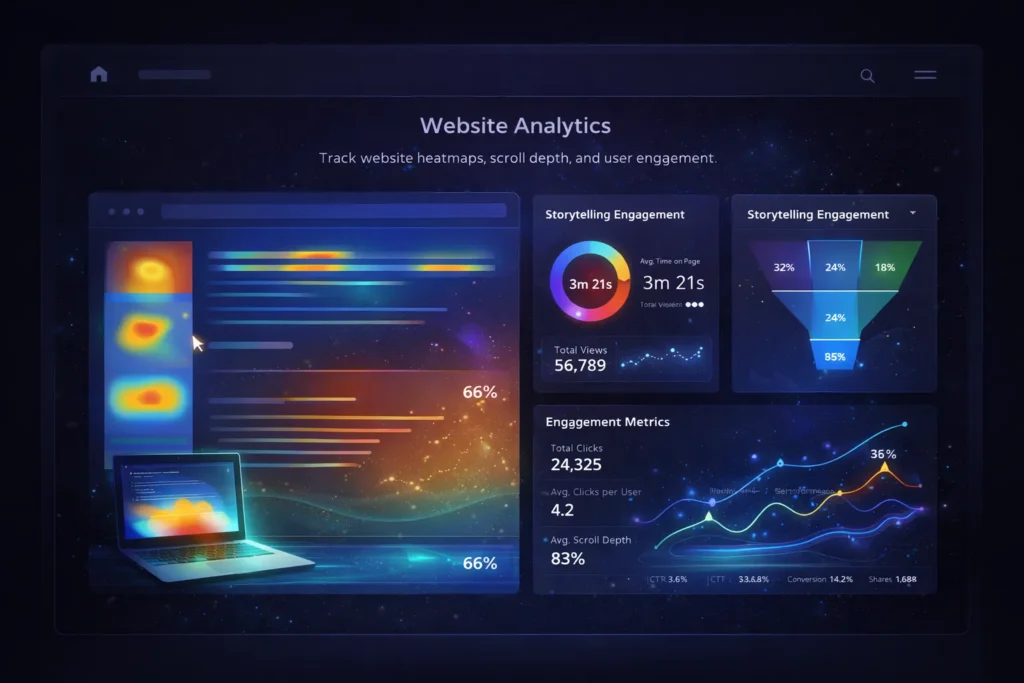
Storytelling web design isn’t just an artistic endeavor—it’s a measurable business strategy. Understanding which metrics matter and how to improve them separates effective storytelling from self-indulgent design.
Key Storytelling Metrics
Time on Page: The most fundamental storytelling metric. Strong narrative design should dramatically increase average session duration. Benchmark your time-on-page before implementing storytelling techniques, then measure improvement.
- Poor: Under 30 seconds
- Average: 30-90 seconds
- Good: 90 seconds – 3 minutes
- Excellent: 3+ minutes
Scroll Depth: What percentage of visitors scroll through your entire story? This reveals whether your narrative maintains engagement or loses people partway through.
Use scroll depth tracking in Google Analytics or specialized tools like Hotjar to identify exactly where users drop off. If 70% of users leave after Section 2, that section either isn’t compelling enough or takes too long to deliver value.
Bounce Rate Storytelling websites should see significantly lower bounce rates than traditional sites because the narrative creates immediate engagement and curiosity about what comes next.
- Traditional websites: 40-60% bounce rate
- Storytelling websites: 20-40% bounce rate
Pages Per Session: Strong storytelling on one page should lead to curiosity about other pages. Users who connect with your homepage narrative should want to explore case studies, blog posts, and product pages.
Engagement Rate Track interactions with story elements: video plays, animation triggers, click-to-reveal elements, and downloadable resources. High engagement indicates your interactive elements enhance rather than distract from the narrative.
Conversion Rate. Ultimately, storytelling should improve conversions—whether that’s sales, sign-ups, downloads, or contact form submissions. Track conversion rates before and after implementing narrative design to measure business impact.
Social Sharing Compelling stories get shared. Track social shares, backlinks, and mentions. If your story resonates, people will voluntarily spread it.
Setting Up Storytelling Analytics
Google Analytics 4 Setup
Configure custom events to track story-specific interactions:
- Scroll milestones (25%, 50%, 75%, 100%)
- Video plays and completion rates
- Interactive element clicks
- Time to first CTA click
- Section-by-section engagement
Heat Mapping and Session Recording
Tools like Hotjar, Crazy Egg, or Microsoft Clarity provide visual representations of user behavior:
- Heat maps show where users click, move, and focus attention
- Scroll maps reveal exactly where users stop reading
- Session recordings let you watch individual users’ experience your story
- Click maps identify which elements attract interaction
A/B Testing Story Elements
Systematic testing reveals what resonates with your specific audience.
Test Different Story Openings. Your hero section sets expectations for the entire experience. Test different opening hooks:
- Problem-focused vs. solution-focused
- Customer stories vs. brand stories
- Emotional vs. practical framing
- Different hero images, videos, or animations
The test Narrative Length.h Some audiences want comprehensive stories; others prefer concise narratives. Test longer vs. shorter versions to find your audience’s preference.
Interactive Elements: Do animations increase or decrease engagement? Do videos perform better with auto-playing or click-to-play? Do interactive elements feel delightful or distracting?
Test CTA Positioning and Language: Where in the story should CTAs appear? What language converts best? Test variations systematically.
Calculating Storytelling ROI
Quantify the business value of storytelling investment:
Increased Conversion Value. If storytelling improves conversion rate from 2% to 3%, and your average customer value is $500, calculate the additional revenue per 1,000 visitors:
- Before: 1,000 visitors × 2% × $500 = $10,000
- After: 1,000 visitors × 3% × $500 = $15,000
- Increase: $5,000 per 1,000 visitors
With monthly traffic of 10,000, that’s $50,000 additional monthly revenue—$600,000 annually.
Reduced Customer Acquisition Cost. If storytelling increases organic traffic and improves conversion rates, your cost to acquire each customer decreases. If CAC drops from $200 to $150, that’s a 25% efficiency gain.
Increased Lifetime Value Customers who connect emotionally with your brand story often become more loyal, make repeat purchases, and refer others. Track whether storytelling-engaged customers have higher LTV than those who convert through traditional paths.
Industry-Specific Storytelling Strategies
Different industries require different narrative approaches. Understanding your sector’s unique storytelling needs ensures your narrative resonates with the right audience.
E-Commerce and Product Storytelling
Fashion and Apparel: Tell the stories behind collections, fabrics, and design inspiration. Show your products being worn in real-life contexts, not just on white backgrounds. Feature customer stories and style journeys. Brands like Patagonia excel at this, weaving environmental activism into product narratives.
Luxury Goods Emphasize heritage, craftsmanship, exclusivity, and the experience of ownership. Use high-quality photography and video that conveys premium positioning. Tell artisan stories and detail the time and skill invested in each piece.
Consumer Products Focus on transformation: who is the customer before using your product, and who do they become after? Use comparison storytelling and customer success narratives. Show products in context, solving real problems.
B2B Services and SaaS
Professional Services: Tell client transformation stories through detailed case studies. Showcase your methodology and philosophy. Use founder stories to establish expertise and build personal connections. Address complex problems with clarity and empathy.
SaaS and Technology Simplify complex features through narrative use cases. Show the “day in the life” before and after using your tool. Use product videos that tell stories, not just demonstrate features. Create customer journey maps that illustrate how your software integrates into workflows.
Restaurants and Hospitality
Restaurants Share your chef’s journey, ingredient sourcing stories, and recipe origins. Use beautiful food photography and video that captures ambiance and experience, not just dishes. Feature customer celebration stories and memorable moments.
Hotels and Travel invite visitors to imagine their experience through aspirational storytelling. Use location photography that tells the story of the place. Feature guest testimonials as transformation stories (stressed → relaxed, disconnected → reconnected).
Non-Profits and Social Causes
Social Organizations Lead with beneficiary stories that demonstrate impact. Show the problem, your intervention, and the transformation. Use data storytelling to demonstrate scale and effectiveness. Be transparent about challenges and how donations create change.
Educational Institutions share student success stories, faculty expertise narratives, and institutional history. Use alumni testimonials to demonstrate transformation and long-term impact.
Creative Professionals and Portfolios
Designers, Photographers, Artists, your portfolio is inherently narrative. Organize work chronologically or thematically to show evolution and range. Provide context for each project: the challenge, your approach, and the outcome. Share your creative philosophy and what drives your work.
Tools and Platforms for Storytelling Web Design
Choosing the right tools can dramatically streamline the creation of narrative-driven websites.
Website Builders and CMS Platforms
Webflow A visual website development platform that gives designers full creative control without coding. Excellent for creating custom animations, interactions, and scrollytelling effects. Ideal for agencies and designers who want pixel-perfect control.
WordPress with Page Builders WordPress, combined with builders like Elementor or Divi, offers flexibility and a massive ecosystem of plugins. Good for content-heavy sites and those needing blog integration.
Shorthand is specifically designed for immersive storytelling, particularly scrollytelling. Used by major news organizations and brands for long-form narrative content. Limited design flexibility but exceptional for story-focused content.
Wix and Squarespace are user-friendly platforms suitable for small businesses and creatives. While less powerful than Webflow, they offer templates and interactions that support basic storytelling techniques.
Animation and Interaction Libraries
GSAP (GreenSock Animation Platform) is the industry-standard JavaScript animation library. Provides smooth, performant animations and timeline control. Requires development knowledge but offers maximum flexibility.
Lottie allows designers to export After Effects animations as JSON files that run smoothly on the web. Perfect for complex animated illustrations and icons.
ScrollMagic and ScrollTrigger JavaScript libraries are specifically for scroll-triggered animations and effects. Essential for creating scrollytelling experiences.
Anime.js is a lightweight JavaScript animation library perfect for creating simple yet smooth animations with minimal code.
Design and Prototyping Tools
Figma: The leading collaborative design tool. Excellent for creating interactive prototypes that demonstrate story flow before begins. Allows stakeholders to experience narrative concepts.
Adobe X:D Adobe’s design and prototyping tool with strong animation and auto-animate features. Integrates well with other Adobe Creative Cloud tools.
Principle specializes in creating animated and interactive design prototypes. Perfect for demonstrating micro-interactions and transitions.
Analytics and Testing Tools
Google Analytics 4 Essential for tracking storytelling metrics like engagement rate, scroll depth, and conversion paths.
Hotjar provides heat maps, scroll maps, and session recordings that reveal how users experience your story.
Optimizely or Google Optimize A/B testing platforms for systematically improving story elements.
Microsoft Clarity Free heat mapping and session recording tool—excellent for smaller businesses or those just beginning to analyze user behavior.
Common Mistakes to Avoid in Web Storytelling
Even well-intentioned storytelling can fail when these common pitfalls aren’t avoided.
Over-Designing and Prioritizing Aesthetics Over Usability
The Problem: Designers become so focused on creating a visually stunning experience that they sacrifice usability. Beautiful animations that slow page load times, confusing navigation hidden in artistic interfaces, or text that’s hard to read due to low contrast.
The Solution: Always prioritize usability and performance. Test extensively on various devices and connection speeds. Follow accessibility guidelines. Remember that the best design is invisible—it serves the content and user goals without calling attention to itself.
Creating Unnecessarily Long Narratives
The Problem: Feeling that more content equals better storytelling. Long, meandering stories that don’t respect user time or get to the point efficiently.
The Solution: Be ruthlessly concise. Every section, sentence, and visual element should serve the narrative. Cut anything that doesn’t move the story forward or deepen understanding. Respect that users skim—make your story compelling even for those reading only headlines and key sections.
Neglecting Mobile Experience
The Problem: Creating elaborate desktop storytelling experiences that break, slow down, or become confusing on mobile devices. Since over 60% of web traffic is mobile, this is catastrophic.
The Solution: Design mobile-first. Test every story element on actual mobile devices, not just browser emulators. Simplify animations and interactions for touch interfaces. Ensure videos are appropriately sized and load quickly. Consider creating different narrative flows for mobile when needed.
Ignoring Performance and Load Times
The Problem: Heavy videos, unoptimized images, and complex animations that create multi-second load times. Users won’t wait for your story to load, no matter how good it is.
The Solution: Optimize ruthlessly. Compress images and videos. Lazy load content that appears below the fold. Use modern image formats like WebP. Test on slower connections. Aim for initial load times under 3 seconds.
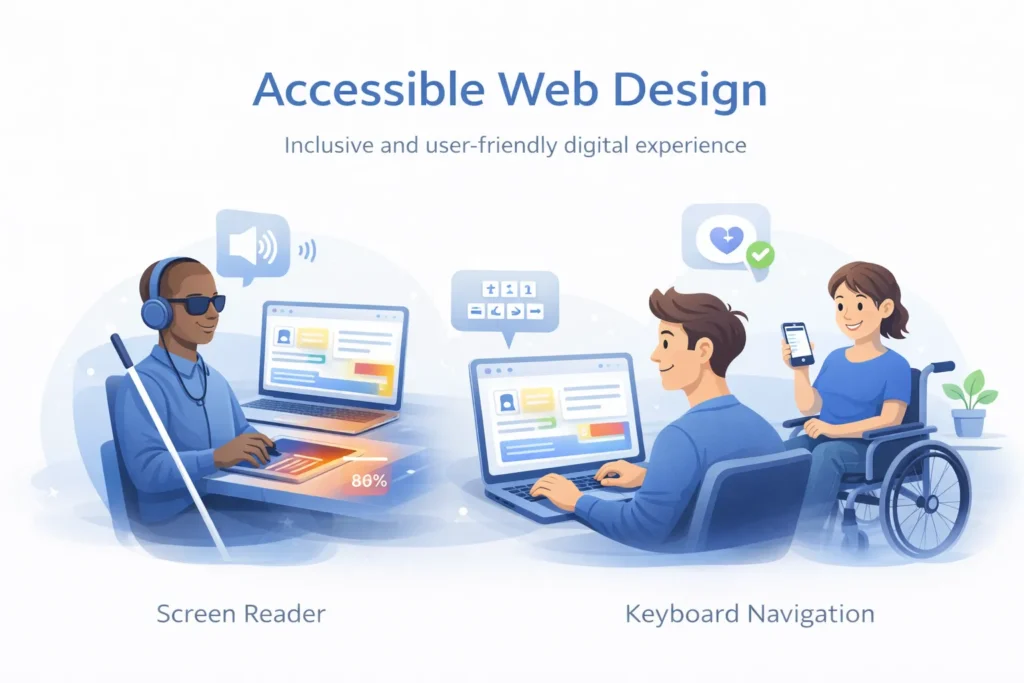
Sacrificing Accessibility
The Problem: Creating visual-only experiences that exclude users with disabilities. Animations that trigger motion sickness, no alt text for images, poor color contrast, or navigation that doesn’t work with keyboards or screen readers.
The Solution: Follow WCAG accessibility guidelines. Provide text alternatives for visual content. Respect prefers-reduced-motion settings. Ensure keyboard navigation works throughout. Test with screen readers. Remember that accessible design is a better design for everyone.
Inconsistent Brand Voice and Visual Identity
The Problem: The storytelling doesn’t match the brand personality, or the story itself is inconsistent—playful in one section, serious in another, without intentional reason.
The Solution: Define your brand voice clearly before designing. Create style guides that ensure consistency across all touchpoints. Have multiple people review the experience to catch inconsistencies.
Forcing Stories Where They Don’t Belong
The Problem: Not every page needs elaborate storytelling. Forcing narrative structure onto utility pages (like contact forms or privacy policies) creates frustration.
The Solution: Use storytelling strategically. Homepage, about pages, and key landing pages benefit most from narrative design. Utility pages should be clear and functional. Know when to step back and let simplicity serve users.
Neglecting Technical SEO
The Problem: Beautiful storytelling sites that search engines can’t properly crawl and index. Heavy reliance on JavaScript without proper rendering, missing meta descriptions, or poor site structure.
The Solution: Ensure your storytelling site follows SEO best practices. Use proper heading hierarchy. Implement structured data markup. Ensure content is crawlable. Balance visual storytelling with semantic HTML.
Accessibility and Inclusive Storytelling
Creating stories that everyone can experience isn’t just ethical—it’s good business. Approximately 15% of the global population has some form of disability, representing a massive audience you don’t want to exclude.
Screen Reader Considerations
Screen readers convert visual content into audio descriptions. For users who are blind or have low vision, this is how they experience your story.
Best Practices:
- Write descriptive alt text for all meaningful images that conveys the image’s contribution to the narrative
- Use semantic HTML (proper heading levels, nav elements, article tags) to create a clear structure
- Ensure scrollytelling content is accessible linearly without depending on scroll position
- Provide text transcripts for videos and audio content
- Test your site with screen readers (NVDA, JAWS, VoiceOver) to understand the experience
Motion and Animation Accessibility
Some users experience motion sickness, dizziness, or discomfort from animations and parallax effects.
Best Practices:
- Respect the prefers-reduced-motion media query, providing simplified experiences for users who request it
- Avoid animations that last longer than 5 seconds without user control
- Never auto-play videos with motion
- Provide pause controls for animated content
- Avoid parallax on elements containing text
Color and Contrast
Best Practices:
- Ensure text contrast ratios meet WCAG AA standards (4.5:1 for normal text, 3:1 for large text)
- Never convey information through color alone—use text, icons, or patterns as well
- Test your site with color blindness simulators
- Avoid red/green color combinations that are indistinguishable to colorblind users
Keyboard Navigation
Not all users can or want to use a mouse. Keyboard navigation must work flawlessly.
Best Practices:
- Ensure all interactive elements are keyboard accessible
- Provide visible focus indicators so users know where they are
- Maintain logical tab order through your narrative
- Ensure custom interactive elements (sliders, accordions) follow established keyboard patterns
- Test your entire site using only a keyboard
Inclusive Imagery and Representation
Best Practices:
- Feature diverse representation in photography and illustrations
- Avoid stereotypes in how you depict people and situations
- Use people-first language
- Consider cultural sensitivities, especially for global audiences
- Show real customers and team members rather than relying on stock photography
Future Trends in Web Storytelling
The landscape of web storytelling continues to evolve rapidly. Understanding emerging trends helps future-proof your narrative strategy.
AI-Powered Personalization
Artificial intelligence enables dynamic storytelling that adapts to individual users based on behavior, preferences, and context.
Emerging Applications:
- Content that changes based on visitor location, time of day, or weather
- Narratives that adapt based on how users arrived at your site
- Personalized product recommendations woven into story flow
- Dynamic testimonials showing customers most similar to the visitor
Considerations: Balance personalization with privacy. Be transparent about data usage. Ensure personalized experiences don’t exclude or discriminate.
Voice Interfaces and Conversational Storytelling
As voice-activated devices proliferate, storytelling will extend beyond visual media.
Emerging Applications:
- Voice-navigated websites that tell stories audibly
- Conversational interfaces that let users “ask” about your brand story
- Voice-activated product demos and explanations
- Audio-first storytelling for multitasking users
Augmented and Virtual Reality
While still emerging, AR and VR represent the ultimate immersive storytelling mediums.
AR Applications:
- Product visualization in customers’ actual spaces before purchase
- Interactive instructions and guides overlaid on physical products
- Location-based storytelling that triggers content in specific places
VR Applications:
- Immersive brand worlds that users can explore
- Virtual showrooms and experiences
- Empathy-building experiences that put users in others’ perspectives
Micro-Moments and Contextual Storytelling
Understanding user intent at specific moments enables ultra-relevant storytelling.
Emerging Applications:
- Different narratives for awareness vs. decision-stage visitors
- Time-sensitive stories that adapt to current events or seasons
- Progressive profiling that deepens narrative over multiple visits
- Integration with customer journey across devices and platforms
Ethical Storytelling and Transparency
Consumers increasingly demand authenticity and ethical business practices. Future storytelling will need to address these expectations directly.
Emerging Approaches:
- Radical transparency about supply chains and business practices
- Open discussion of environmental and social impact
- Behind-the-scenes content that shows real operations
- Acknowledgment of imperfection and ongoing improvement
Conclusion:
In a world of fleeting digital attention, a strong story makes you stand out. It is the thread that connects your brand to the hearts of your customers. By embracing the principles of storytelling in web design, you move beyond simple transactions to create meaningful relationships.
FAQs
Yes. Every business has a story—whether it’s about innovation, customer success, sustainability, or the founder’s journey. The key is sharing it authentically with your audience.
To create an emotional connection that builds trust, increases engagement, and makes your brand memorable, ultimately boosting conversions and reducing bounce rates.
Keep it as short as possible while being compelling. Most websites use 1,500–3,000 words spread across visual sections, videos, and scrolling effects.
Yes. Engaging stories reduce bounce rates, increase time on site, naturally include keywords, and improve search rankings.
Identify your “why.” Understand your company’s mission, values, and origin. Interview founders, team members, and customers to uncover the core narrative.
Use analytics for metrics like time on page, scroll depth, and conversions. Add heatmaps, surveys, and A/B testing to measure engagement.
Yes. Highlight the product’s story—its design, purpose, and real-life use. Include customer experiences to boost conversions.