
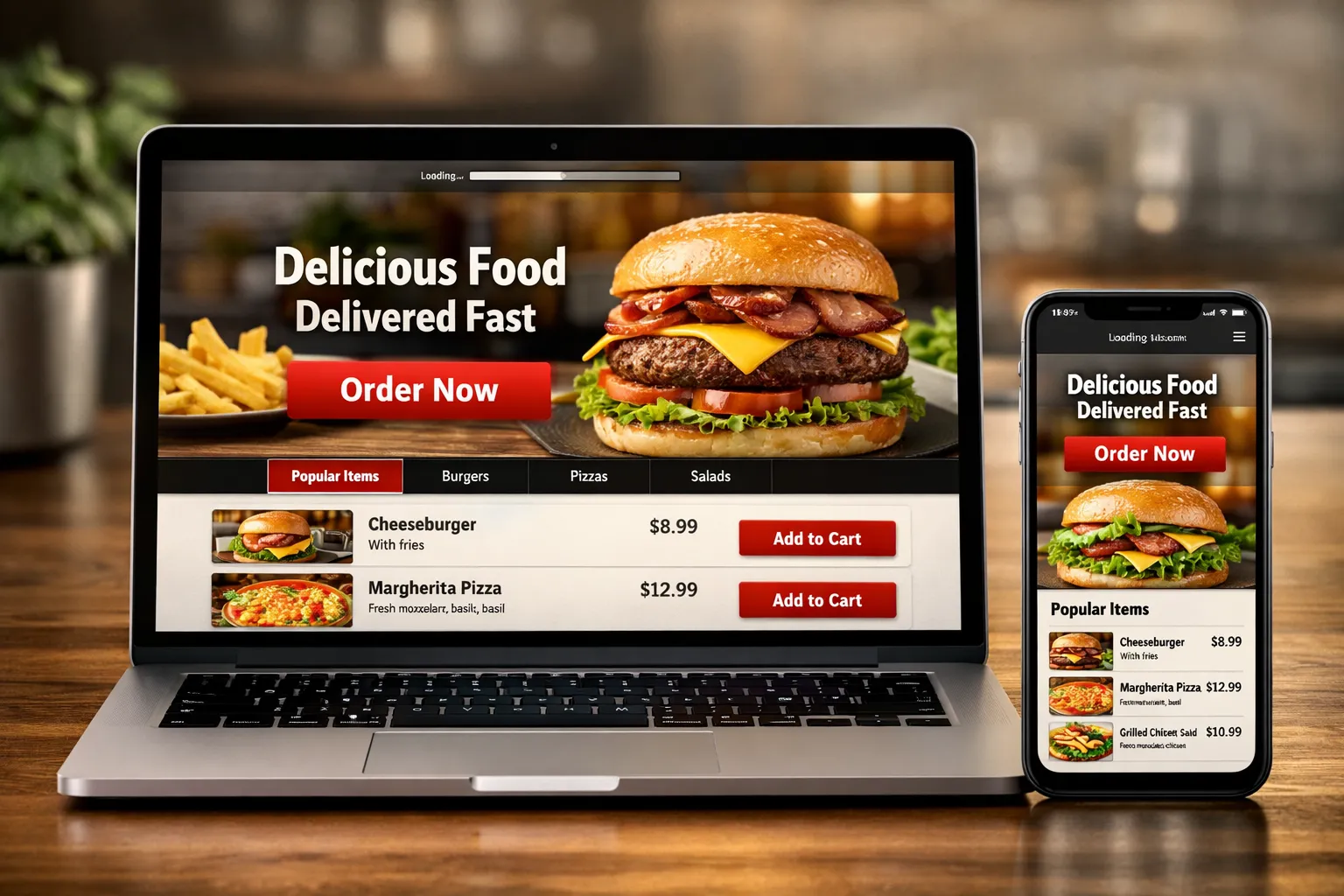
If you are struggling with a restaurant website with no orders, you are not alone. Many restaurant owners invest in beautiful websites. They get traffic. Run ads. And they post on social media.
But still — no orders.
This is not a marketing problem only. In most cases, it is a conversion problem.
Your website may look good. But it is not built to sell food online.
In this detailed guide, we will break down:
- Why restaurant website show no orders happens
- The biggest UX and speed mistakes
- Menu UX errors that kill conversions
- CTA and design problems
- Trust and credibility gaps
- Practical solutions that increase orders
If you are serious about increasing online food sales, read carefully.
Why Restaurant Website’s No Orders Happens
Many restaurant owners think traffic equals sales.
That is not true.
You can get 1,000 visitors daily. But if your website is slow, confusing, or poorly designed, people leave.
Here are the main reasons:
- Poor menu UX
- Slow loading speed
- No clear CTA
- Complicated checkout
- No trust signals
- Weak mobile experience
- Hidden delivery information
- Bad images
- No urgency
- No optimization for ordering behavior
The real issue behind the restaurant website no orders is simple:
Your website is not designed for conversion.
It is designed like a brochure.
But food ordering is action-based behavior. It requires:
- Simplicity
- Speed
- Clarity
- Trust
Now let’s fix it step by step.
Poor Menu UX Is Killing Orders
Your menu UX is the most important part of your website.
If customers cannot easily:
- Find items
- See prices
- Customize orders
- Add to cart
They leave.
Common Menu UX Problems
- Long scrolling menu with no categories
- Tiny font size
- No food images
- No description
- No filtering options
- Hidden add-to-cart button
This directly leads to the restaurant website having no orders.
Solution: Optimize Menu UX
Divide items into clear categories
Use high-quality food photos
Add short descriptions
Highlight bestsellers
Add “Most Ordered” tags
Make “Add to Cart” visible
Allow easy customization
Remember:
A good menu UX reduces decision time.
The easier it is to choose, the faster people order.
Slow Website Speed = Lost Orders
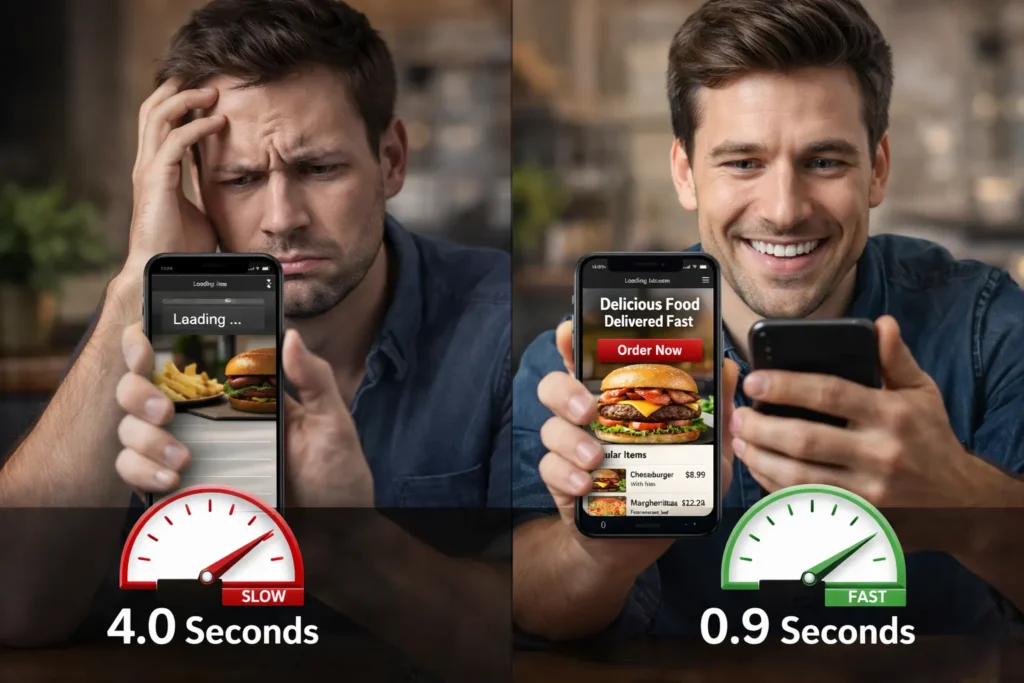
Speed is critical.
If your website loads in more than 3 seconds, customers leave.
Food ordering is impulse-based.
If someone is hungry, they will not wait.
This is one of the biggest reasons for a restaurant website having no orders.
How to Fix Speed
- Compress images
- Use fast hosting
- Enable caching
- Reduce plugins
- Optimize code
- Use a CDN
Speed improves:
- User experience
- Conversion Rate Optimization
- Search rankings
Fast website = More orders.
No Clear Call-To-Action (CTA)
Many restaurant websites hide the “Order Now” button.
Or they use weak CTAs like:
- Learn More
- Explore
- View Menu
These do not trigger action.
What You Should Do
Add a bold “Order Now” button at the top
Make it sticky on mobile
Use a contrasting color
Repeat CTA across the page
Add urgency text like “Order in 30 mins.”
If your CTA is unclear, you will end up with no orders on your restaurant website forever.
CTA should guide the user clearly.
Bad Mobile Experience
More than 70% of food orders come from mobile.
If your mobile design is poor:
- Small buttons
- Hard to scroll
- Broken layout
- Slow checkout
People leave instantly.
Mobile Optimization Checklist
Large tap-friendly buttons
Simple navigation
Fast checkout
One-page ordering
Autofill address
Click-to-call option
Mobile optimization directly solves the problem of a restaurant website having no orders.
Complicated Checkout Process
If checkout requires:
- Account creation
- Too many steps
- Long forms
- Unclear delivery charges
Customers abandon the cart.
Fix Checkout
Guest checkout
Minimal form fields
Show delivery fee clearly
Show estimated time
Multiple payment options
Show order summary
Every extra step reduces conversion.
Simple checkout increases orders.
No Trust Signals
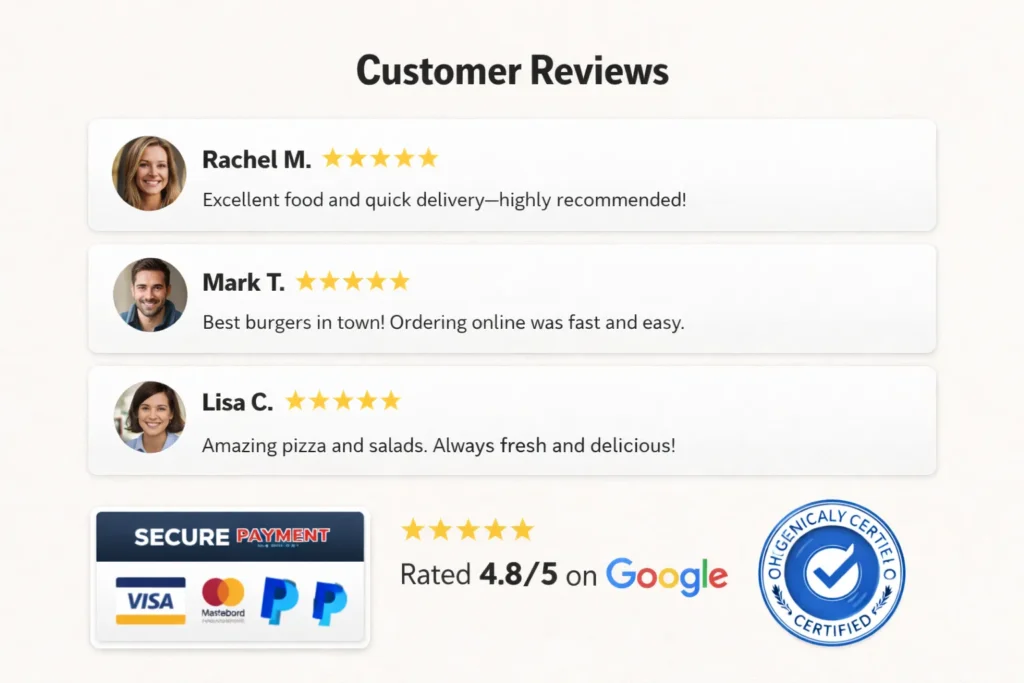
Would you order from a website that looks unsafe?
Trust is everything.
If customers do not trust your website, they will not pay online.
Add These Trust Elements
Google reviews
Testimonials
Food hygiene rating
Secure payment badges
Clear contact details
Real photos of the restaurant
Social media links
Trust reduces fear.
No trust = no orders on the restaurant website.
Weak Food Images
Food is visual.
Low-quality photos reduce appetite.
Blurry or stock images kill credibility.
Improve Food Photography
Use real images
Good lighting
Close-up shots
Show texture
Keep the background clean
Better visuals increase cravings.
Cravings increase orders.
No Urgency or Offers
If there is no reason to order now, customers delay.
Add urgency:
- Limited-time discount
- Free delivery above $25
- “Only 10 left” (for specials)
- Lunch combo deal
Psychology drives action.
No urgency = fewer conversions.
Your Website Is Not Built for Ordering Optimization
Many restaurant websites are made using templates.
They look good but are not optimized for:
- Conversion flow
- Customer psychology
- Ordering behavior
You need professional help.
If you want serious results, consider professional Website Development Services focused on:
- Conversion design
- Menu UX optimization
- Speed improvement
- Mobile-first design
- Checkout optimization
- SEO + ordering structure
A strategic website increases both traffic and orders.
Complete Restaurant Ordering Optimization Checklist
Here is your action plan:
UX Improvements
- Clear categories
- High-quality photos
- Highlight bestsellers
- Clear pricing
Speed Optimization
- Compressed images
- Fast hosting
- Optimized code
CTA Improvements
- Bold Order Now
- Sticky mobile CTA
- Multiple placements
Trust Building
- Reviews
- Secure payment icons
- Real photos
- Contact info
Checkout Simplification
- Guest checkout
- Few form fields
- Clear delivery cost
Follow this checklist, and you will solve the restaurant website’s no orders issue.
Conclusion
If you are facing a restaurant website with no orders, the problem is not your food.
It is your website conversion strategy.
Focus on:
- Menu UX
- Speed
- CTA clarity
- Mobile experience
- Trust
- Simple checkout
Food ordering is emotional and fast.
Your website must match that behavior.
If you optimize correctly, you will see:
- Higher online orders
- Better customer experience
- Increased revenue
- Lower cart abandonment
Now the choice is yours.
Fix it today.
Faqs
Most likely, your website has poor menu UX, slow speed, weak CTA, or a complicated checkout process that prevents visitors from completing their orders.
Menu UX impacts how quickly customers find and select food. Confusing layouts and poor images reduce trust and increase decision time, lowering conversions.
Yes. Slow websites increase bounce rates. Hungry customers will not wait more than a few seconds before switching to competitors.
The best checkout is simple, fast, and allows guest orders with minimal form fields and clear pricing transparency.
Food images strongly influence buying decisions. High-quality visuals increase cravings and improve conversion rates.
Yes. Professional website development ensures proper UX, speed optimization, and conversion-focused design that increases online orders.
If technical issues are fixed, you can see conversion improvements within weeks, depending on traffic volume and user behavior.