
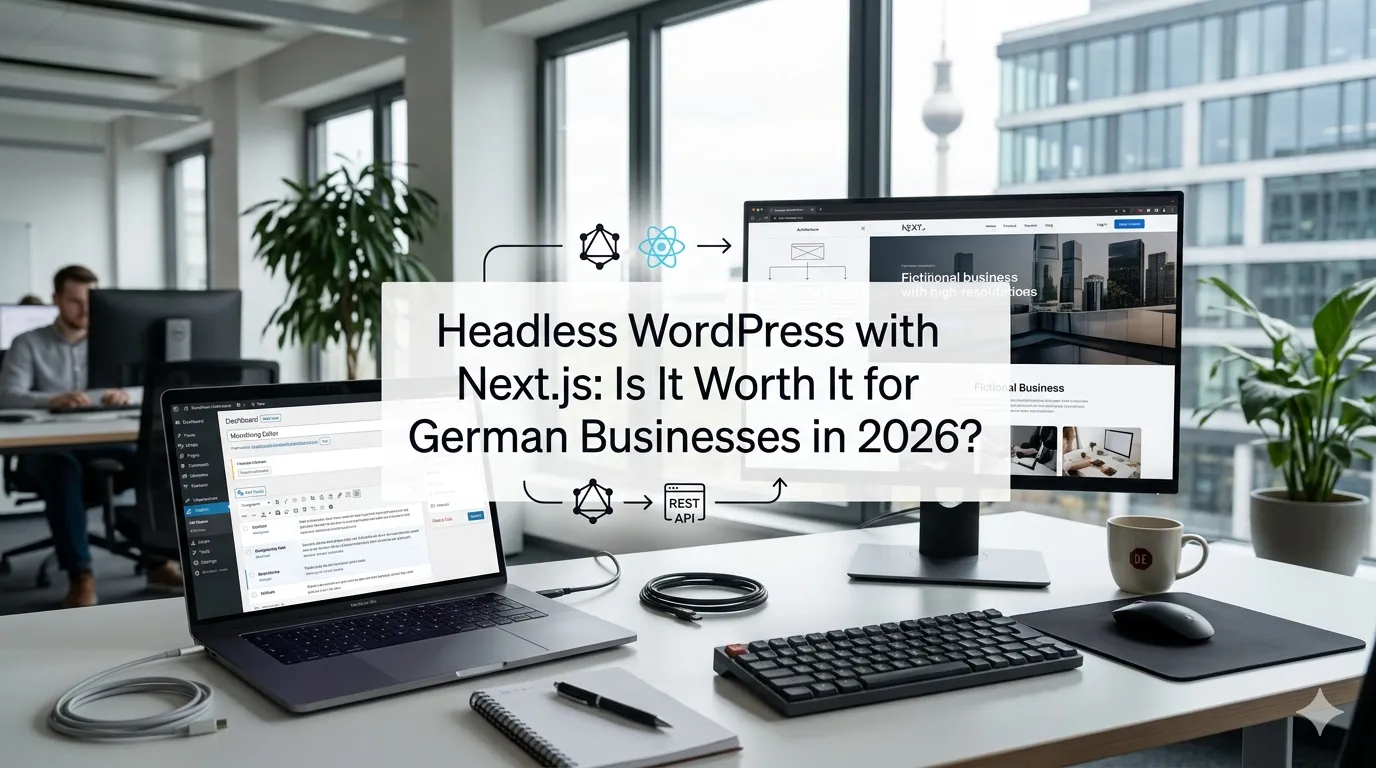
Every six months or so, someone in your management chain reads a tech blog post titled “WordPress is dead — go headless with Next.js” and the question lands on your desk: “Should our German website be headless?”
The honest answer is: sometimes yes, often no, and the difference matters because the wrong call costs €15,000–€60,000 to undo.
This guide is for the marketing director, founder, or technical lead at a German company who is weighing whether to move from a traditional WordPress site to a headless WordPress with Next.js architecture. We’ll cover what “headless” actually means in 2026, where it shines, where it disappoints, what it costs in EUR, and how DSGVO/GDPR shapes the hosting and infrastructure choices.
What does “headless WordPress with Next.js” actually mean?
In a traditional WordPress site, the same WordPress install both stores your content AND renders the HTML pages your visitors see. Editors log into /wp-admin, write a post, and that same PHP application generates the <html> output that shows up in browsers.
In a headless setup, you split this in two:
- WordPress remains as your CMS — the place where editors write content, manage media, and configure the site structure. The PHP application still runs, but its job is now to expose content as data (JSON via REST API, or GraphQL via the WPGraphQL plugin) instead of rendering pages.
- Next.js becomes your frontend — a separate JavaScript application that pulls content from WordPress and generates the pages users actually see, either at build time (static), at request time (server-rendered), or with a hybrid like Incremental Static Regeneration (ISR).
The end user sees a Next.js page. The editor sees a WordPress admin. The two communicate via API.
Why are German businesses asking about headless WordPress in 2026?
A few drivers keep this question alive in German Mittelstand and SaaS conversations:
- Performance and Core Web Vitals. Next.js with proper static generation outperforms a stock WordPress theme on Largest Contentful Paint (LCP) and Time to First Byte (TTFB) — important for both UX and SEO ranking.
- Security exposure. A headless setup hides
wp-login.phpandxmlrpc.phpfrom the public, dramatically reducing the brute-force attack surface that German hosts see constantly. - Frontend developer hiring. It’s easier to hire React/Next.js developers in Berlin, Munich, and Hamburg than experienced WordPress PHP developers. Headless lets you use front-end talent without forcing them to learn PHP.
- Design freedom. Designers can build with Tailwind, Radix, Framer Motion, and modern animation libraries without fighting WordPress theme conventions.
- Multi-channel publishing. One WordPress install can feed the website, a mobile app, an internal portal, and a partner microsite — without copying content.
These are all real. They’re just not always relevant to your specific situation.
When is headless WordPress with Next.js the right choice?
After helping German clients evaluate this for the last few years, the clean answer is: headless makes sense when you check at least two boxes from this list.
Do you need to publish content to multiple frontends?
A German SaaS company with a marketing website, an in-app help center, and a mobile app — all needing the same blog content — gets clear value from a single WordPress CMS feeding three separate frontends. One editorial workflow, three rendered surfaces.
Are you running into real performance ceilings on a traditional WP setup?
We mean genuinely measurable ceilings: pages stuck above 2.5s LCP after a real performance audit, with a German Hetzner or Mittwald host, after WP Rocket and image optimization. Not “it feels slow.” If you’ve done the work and you’re still slow, headless is a credible answer (along with caching architecture changes).
Do you have in-house React or Next.js developers?
If your team already builds React frontends for your product, headless WordPress lets them own the marketing site too — same stack, same tooling, same deployment pipeline. If your team is PHP-only, going headless forces a parallel skillset you don’t have.
Do you have a complex custom design system?
Brands with a heavily customized design system (motion language, custom typography pipeline, unique scroll behaviors) often hit WordPress theme limits. Next.js gives unlimited frontend flexibility — at the cost of more development effort.
Do you have a real budget for ongoing frontend development?
Headless sites cost more to maintain than traditional WP sites. Every content type change ripples across both the WordPress backend AND the Next.js frontend.If your annual marketing tech budget is €15k, headless probably isn’t sensible.
When two or more of these conditions apply, it’s worth exploring seriously.
Otherwise, if you tick zero or one, the honest answer is that a well-built traditional WordPress site with good caching will serve you better.
When is headless WordPress a bad fit?
The reverse cases come up at least as often.
Your team is non-technical and edits content visually
WordPress’s classic and block (Gutenberg) editors are powerful for non-technical editors — drag images, drop blocks, preview live. In a headless setup, the live preview becomes more complex (the frontend is a separate app), and any block that does anything fancy on the frontend needs a corresponding Next.js component built.
The result: editors see a Gutenberg editor with blocks that don’t match what visitors see, until a developer wires up each one. We’ve watched marketing teams get furious about this within three months of going live.
You depend on WordPress plugins that render frontend HTML
Many WordPress plugins — popup builders, forms, social share, related posts, related products — render directly to HTML in the WordPress frontend. None of that “just works” in headless. Either the plugin has a headless-compatible API (rare for the ones marketing teams love), or it needs to be rebuilt as a Next.js component.
Your site is mostly content (under 200 pages) and not blazingly slow
For a mid-size brochure site or content blog, a tuned traditional WordPress site on a German managed host (Mittwald, Raidboxes, Hetzner) with WP Rocket and proper image optimization will be fast enough. Going headless adds complexity and cost without a meaningful payoff.
You don’t have the budget for two separate deployments
You’re now running and paying for: a WordPress host (for the CMS) AND a Next.js host (for the frontend). Build pipelines, monitoring, error tracking — duplicated. Domain routing — more complex. If your hosting budget is €20/month, this isn’t going to fit.
What does headless WordPress with Next.js actually cost in Germany?
Honest 2026 EUR ranges for a German business engagement.
Initial build costs
| Build scope | German agency | Nearshore (PL/RO/UA) | Notes |
|---|---|---|---|
| Migration of an existing 30-page WP site to headless | €18,000–€38,000 | €11,000–€22,000 | Includes Next.js setup, design port, basic content types |
| Net-new headless marketing site (50–80 pages) | €28,000–€60,000 | €17,000–€36,000 | Includes design system, CMS schema, page builder |
| Complex headless WP (100+ pages, custom blocks, multi-language) | €55,000–€140,000+ | €33,000–€80,000+ | Includes WPGraphQL custom schema, ISR strategy, custom Gutenberg blocks |
| Enterprise (multi-site CMS, multi-frontend, multi-region) | €120,000–€400,000+ | €70,000–€220,000+ | Multi-tenant, CDN, edge functions, full observability |
Recurring monthly costs
Headless has two infrastructure bills, not one.
- WordPress hosting (CMS only, no public traffic): €15–€80/month on a small managed host or VPS. Hetzner CX22 or Mittwald Space S works fine since the only visitors are editors and your Next.js build process.
- Next.js hosting: €0–€500+/month. Vercel free tier is enough for low-traffic, Vercel Pro at $20/user/month for production, or Hetzner/AWS EU + custom deployment for full data residency. Netlify, Cloudflare Pages, and Coolify on a Hetzner VPS are also common picks.
- Headless plugins: Most are free (WPGraphQL, ACF), some commercial (Faust.js, Atlas hosting bundles): €0–€200/month.
- Build pipeline: GitHub Actions (free for small), GitLab CI/CD, or similar.
- Monitoring: Sentry, Vercel Analytics, etc.: €0–€100/month.
Realistic total infra: €50–€250/month for a small to mid-sized headless site.
Maintenance and feature work
Budget roughly 20–30% of the build cost annually for ongoing development — adding content types, building new blocks, performance tuning, dependency upgrades.
The pattern we see most often: clients underbudget maintenance and end up with a frontend that’s six months behind the marketing team’s design needs.
How does headless WordPress affect DSGVO and data residency in Germany?
Two architectural choices matter here.
Where does WordPress run?
Same rules as a traditional setup. WordPress hosting for German clients should be in EU regions — Hetzner (Falkenstein, Nürnberg), Mittwald, Raidboxes, IONOS, AWS Frankfurt with a signed AVV. The hidden WordPress install still stores editor accounts, possibly form submissions, possibly user data — DSGVO applies the same as ever.
Where does Next.js run?
This is the question most teams underestimate. Vercel’s default deployment serves from US edge regions unless you configure regional restrictions. For DSGVO-sensitive sites — anything with form submissions, login, e-commerce — that’s a problem.
Three sensible options:
- Vercel Enterprise + Frankfurt region pinning — fastest, requires Enterprise contract.
- Self-hosted Next.js on Hetzner/Mittwald — full data residency, requires DevOps competence.
- Cloudflare Pages with EU-only restrictions — middle ground, but Cloudflare’s data residency story for German clients still has open questions for some Datenschutzbeauftragte.
We default to option 2 for German Mittelstand clients with a signed AVV from Hetzner. It’s not trendy, but it’s defensible.
What about IP logging?
Both layers (WP + Next.js) need cookie banners, privacy policy, and analytics that respect German consent rules. The headless setup doesn’t simplify this — it adds a second deployment to keep aligned.
How long does a headless WordPress build take in 2026?
Realistic calendar timelines:
- Migration of an existing small site (30 pages): 6–10 weeks
- Net-new mid-sized marketing site (50–80 pages): 10–18 weeks
- Complex multi-language headless WP: 4–7 months
- Enterprise multi-frontend: 6–12+ months
The biggest schedule risk is design system fidelity. When the design ships in Figma and the Next.js developers need to match every micro-interaction, that’s where weeks evaporate. Lock the design system before frontend work starts.
How do you actually structure a headless WordPress site?
A clean 2026 architecture looks like this:
- WordPress core running on a small managed host or Hetzner VPS, accessed only by editors and the build process.
wp-adminbehind IP allow-list or Cloudflare Access. Public WordPress pages disabled (no frontend theme). - WPGraphQL plugin exposing content as GraphQL endpoints. Custom fields (ACF Pro) added to the schema via the ACF GraphQL extension.
- Custom Gutenberg blocks built for editor experience. Each block has a Next.js counterpart component that renders it on the frontend.
- Next.js app in a separate Git repo (or monorepo), pulling content via GraphQL at build time (SSG) for evergreen pages, ISR for content that changes occasionally, and SSR for genuinely dynamic pages.
- Webhook from WordPress to Next.js host triggering rebuilds when content changes — so an editor’s “Publish” still results in a live page within 1–2 minutes.
- Image pipeline using Next.js’s built-in image optimization OR a separate service like imgix/Cloudinary if you need on-the-fly cropping.
- Forms handled either by a headless-friendly form service (Formspree, Plunk, n8n self-hosted on Hetzner) or by Next.js API routes that proxy to a CRM.
The two biggest design choices: ISR vs full SSG (impacts deploy speed and developer ergonomics) and GraphQL vs REST (GraphQL is far more pleasant for non-trivial schemas).
What plugins do you actually need for headless WordPress?
The essentials:
- WPGraphQL — free, the de facto headless WP plugin. Exposes the full WP schema as GraphQL.
- WPGraphQL for Advanced Custom Fields — exposes ACF fields in the GraphQL schema.
- Advanced Custom Fields Pro — the standard for custom field UIs.
- Yoast SEO — even in headless, you want meta titles, descriptions, canonical URLs, schema markup. Yoast’s content is consumed by Next.js and re-rendered.
- WPGraphQL for Yoast SEO — bridges Yoast data into your GraphQL schema.
- Polylang or WPML if you need multi-language (we usually choose Polylang for headless because WPML adds extra GraphQL complexity).
- WP Mail SMTP to actually send password reset emails from your hidden CMS.
Skip: most frontend-focused plugins (popup builders, page builders like Elementor — they don’t translate). Use only backend-facing plugins.
What are the most common mistakes German businesses make with headless WordPress?
After auditing migrations gone wrong, four patterns dominate.
Underestimating editor experience
The marketing team’s editor experience is now the only experience they have of the website. If preview is broken or blocks render differently in the editor vs. on the live site, they will hate it within weeks. Budget for proper editor UX: live preview, faithful block previews, draft-to-staging-to-prod flows.
Not building forms thoughtfully
Forms are the most underestimated part of any headless migration. Contact forms, newsletter signups, gated content downloads — each one needs a thoughtful API endpoint, spam protection, DSGVO consent capture, and CRM integration. We’ve seen forms break on launch because the team assumed “the WordPress contact form plugin will still work.”
Over-customizing Gutenberg blocks
Every custom block doubles the maintenance surface: one in PHP (WordPress) + one in React (Next.js). Limit yourself to 10–20 reusable blocks. Resist the urge to build 80.
Choosing the wrong frontend host
Default Vercel is great for prototyping but expensive at scale and has the data residency question above. Default Hetzner self-hosting is cheaper but requires DevOps competence. Pick deliberately, not by default.
When does it make sense to keep a traditional WordPress site instead?
We have the “stay on classic WP” conversation more often than the “go headless” one. The signal is:
- Your site is content-led with under 200 pages
- Editorial team is non-technical and loves the Gutenberg editor as-is
- Page speed is acceptable with proper caching (LCP under 2.5s on a decent host)
- You don’t have in-house React talent
- Your annual marketing tech budget is under €25k
In that case, the smart move is investing in: a quality German host (Mittwald, Raidboxes, Hetzner), WP Rocket or FlyingPress caching, image optimization, a maintenance plan, and Yoast SEO. You’ll get 80% of the headless performance benefit at 20% of the cost.
For the broader build vs. buy question on plugins, see our custom WordPress plugin development guide (or the full website development services page).
Frequently Asked Questions About Headless WordPress with Next.js
Almost always yes — typically LCP under 1.5s vs 2.5–4s on a stock WP theme.
€18,000–€38,000 small migration; €28,000–€60,000 mid-sized; €55,000+ complex/multi-language.
Not if Yoast data, meta tags, canonicals, and sitemap.xml flow correctly to Next.js.
Yes — custom blocks need a matching Next.js component; core blocks work as-is.
Yes if Next.js is pinned to EU regions, AVVs signed for both layers, and consent rules respected.
6–10 weeks small migration; 10–18 weeks mid-sized; 4–7 months for multi-language/frontend.
Either; WPGraphQL is the 2026 standard for serious headless schemas.
Vercel for simplicity; self-host on Hetzner/Mittwald for data residency and scale economics.
Should you go headless?
The honest summary: headless WordPress with Next.js is a real architecture that solves real problems — multi-frontend publishing, true performance, security exposure reduction, frontend developer experience. For the right company, it’s transformative.
For the wrong company, it’s a €40,000 way to break the marketing team’s workflow and double the maintenance bill.
If you want a 30-minute conversation about whether your specific situation fits, book a meeting or send the details via the contact page. We’ve recommended both directions to clients depending on their context — and we’ll tell you honestly which one fits yours.