
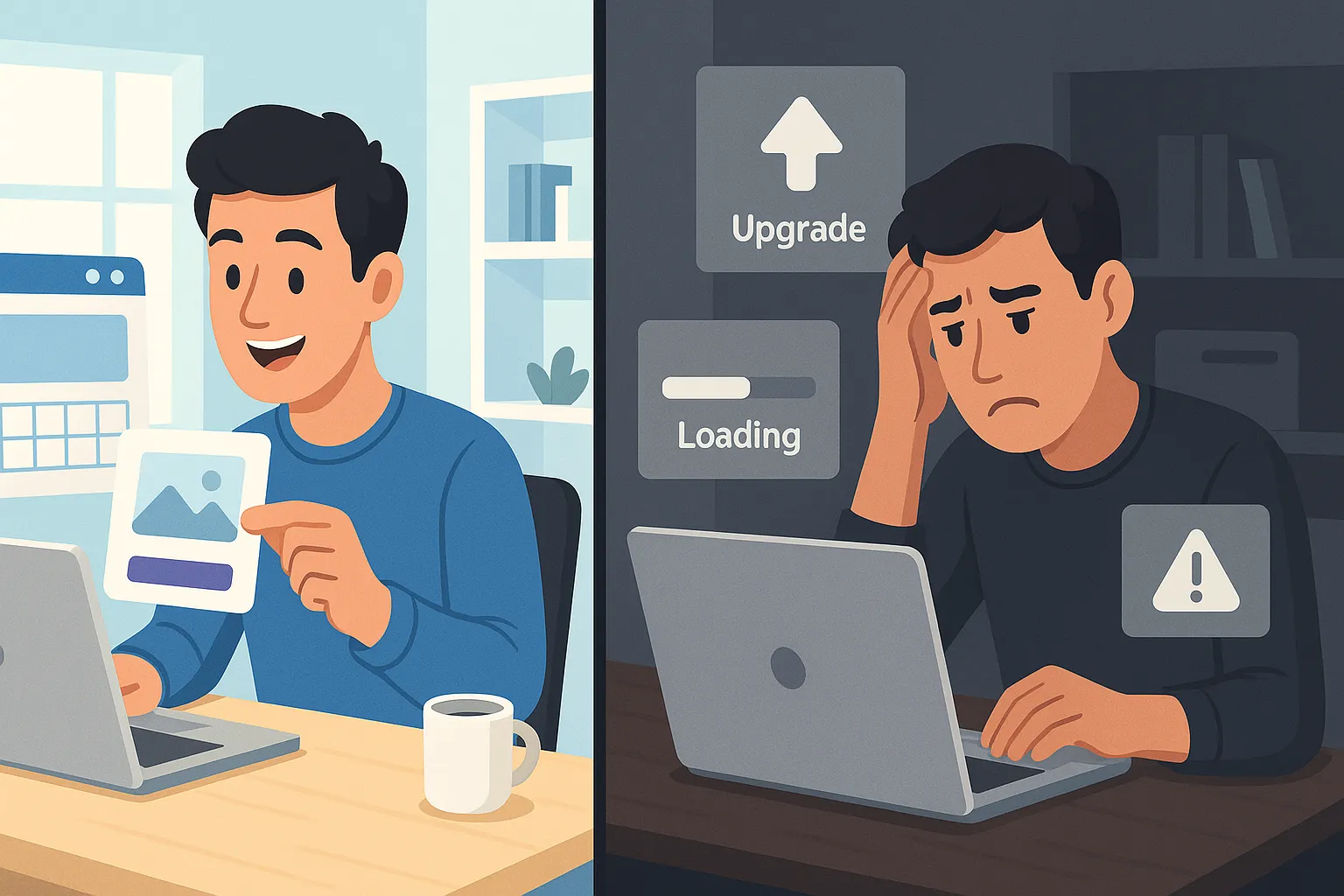
DIY website builders promise a simple idea:
“Build a professional website without coding, quickly and cheaply.”
For many individuals and small businesses, this sounds perfect.
Drag-and-drop editors, beautiful templates, and low monthly prices make DIY builders extremely attractive.
But the reality is more complex.
This guide explains what DIY website builders really are, how they work, where they shine, where they fail, and when you should (or should not) use them—with a special focus on business growth, SEO, and long-term costs.
This is a complete, honest guide, not marketing hype.
What Are DIY Website Builders?
DIY website builders are online platforms that allow users to create websites without writing code.
They provide:
- Visual drag-and-drop editors
- Pre-designed templates
- Built-in hosting
- Integrated features like forms, blogs, and e-commerce
Popular examples include Wix, Squarespace, Shopify, WordPress.com, and Weebly.
How They Work (Simple Explanation)
- You sign up on the platform
- Choose a template
- Customize text, images, and layout
- Publish your website on their hosting
Everything is controlled by the platform—including speed, structure, and limitations.
Top DIY Website Builders Compared
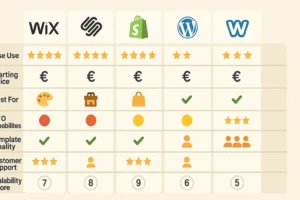
Wix
Best for: Beginners, small service websites, portfolios
Pros
- Very easy to use
- Large template library
- App marketplace
Cons
- SEO flexibility is limited
- Hard to migrate later
- Performance issues on complex sites
Squarespace
Best for: Designers, creatives, content-focused sites
Pros
- High-quality templates
- Clean design
- Good blogging experience
Cons
- Less flexibility than Wix
- Limited third-party apps
- Not ideal for large e-commerce
Shopify
Best for: E-commerce businesses
Pros
- Powerful store features
- Secure and scalable
- Strong payment integrations
Cons
- Monthly costs add up quickly
- Blog and content SEO are basic
- Limited design freedom without apps
WordPress.com
Best for: Content websites with moderate needs
Pros
- Strong blogging foundation
- Better SEO than most builders
- Familiar WordPress experience
Cons
- Many features are locked behind higher plans
- Less freedom than self-hosted WordPress
- Plugin limitations
Weebly
Best for: Very small or temporary websites
Pros
- Simple interface
- Low learning curve
Cons
- Weak SEO tools
- Limited scalability
- Declining innovation
Why People Choose DIY Website Builders
DIY builders are popular because they:
- Are quick to launch
- Have low upfront costs
- Requires no technical knowledge
- Offer all-in-one convenience
For personal sites, hobby projects, or early-stage ideas, DIY builders can work well.
But problems start when business goals grow.
The Reality: Common Pitfalls & Disadvantages
Design Limitations
Templates look good—but many sites end up looking similar.
True brand differentiation is difficult.
Performance Issues
You don’t control the code.
Extra scripts, apps, and bloated builders slow down your site.
SEO Ceiling
DIY platforms allow basic SEO, but advanced optimization is limited:
- Restricted URL structures
- Limited schema markup
- Inconsistent Core Web Vitals
Security & Maintenance
You rely completely on the platform:
- Security updates are not customizable
- Backup control is limited
- Data ownership is restricted
Platform-Specific Problems
Wix SEO Issues
- Limited control over technical SEO
- Heavy JavaScript usage
- Difficult long-term scaling
Squarespace Limitations
- Weak e-commerce SEO
- Limited integrations
- Less flexibility for growing businesses
Shopify Constraints
- Transaction fees
- App dependency
- Content SEO is not its strength
Hidden Costs Revealed
DIY builders are not as cheap as they look.
Real Costs Include:
- Monthly subscription
- Domain renewals
- Premium templates
- Paid apps and plugins
- Email marketing tools
- SEO tools
- Transaction fees (for stores)
Over 3–5 years, DIY sites often cost much more than expected.
How to Choose the Right DIY Website Builder
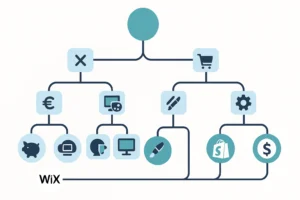
Ask yourself:
- Is this a short-term or long-term project?
- Do I need strong SEO?
- Will this site grow into e-commerce?
- Is performance important for conversions?
If growth matters, DIY builders may become a bottleneck.
Step-by-Step: Getting Started with DIY Builders
- Define your website goal
- Choose the correct platform type
- Register a custom domain
- Select a clean, simple template
- Customize only what’s necessary
- Add essential pages (Home, About, Services, Contact)
- Launch and monitor performance
Avoid adding too many apps early.
E-Commerce with DIY Website Builders
DIY e-commerce works best for:
- Small product catalogs
- Simple checkout flows
- Local businesses
For serious online stores:
- Shopify or WooCommerce performs better
- DIY platforms struggle with scaling, SEO, and flexibility
SEO with DIY Website Builders
What You Can Do:
- Optimize titles and meta descriptions
- Use headings correctly
- Improve content quality
What You Can’t Fully Control:
- Advanced technical SEO
- Page speed optimization
- Schema flexibility
- Server-side performance
For competitive SEO, DIY platforms have a clear ceiling.
Security & Maintenance
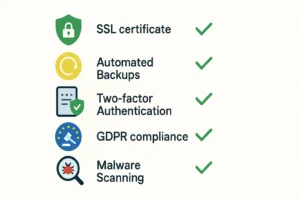
DIY builders handle:
- Hosting
- Basic security
- Updates
But you lose:
- Full control
- Advanced security customization
- Flexible backup strategies
For regulated markets and serious businesses, this matters.
When DIY Website Builders Are the Right Choice
DIY builders are suitable when:
- The budget is very limited
- The project is short-term
- SEO competition is low
- Growth expectations are small
When Professional Development Is the Better Option
Choose professional development if:
- SEO matters for leads
- Performance impacts conversions
- Branding is important
- You plan long-term growth
Custom websites provide freedom, scalability, and ownership.
Migration Guide: Moving Away from DIY Builders
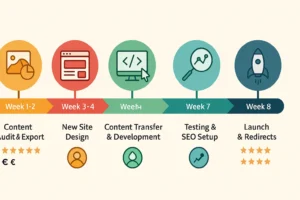
Migration is possible—but not easy.
Challenges include:
- Content export limitations
- SEO risks
- URL changes
- Design rebuilding
Planning and redirects are critical to avoid traffic loss.
Case Studies (Real-World Patterns)
When DIY Worked
- Small portfolio sites
- Local service websites
- MVP projects
When DIY Failed
- Growing e-commerce stores
- SEO-driven businesses
- Content-heavy platforms
Most failures happen when businesses outgrow the platform.
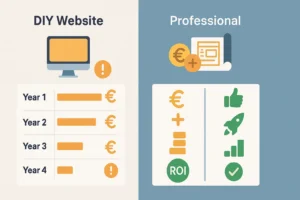
Performance & Speed Benchmarks
DIY platforms generally:
- Load slower than custom sites
- Depend on shared infrastructure
- Struggle with Core Web Vitals at scale
Speed directly affects SEO and conversions.
Conclusion:
DIY website builders are not bad.
They are simply limited tools.
They work best for:
- Beginners
- Small projects
- Short-term needs
For serious businesses, SEO growth and scalability, professional solutions win in the long term.
The smartest strategy is knowing when to start DIY—and when to move on.
FAQ
Yes, but free plans include branding, limits, and poor SEO.
For basics—yes. For competitive SEO—no.
Wix and Squarespace.
Yes, but expect redesign and SEO work.
Not for DIY, but coding offers flexibility.
Usually no.
DIY for short-term, developers for growth.