
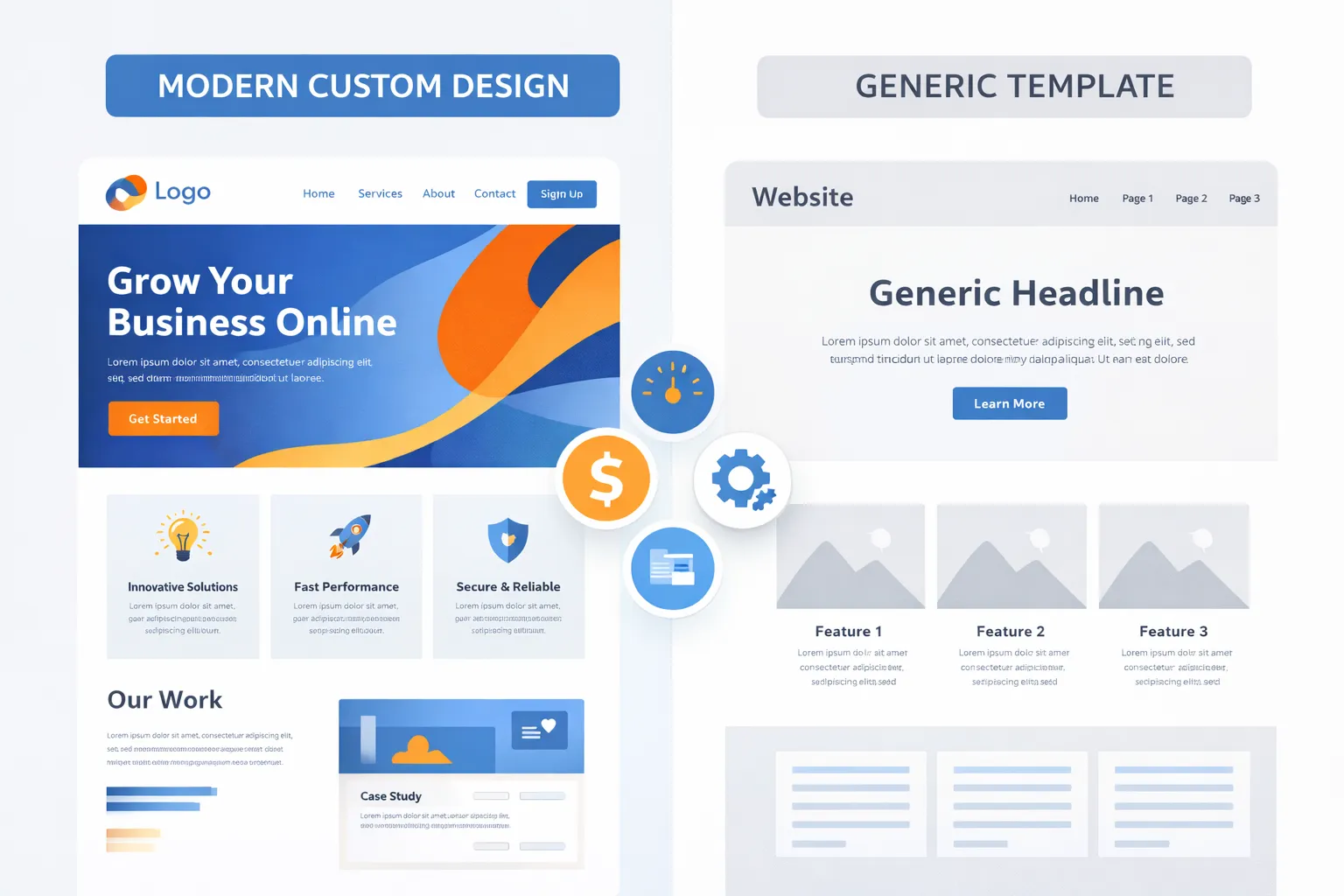
Your website is your digital storefront, working 24/7 to attract customers and grow your business. But here’s the million-dollar question: should you invest in a custom-built website or use a pre-designed template?
This decision impacts everything—your budget, brand identity, security, performance, and long-term scalability. Choose wrong, and you could waste thousands of dollars or limit your business growth. Choose right, and you’ll have a powerful asset that drives real results.
In this comprehensive guide, we’ll compare custom vs template websites across every critical factor. You’ll discover hidden costs, security risks, performance differences, and industry-specific recommendations. By the end, you’ll know exactly which option fits your business goals, budget, and timeline.
Let’s dive in.
Quick Decision Framework
Not sure where to start? Answer these three questions:
- What’s your budget? Under $3,000 = Template | $5,000-$15,000 = Hybrid | $15,000+ = Custom
- How fast do you need to launch? Within days = Template | 2-4 weeks = Hybrid | 2-6 months = Custom
- Do you need unique features? Basic features = Template | Some customization = Hybrid | Complete control = Custom
Need more guidance? Keep reading for the complete breakdown.
What Are Template Websites?
Template websites are pre-designed, ready-made solutions that you can customize to fit your needs. Think of them as buying a house that’s already built—you can change the paint color, furniture, and decorations, but the structure and layout are fixed.
How Template Websites Work
Popular platforms like WordPress, Wix, Squarespace, and Shopify Development offer thousands of pre-built themes. You simply:
- Choose a template that matches your industry
- Swap out placeholder text and images with your content
- Adjust colors and fonts to match your brand
- Add plugins or widgets for extra functionality
- Launch your site in hours or days
Template Website Pros
Affordable Entry Cost Templates typically cost $0-$300 for the theme itself, with total first-year costs ranging from $500-$3,000, including domain, hosting, and basic plugins.
Rapid Launch Time: You can have a professional-looking website live in 2-5 days, perfect for businesses that need an immediate online presence.
No Coding Required:d Drag-and-drop builders make website creation accessible to anyone, regardless of technical skill. You don’t need to hire a developer for basic changes.
Tested and Proven Popular templates have been used by thousands of websites, so major bugs and compatibility issues have typically been resolved.
Regular Updates: Theme developers provide updates for compatibility with the latest platform versions and security patches.
Template Website Cons
Limited Customization You’re restricted to the template’s underlying structure. While you can change colors and content, you can’t fundamentally alter the layout or add unique features without extensive custom coding.
Generic Appearance: Hundreds or thousands of other websites use the same template. Your site may look identical to competitors, making it harder to establish a unique brand identity.
Performance Issues Templates are built to accommodate various use cases, resulting in bloated code. Many include features you’ll never use, which slow down your site. Page load times of 4-6 seconds are common with heavily-templated sites.
Plugin Dependence:y Every feature you need typically requires installing another plugin. More plugins mean more code, slower performance, and higher security risks.
Scalability Limitations: As your business grows, you may struggle to add complex features, integrate with specialized tools, or handle increased traffic efficiently.
Hidden Long-Term Costs Premium plugins, theme updates, compatibility fixes, and developer help when things break can add $500-$2,000 annually to your costs.
What Are Custom Websites?
Custom websites are built from scratch specifically for your business. Like commissioning an architect to design your dream home, every element is crafted to meet your exact requirements.
The Custom Development Process
Building a custom website involves several phases:
- Discovery & Strategy (1-2 weeks): Understanding your business goals, target audience, and feature requirements
- Design (2-4 weeks): Creating unique mockups and user interface designs
- Development (4-12 weeks): Coding the frontend and backend functionality
- Testing (1-2 weeks): Quality assurance, bug fixes, and optimization
- Launch & Training (1 week): Going live and training your team
- Ongoing Maintenance: Regular updates, security monitoring, and improvements
Custom Website Benefits
Complete Uniqueness: Your website will be one-of-a-kind, perfectly reflecting your brand identity. No other business will have the same design, structure, or user experience.
Superior Performance Custom sites contain only the code they need, resulting in faster load times. Many custom sites achieve page speeds under 2 seconds, significantly improving user experience and SEO rankings.
Enhanced Security Custom websites have unique codebases that hackers can’t exploit using automated tools. Your development team can implement enterprise-level security measures tailored to your specific needs.
Unlimited Scalability: As your business grows, your website grows with it. Add new features, integrate complex systems, and handle massive traffic without platform limitations.
SEO Optimization Custom sites are built with search engine optimization best practices from day one, giving you a competitive advantage in search rankings.
Full Ownership and Control You own every line of code and have complete freedom to modify, expand, or migrate your website without platform restrictions.
Competitive Advantage: Unique features and user experiences can differentiate your business and convert more visitors into customers.
Custom Website Drawbacks
Higher Initial Investment: Custom websites typically cost $8,000-$60,000+, depending on complexity, representing a significant upfront expense.
Longer Development Timeline Quality custom websites take 2-6 months to build properly, which may not work for businesses needing an immediate online presence.
Requires Technical Expertise: You’ll need to work with professional developers for updates and maintenance, adding to ongoing costs.
Greater Commitment The investment in time and money means you need confidence in your business direction and website requirements.
The Hybrid Approach: Best of Both Worlds
There’s a third option many businesses overlook: the hybrid approach. This combines a solid template foundation with custom-designed sections and features.
How Hybrid Websites Work
Start with a lightweight, well-coded theme as your base, then customize specific sections:
- Custom homepage design that showcases your unique value
- Pre-built templates for standard pages (about, contact)
- Custom functionality for specific features you need
- Template-based blog and content sections
When Hybrid Makes Sense
The hybrid approach works best for:
Hybrid Approach Costs
- Growing businesses that need something better than templates but can’t justify full custom development yet
- Budget-conscious companies wanting custom features where it matters most (homepage, key landing pages)
- Time-sensitive launches needing to go live quickly, with plans to enhance later
- Businesses with specific feature needs but standard requirements elsewhere
Expect to invest $5,000-$15,000 for a quality hybrid website, with 3-6 weeks of development time. This provides 70-80% of custom benefits at 40-50% of the cost.
Evolution Strategy
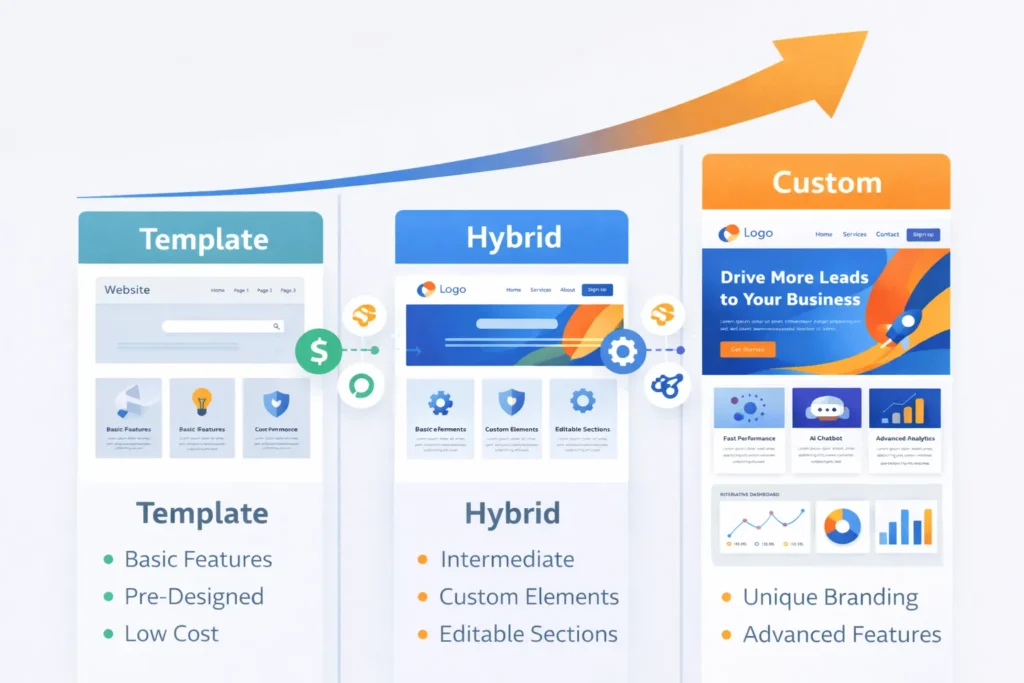
Many successful businesses follow this path:
Phase 1: Launch with template (months 0-12)
Phase 2: Upgrade to hybrid with custom homepage and key features (year 1-2)
Phase 3: Full custom rebuild when business scale justifies investment (year 2+)
This approach minimizes upfront risk while maintaining growth flexibility.
Custom vs Template Websites: Complete Comparison
Cost Analysis
Template Websites:
- Theme: $0-$300 (one-time)
- Domain: $10-$15/year
- Hosting: $5-$50/month
- Premium plugins: $0-$50/month per plugin
- Maintenance: $25-$100/month
- First year total: $500-$3,000
- Year 2-5 annual cost: $600-$1,500/year
Custom Websites:
- Design: $2,000-$15,000
- Development: $5,000-$50,000
- Hosting: $20-$200/month
- Maintenance: $100-$500/month
- First year total: $8,000-$60,000+
- Year 2-5 annual cost: $1,500-$6,000/year
Total Cost of Ownership (5 Years):
- Template: $3,000-$10,000
- Custom: $14,000-$80,000
However, the ROI story is different. Custom websites often convert 2-3x better than templates, meaning they can generate significantly more revenue despite higher costs.
Development Timeline
Template: 2-5 days to launch, Hybrid: 3-6 weeks to launch, Custom: 8-24 weeks to launch
Time-to-market matters, especially for new businesses. Templates win for speed, but remember: rushing to launch a mediocre site may cost you customers.
Performance & Page Speed
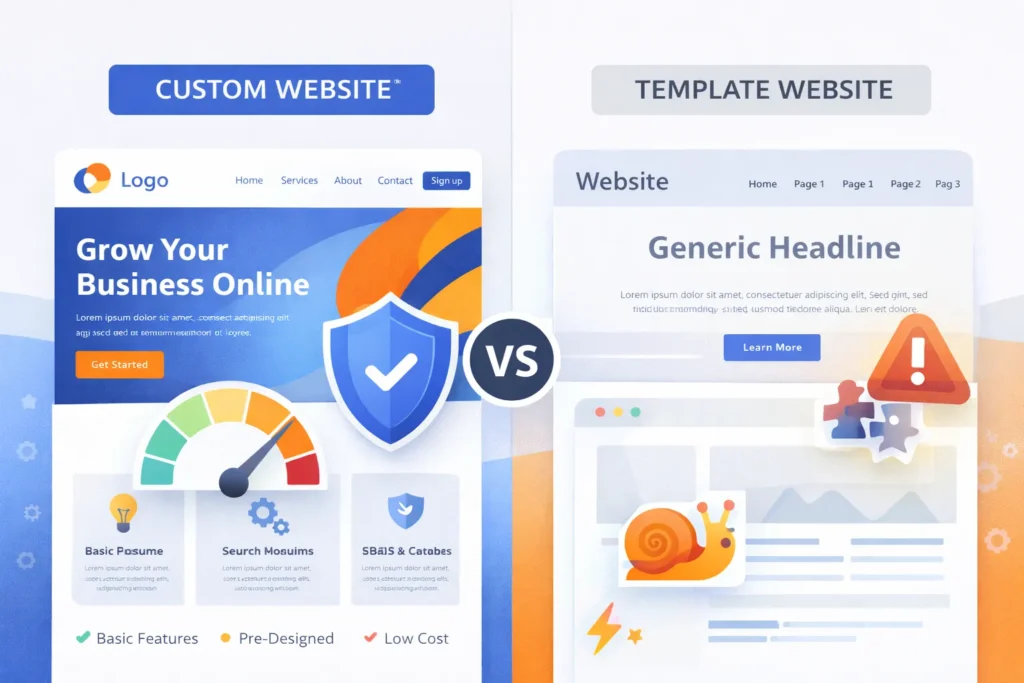
Website speed directly impacts user experience, conversion rates, and SEO rankings. Google considers page speed a ranking factor, and studies show:
- 53% of mobile users abandon sites taking over 3 seconds to load
- Each additional second of load time can decrease conversions by 7%
Template Performance:
- Average load time: 4-7 seconds
- Often bloated with unnecessary code from plugins
- Limited control over optimization
- Performance degrades as you add features
Custom Performance:
- Average load time: 1-3 seconds
- Clean, efficient code with only necessary features
- Full control over optimization strategies
- Scalable performance as the site grows
Performance alone can justify custom development for e-commerce sites and high-traffic businesses where every second translates to revenue.
Security & Vulnerabilities
Website security should never be an afterthought, especially if you handle customer data or process transactions.
Template Security Risks:
According to recent security research, 96% of WordPress vulnerabilities originate from plugins and themes—not the core platform. Popular templates become targets because:
- Thousands of sites use identical code structures
- Hackers develop automated exploit tools
- Outdated plugins create security holes
- Third-party plugin developers may abandon support
- Each plugin adds potential vulnerability points
Custom Security Advantages:
- Unique codebase makes automated attacks ineffective
- Security measures built specifically for your needs
- No unnecessary code that could be exploited
- Direct control over security updates and patches
- Enterprise-level protection capabilities
Security Maintenance Requirements:
Templates require constant vigilance: updating plugins weekly, monitoring for vulnerabilities, and hoping developers patch security holes quickly. Custom sites need less frequent updates but require a skilled developer to implement them.
For businesses handling sensitive data—medical records, financial information, personal data—custom websites with proper security implementation are not optional; they’re essential.
SEO Capabilities
Search engine visibility can make or break online businesses. How do templates and custom sites compare?
Template SEO:
- Limited technical SEO control
- Bloated code can hurt rankings
- Slower page speeds impact search performance
- Plugin-dependent for advanced optimization
- Often includes unnecessary code visible to search engines
- Harder to implement structured data and rich snippets
Custom SEO:
- Built with SEO best practices from the foundation
- Clean code structure search engines prefer
- Fast load times boost rankings
- Full control over technical SEO elements
- Easy implementation of structured data
- Optimized mobile experience
SEO represents long-term value. A custom site that ranks higher and attracts more organic traffic can deliver ROI for years, while a template site may struggle to compete in search results.
Scalability & Growth
Your website should grow with your business, not limit it.
Template Limitations:
- Platform restrictions on features and functionality
- Plugin compatibility issues as you scale
- Performance degradation with increased traffic
- Difficult to add complex custom features
- May require a complete rebuild as you outgrow the template
Custom Scalability:
- Built to accommodate future growth
- Easy integration of new features
- No platform restrictions
- Handles traffic increases efficiently
- Evolves with changing business needs
Consider your 3-5 year business plan. If you anticipate significant growth, launching on a template may mean costly rebuilding later.
Maintenance Requirements
Ongoing maintenance keeps your website secure, functional, and up-to-date.
Template Maintenance:
- Weekly plugin updates (15-30 minutes)
- Monthly compatibility checks
- Theme updates every few months
- Regular backups
- Troubleshooting plugin conflicts
- Higher risk of things breaking after updates
Hybrid/Custom Maintenance:
- Less frequent but more technical updates
- Requires developer expertise
- More predictable maintenance schedule
- Lower risk of conflicts
- Professional monitoring recommended
Maintenance Costs:
- DIY Template: $0-$50/month
- Managed Template: $75-$200/month
- Custom: $200-$500/month for professional management
Technical Expertise Needed
Template Websites:
- Skill level: Beginner to Intermediate
- DIY-friendly for basic sites
- YouTube tutorials available for most tasks
- Technical support from platform communities
- May need a developer for complex customizations
Custom Websites:
- Skill level: Expert required
- Must hire a professional development team
- An ongoing developer relationship is necessary
- Higher quality control but less hands-on control
- Training needed for content management
Industry-Specific Recommendations
Different businesses have different needs. Here’s what works best by industry:
E-commerce Businesses
Recommendation: Custom or High-End Hybrid
E-commerce sites need robust product management, secure payment processing, inventory tracking, and excellent performance. Custom development pays for itself through:
- Higher conversion rates (1-2% improvement = thousands in revenue)
- Custom shopping experiences
- Unique features that differentiate from competitors
- Scalability for catalog growth
Template platforms like Shopify work for starting, but limit customization as you scale.
Professional Services (Lawyers, Consultants, Agencies)
Recommendation: Hybrid or Quality Template
Service businesses need a credible online presence but don’t require complex functionality. A hybrid approach with custom design on key pages (homepage, services, about) and template blog/contact pages offers the best value.
Professional branding matters here—a generic template may hurt credibility, but full custom development may be overkill unless you’re targeting enterprise clients.
Restaurants & Local Businesses
Recommendation: Template or Simple Custom
Local businesses need an online presence for discovery and basic information. Templates work well because:
- Limited functionality requirements (menu, hours, location, reservations)
- Focus on mobile users finding you locally
- Budget-conscious operations
- Quick launch important for seasonal businesses
Invest in professional photography rather than expensive custom development.
SaaS & Technology Companies
Recommendation: Custom
Tech companies need websites that showcase innovation and handle complex features:
- Product demonstrations
- User dashboards
- Integration capabilities
- Scalable infrastructure
- Unique functionality
Template limitations frustrate tech-savvy audiences. Custom development demonstrates your technical capability and provides the flexibility to showcase your product effectively.
Blogs, Portfolios & Personal Brands
Recommendation: Template
Content-focused sites don’t need custom development. Quality templates from platforms like WordPress offer:
- Excellent content management
- SEO-friendly structure
- Fast setup
- Low maintenance
- Affordable operation
Invest time in content quality rather than website development.
Enterprise & Corporate Websites
Recommendation: Custom
Large organizations need websites that reflect their professionalism and scale:
- Brand consistency across global operations
- Integration with enterprise systems
- Advanced security requirements
- Multi-language support
- Compliance with industry regulations
Templates can’t deliver the sophistication enterprise audiences expect.
Startups & New Ventures
Recommendation: Template → Hybrid → Custom Evolution
Startups should validate their business model before investing heavily in websites:
1 (MVP): Launch with a template to test market fit.
2 (Traction): Upgrade to hybrid with custom branding.
3 (Scale): Rebuild custom as business proves sustainable
This approach minimizes risk while maintaining flexibility.
Making Your Decision
Still unsure? Use this decision framework:
Choose a Template Website If:
- Your budget is under $3,000
- You need to launch within days
- You run a small local business or simple online presence
- You’re comfortable with a site similar to competitors
- You have basic functionality requirements
- You can handle regular maintenance and updates
- You’re testing a business idea and need quick validation
The Hybrid Website If:
- Your budget is $5,000-$15,000
- You need custom branding, but have some standard requirements
- You want better performance than templates without full custom cost
- You’re growing but not yet ready for full custom investment
- You need specific custom features in certain areas
- You want room to scale affordably
Choose a Custom Website If:
- Your budget exceeds $15,000
- You can wait 2-6 months for development
- You need unique features or complex functionality
- Your brand identity is crucial to business success
- You’re targeting professional or enterprise clients
- You expect significant business growth
- Security and performance are critical priorities
- You want complete control over every aspect
Migration & Transition Planning
Many businesses start with templates and upgrade later. Here’s how to plan for transition:
When to Consider Upgrading
Migrate from template to custom when you experience:
- Performance issues affecting user experience
- Growth is limited by platform restrictions
- Security concerns with sensitive data
- Brand evolution requiring unique design
- Competitive pressure to differentiate
- Annual template costs are approaching the custom rebuild cost
Migration Process
- Audit Current Site: Document all content, features, and functionality
- Define Requirements: Identify improvements and new features
- Plan SEO Strategy: Preserve search rankings during transition
- Design New Site: Create mockups before development
- Develop & Test: Build and thoroughly test before launch
- Migrate Content: Transfer all content carefully
- Implement Redirects: Ensure all old URLs redirect properly
- Launch: Go live with the monitoring plan
- Post-Launch Optimization: Fix issues and optimize performance
Minimizing Disruption
- Build a new site on the staging server before launch
- Schedule migration during low-traffic periods
- Implement comprehensive 301 redirects
- Monitor search rankings closely for 90 days post-launch
- Have a rollback plan if critical issues arise
Conclusion
Both custom and template websites serve legitimate purposes—the right choice depends entirely on your specific situation.
Templates Excel for small businesses, startups, testing ideas, and anyone needingan affordable, rapid online presence with basic requirements.
Custom websites deliver unmatched performance, security, and uniqueness for growing businesses where digital presence drives significant revenue and competitive differentiation matters.
Hybrid approaches offer a middle ground, providing custom benefits where it matters most while controlling costs.
Consider your budget, timeline, growth plans, and business objectives. A template that launches this week and starts generating leads immediately beats a perfect custom site that doesn’t exist six months from now. Conversely, investing in custom development now may prevent costly rebuilds later as your business scales.
The best website isn’t necessarily the most expensive or most elaborate—it’s the one that serves your business goals effectively within your constraints.
Faqs
Templates use pre-designed themes; custom websites are built from scratch for full uniqueness and control.
Yes, custom sites cost $8,000-$60,000+, while templates cost $500-$3,000. Custom sites often give better ROI.
Templates: 2–5 days. Custom: 8–24 weeks, including design and testing.
Custom sites usually rank better due to clean code and speed, but well-optimized templates can also perform well.
Yes, many businesses start with a template and migrate to custom as they grow.
Templates face higher risks from plugins and themes. Keep them updated and monitored.
Templates: $25–$200/month. Custom: $200–$500/month for professional upkeep.