

Launching a new business is exhilarating, but creating a website can feel overwhelming. With countless website platforms for small businesses available today, how do you choose the right one? Your website serves as your digital storefront—it must be user-friendly, reliable, and scalable. The good news? You don’t need to be a tech expert to create a professional site anymore.
According to recent statistics, over 73% of small businesses now have websites, and the right platform can make the difference between online success and frustration. Whether you need a robust CMS for startups, a simple drag-and-drop builder, or a powerful eCommerce solution, this comprehensive guide will help you make an informed decision.
Why Your Choice of Website Platform Matters
Your website platform is the foundation of your online presence. It affects everything from how easily you can update your site to how well you rank on search engines like Google. The wrong choice can cost you time, money, and missed opportunities.
A solid website platform provides:
- Ease of management – Update content, add products, and make changes without technical expertise
- Search engine optimization – Built-in tools to help customers find you online
- Growth potential – Ability to scale as your business expands
- Cost efficiency – Avoid expensive Website Development fees for routine updates
- Professional appearance – Templates and designs that build trust with visitors
Choosing the best website platforms for small business success means understanding your specific needs, budget, and long-term goals.
Key Factors to Consider When Choosing a Website Platform
Before diving into specific platforms, evaluate these critical factors:
1. Your Business Type and Goals
Different businesses require different features:
- Product-based businesses need robust eCommerce capabilities with inventory management, payment processing, and shipping integration
- Service-based businesses benefit from booking systems, appointment scheduling, and portfolio showcases
- Content creators require strong blogging tools, membership options, and newsletter integration
- Restaurants and food businesses need online ordering, menu management, and table reservation systems
- Local service providers should prioritize local SEO features and contact forms
2. Budget Considerations
Website costs vary significantly:
- Domain name: $10-$60/year
- Hosting: $10-$200/month (some platforms include this)
- Platform subscription: $0-$300/month depending on features
- SSL certificate: Free-$100/year (usually included)
- Premium themes: $0-$200 one-time
- Plugins and extensions: $0-$500/year
- Maintenance: $0-$100/month
Calculate your total cost of ownership, not just the monthly subscription fee.
3. Technical Skill Level
Be honest about your technical abilities:
- Beginners need drag-and-drop builders with minimal learning curves
- Intermediate users can handle platforms with some customization options
- Advanced users may want full control through code access and developer tools
4. Scalability and Growth
Consider where your business will be in 2-5 years:
- Will you need to add hundreds or thousands of products?
- Do you plan to expand internationally with multiple currencies?
- Will you require advanced marketing automation?
- Might you need multiple team members managing the site?
5. SEO Capabilities
Search engine visibility is crucial. Look for platforms offering:
- Customizable meta titles and descriptions
- Clean URL structures
- XML sitemap generation
- Fast page load speeds
- Mobile responsiveness
- Schema markup support
- Image optimization tools
- 301 redirect capabilities
6. Integration Requirements
Your website should work seamlessly with:
- Email marketing platforms (Mailchimp, ConvertKit, ActiveCampaign)
- Payment processors (Stripe, PayPal, Square)
- Accounting software (QuickBooks, Xero)
- CRM systems (HubSpot, Salesforce)
- Analytics tools (Google Analytics, Hotjar)
- Social media platforms
Top Website Platforms for Small Businesses in 2026
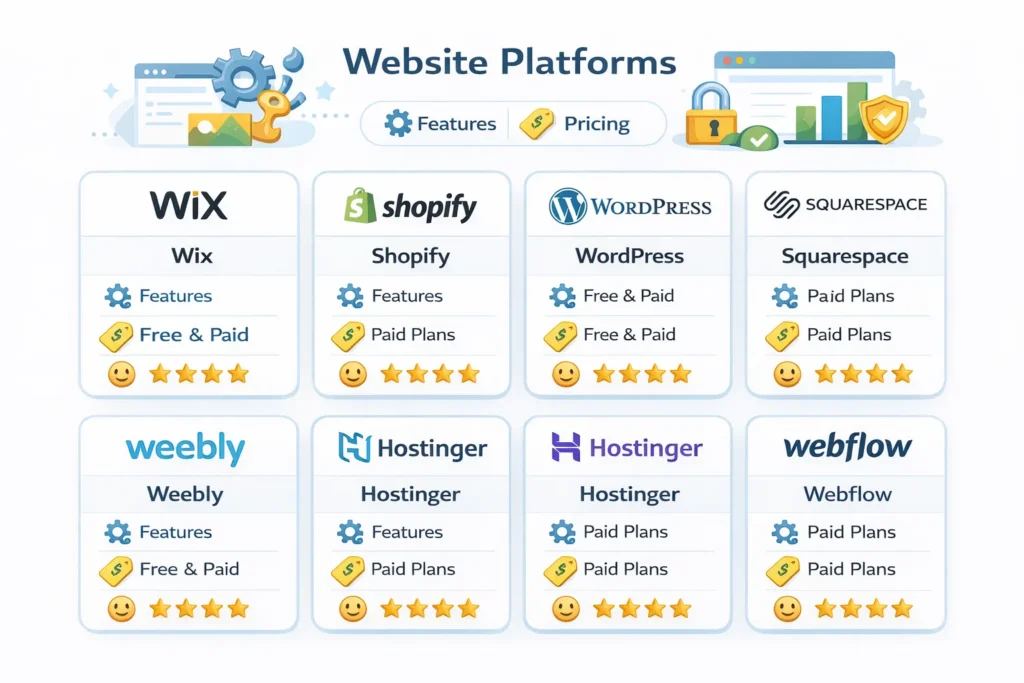
Here’s a detailed comparison of the best website platforms for small business owners, including pricing, features, and ideal use cases.
1. Wix – Best for Beginners
Best For: Small business owners with zero technical experience who want a professional website quickly.
Wix has built its reputation on simplicity. With an intuitive drag-and-drop editor and AI-powered design tools, you can create a polished website in hours, not weeks.
Key Features:
- Drag-and-drop editor with complete visual control
- 800+ professionally designed templates across all industries
- AI website builder that creates initial layouts based on your preferences
- Built-in SEO tools including meta tag customization and SEO wizard
- App Market with 300+ extensions for additional functionality
- Mobile optimization automatically adjusts your site for smartphones
- Basic eCommerce capabilities for small product catalogs
- Free SSL certificate for secure connections
- 24/7 customer support via phone and chat
Pricing Breakdown:
- Free Plan: Limited features, Wix branding, wixsite.com subdomain
- Combo Plan: $16/month – Custom domain, 2GB storage, basic features
- Unlimited Plan: $22/month – Unlimited bandwidth, 10GB storage
- Business Basic: $27/month – Accepts online payments, 20GB storage
- Business Unlimited: $32/month – Enhanced eCommerce, 35GB storage
- Business VIP: $59/month – Priority support, 50GB storage
Pros:
Extremely user-friendly interface, Extensive template library, Affordable entry-level pricing, Good for portfolio and business card websites, Regular feature updates and improvements
Cons:
Template lock-in (can’t switch templates without rebuilding). Slower loading speeds with heavy media content Limited app marketplace compared to competitors. Bandwidth limitations on lower tiers. Challenging to implement advanced SEO techniques
Best Used For: Freelancers, consultants, local businesses, portfolios, and small service providers who prioritize ease of use over advanced customization.
When to Avoid: If you need advanced technical SEO, plan to scale to thousands of products, or require complete design flexibility.
2. Shopify – Best for eCommerce
Best For: Businesses primarily focused on selling physical or digital products online with plans for growth.
Shopify dominates the eCommerce space for good reason. It’s purpose-built for online selling with every feature you need to run a successful online store.
Key Features:
- Comprehensive inventory management with SKU tracking and variants
- Abandoned cart recovery to recapture lost sales
- Multi-channel selling (Instagram, Facebook, Amazon, eBay integration)
- Point of Sale (POS) system for in-person sales
- Automatic tax calculations based on location
- Shipping integrations with major carriers and label printing
- 100+ payment gateways including Shopify Payments
- App store with 8,000+ extensions
- Built-in analytics and sales reporting
- Customizable checkout experience
- Discount codes and promotional tools
Pricing Breakdown:
- Starter Plan: $5/month – Buy button only (add to existing website)
- Basic Shopify: $39/month – Full online store, 2 staff accounts
- Shopify: $105/month – Professional reports, 5 staff accounts
- Advanced Shopify: $399/month – Advanced reports, 15 staff accounts
- Transaction Fees: 2.9% + 30¢ per transaction (lower with higher plans or using Shopify Development Payments)
Pros:
Industry-leading eCommerce features. Scales from small shops to enterprises. Excellent inventory management Strong security and PCI compliance, reliable hosting with 99.98% uptime Integrated payment processing Robust app ecosystem
Cons:
Monthly costs add up quickly with apps. Transaction fees, unless using Shopify Payments Limited,d blogging capabilities, Website design customization sis omewhat restricted. Learning curve for complete beginners, Additional costs for premium themes
Best Used For: Online retailers, dropshipping businesses, multi-channel sellers, and anyone serious about eCommerce growth.
When to Avoid: If you’re primarily service-based, content-focused, or need advanced blogging capabilities.
3. WordPress.org – Best for Flexibility and Growth
Best For: Businesses that want complete control, unlimited customization, and long-term scalability.
WordPress powers approximately 43% of all websites globally. It’s the most flexible CMS for startups with ambitious growth plans, offering unlimited possibilities through themes and plugins.
Key Features:
- Complete ownership and control of your website
- 60,000+ free plugins for any functionality imaginable
- Thousands of themes (free and premium) for any industry
- Advanced SEO capabilities with plugins like Yoast and RankMath
- Full code access for ultimate customization
- Multilingual support with WPML and Polylang
- Membership and subscription options
- eCommerce through WooCommerce (powers 28% of online stores)
- Active community with millions of developers
- Content scheduling and management tools
- Multi-user roles and permissions
Pricing Breakdown:
- WordPress Software: Free (open-source)
- Domain Name: $10-$15/year
- Web Hosting: $3-$50/month (shared) to $100-$500/month (dedicated)
- Premium Theme: $0-$200 one-time
- Premium Plugins: $0-$500/year
- SSL Certificate: Usually free with hosting
- Maintenance: DIY or $50-$200/month for managed services
Total Cost: $100-$300 initial setup, $50-$150/month ongoing
Pros:
Unlimited customization potential, Best SEO capabilities of any platform, Scales to millions of visitors, Largest plugin and theme ecosystem, Full ownership of your data and site, Can be moved between hosts easily, Handles any content type (blog, store, membership, etc.)
Cons:
Steeper learning curve. Requires ongoing maintenance (updates, backups). Security responsibility falls on you. Plugin conflicts can occur. Need to choose and manage hosting separately. Can become expensive with premium plugins
Best Used For: Content-heavy websites, blogs, news sites, growing eCommerce stores, membership sites, and businesses planning significant expansion.
When to Avoid: If you want a hands-off solution or have no technical support available
4. Squarespace – Best for Design and Service Businesses
Best For: Creative professionals, service-based businesses, and anyone who prioritizes visual aesthetics.
Squarespace delivers stunning, professionally designed websites with minimal effort. The platform excels at creating beautiful, modern sites that look expensive without requiring design skills.
Key Features:
- Award-winning templates with sophisticated designs
- Responsive design that looks perfect on all devices
- Drag-and-drop editor with flexible grid system
- Built-in image editor for photo adjustments
- Appointment scheduling through Acuity integration
- Email campaigns built into the platform
- Commerce capabilities for physical and digital products
- Member areas for exclusive content
- Donation and contribution features
- Blogging tools with categories and tags
- Analytics dashboard with traffic insights
- 24/7 customer support via chat and email
Pricing Breakdown:
- Personal: $16/month – Basic website, 2 contributors
- Business: $23/month – Professional features, $0 transaction fees, promotional tools
- Commerce Basic: $27/month – Selling features, checkout on your domain
- Commerce Advanced: $49/month – Advanced commerce features, abandoned cart recovery
Prices shown are annual billing; monthly billing is 30% higher
Pros:
✅ Exceptionally beautiful templates ✅ Easy-to-use interface with great UX ✅ Excellent for portfolios and visual businesses ✅ Integrated scheduling with Acuity ✅ Strong mobile optimization ✅ Good built-in SEO tools ✅ Reliable hosting included
Cons:
❌ Less flexible than WordPress or Webflow ❌ Limited third-party integrations ❌ Template switching requires rebuilding ❌ Fewer eCommerce features than Shopify ❌ Some features only in higher tiers ❌ Annual commitment for best pricing
Best Used For: Photographers, designers, consultants, coaches, restaurants, wedding planners, real estate agents, and service professionals.
When to Avoid: If you need extensive third-party integrations or plan to run a large eCommerce operation.
5. Weebly – Best for Simple, No-Frills Websites
Best For: Small businesses wanting the simplest possible solution at an affordable price point.
Weebly focuses on simplicity and speed. It’s ideal for businesses that need an online presence quickly without bells and whistles.
Key Features:
- Extremely simple drag-and-drop builder
- Pre-designed content blocks for quick assembly
- Mobile-responsive themes
- Basic eCommerce for small product catalogs
- Integrated blogging platform
- SEO tools with customizable elements
- Contact forms and lead capture
- App Center with limited extensions
- Free SSL on all paid plans
Pricing Breakdown:
- Free: Weebly subdomain, Weebly ads, 500MB storage
- Personal: $10/month – Custom domain, no ads
- Professional: $12/month – Pop-up notifications, site search
- Performance: $26/month – Advanced eCommerce, unlimited items
Pros:
✅ Easiest learning curve of any platform ✅ Very affordable pricing ✅ Fast setup time (hours, not days) ✅ Good for basic business needs ✅ Reliable uptime
Cons:
❌ Limited design customization ❌ Fewer features than competitors ❌ Basic SEO capabilities ❌ Small app marketplace ❌ Not ideal for growth ❌ Less professional-looking templates
Best Used For: Very small local businesses, hobby businesses, personal projects, and anyone wanting the bare minimum to get online.
When to Avoid: If you plan to grow beyond a simple 5-10 page website or need advanced marketing tools.
6. Hostinger – Best Budget-Friendly Option
Best For: Cost-conscious businesses that still want quality features and don’t want to compromise on performance.
Hostinger offers exceptional value with surprisingly robust features at prices significantly lower than competitors. Their AI-powered tools help beginners create professional websites quickly.
Key Features:
- AI website builder that generates sites from text prompts
- AI content writer for generating copy
- Heatmap analytics to understand visitor behavior
- 100 websites included in most plans
- WordPress integration with AI theme builder
- eCommerce capabilities with payment processing
- Marketing integrations for email and social media
- Fast loading speeds with optimized servers
- 99.9% uptime guarantee
- Free domain for first year
- Free SSL certificate
- 24/7 customer support
Pricing Breakdown:
- Premium: $2.99/month – 100 websites, 100GB storage, free domain
- Business: $3.99/month – Daily backups, enhanced features
- Cloud Startup: $8.99/month – Cloud hosting, 200GB storage
Prices shown are promotional; renew at higher rates
Pros:
✅ Extremely affordable pricing ✅ Innovative AI features ✅ Fast performance and loading speeds ✅ Can host multiple websites ✅ Good uptime record ✅ Works with WordPress ✅ Free domain included
Cons:
❌ Promotional pricing increases at renewal ❌ Some advanced features locked to higher tiers ❌ Smaller template library than Wix or Squarespace ❌ Less extensive support resources ❌ May not scale well for high-traffic sites
Best Used For: Startups, solopreneurs, multi-site owners, budget-conscious businesses, and those comfortable with AI-assisted design.
When to Avoid: If you need white-glove support or plan to have very high traffic volumes.
7. Webflow – Best for Advanced Design Control
Best For: Businesses that demand pixel-perfect design without coding, or those working with professional designers.
Webflow bridges the gap between no-code simplicity and developer-level control. It’s the choice of design-conscious businesses that refuse to compromise on aesthetics.
Key Features:
- Visual development environment with code-level control
- Responsive design tools with breakpoint customization
- Animation and interactions without JavaScript
- CMS capabilities for dynamic content
- Advanced typography controls
- Clean semantic code automatically generated
- SEO optimization with granular control
- Hosting included on Fastly’s CDN
- Template marketplace with premium designs
- Client billing for agencies
- Form submissions and data capture
Pricing Breakdown:
Site Plans (per website):
- Basic: $14/month – Custom domain, 25,000 visits
- CMS: $23/month – 2,000 CMS items, 100,000 visits
- Business: $39/month – 10,000 CMS items, code export
- Enterprise: Custom pricing – SLA, dedicated support
Pros:
✅ Unmatched design flexibility ✅ No code required for advanced designs ✅ Professional-quality output ✅ Fast hosting on CDN ✅ Clean, semantic code ✅ Great for animation and micro-interactions ✅ Responsive design tools
Cons:
❌ Steep learning curve ❌ Complex pricing structure ❌ Limited eCommerce features compared to Shopify ❌ Can be overwhelming for beginners ❌ Bandwidth limitations on lower tiers ❌ More expensive for larger sites
Best Used For: Design-focused businesses, agencies building for clients, creative professionals, and businesses with complex design requirements.
When to Avoid: If you’re a complete beginner or need robust eCommerce functionality out of the box.
8. Ghost – Best for Content Creators and Publishers
Best For: Bloggers, newsletter writers, content creators, and online publications monetizing through subscriptions.
Ghost is a modern publishing platform built specifically for professional content creators. It combines a beautiful writing experience with powerful membership and newsletter tools.
Key Features:
- Distraction-free editor optimized for writing
- Built-in newsletter system with automation
- Membership tiers for paid subscriptions
- Native payment processing through Stripe
- Content gating by membership level
- SEO optimization built-in
- Fast loading speeds with CDN
- Clean, minimalist themes
- Analytics dashboard for growth tracking
- Team collaboration tools
- Custom integration capabilities via API
Pricing Breakdown:
- Starter: $9/month – Up to 500 members
- Creator: $25/month – Up to 1,000 members
- Team: $50/month – Up to 10,000 members
- Business: $199/month – Up to 100,000 members
Members = confirmed email subscribers
Pros:
✅ Purpose-built for content monetization ✅ Excellent newsletter integration ✅ Easy membership management ✅ Fast, lightweight platform ✅ Great writing experience ✅ Strong SEO foundation ✅ No transaction fees on subscriptions
Cons:
❌ Limited design customization without coding ❌ Not suitable for traditional eCommerce ❌ Smaller theme selection ❌ Basic landing page capabilities ❌ Niche use case (not for all business types) ❌ Member count affects pricing
Best Used For: Independent writers, podcasters, online magazines, thought leaders, journalists, and content-based membership businesses.
When to Avoid: If you need a traditional business website, eCommerce capabilities, or complex page layouts.
9. Kajabi – Best for Online Courses and Digital Products
Best For: Educators, coaches, and entrepreneurs selling online courses, memberships, or coaching programs.
Kajabi is an all-in-one platform designed specifically for knowledge commerce. It handles everything from course creation to marketing automation in one integrated system.
Key Features:
- AI course builder that generates outlines and content
- Unlimited courses and products
- Membership site functionality
- Email marketing with automation sequences
- Landing page builder with Conversion Rate Optimization templates
- Webinar hosting capabilities
- Payment processing with 0% transaction fees
- Student management and progress tracking
- Quizzes and assessments
- Certificates upon completion
- Affiliate program management
- Sales pipeline tracking
- Analytics and reporting
Pricing Breakdown:
- Kickstarter: $69/month – 1 product, 1 website, 250 contacts, 50 active members
- Basic: $149/month – 3 products, 10,000 contacts, 1,000 active members
- Growth: $199/month – 15 products, 25,000 contacts, 10,000 active members
- Pro: $399/month – 100 products, 100,000 contacts, 20,000 active members
Pros:
✅ Complete course creation ecosystem ✅ No transaction fees (huge savings) ✅ Built-in email marketing ✅ Professional templates ✅ Easy student management ✅ Marketing automation included ✅ White-label options
Cons:
❌ Higher price point than basic builders ❌ Overkill if you’re not selling courses ❌ Learning curve for all features ❌ Limited design flexibility ❌ Active member limits affect pricing ❌ Some features only in top tiers
Best Used For: Online course creators, membership sites, coaching businesses, masterminds, digital product sellers, and educational entrepreneurs.
When to Avoid: If you’re not focused on digital education products or have a very limited budget.
10. Square Online – Best for Restaurants and Food Businesses
Best For: Restaurants, cafes, food trucks, bakeries, and food-related businesses needing online ordering and table management.
Square Online integrates seamlessly with Square’s POS system, creating a unified experience for in-person and online orders.
Key Features:
- Seamless POS integration with real-time sync
- Online ordering for pickup and delivery
- Menu management with categories and modifiers
- Table mapping and floor plans
- Reservation system for bookings
- Shift management and staff scheduling
- Tip management and distribution
- Inventory tracking across channels
- Kitchen display system
- Order management dashboard
- Payment processing integrated
- Customer database building
- Marketing tools for promotions
Pricing Breakdown:
Software:
- Free: Basic website, limited items, Square branding
- Professional: $29/month – Unlimited items, custom domain
- Performance: $79/month – Advanced features, abandoned cart recovery
- Premium: $299/month – Custom checkout, priority support
Processing Fees:
- Online: 2.9% + 30¢ per transaction
- In-person: 2.6% + 10¢ per transaction
Restaurant-Specific POS:
- Free: 1 device, basic features
- Plus: $60/month per location – Advanced features, payroll integration
- Premium: Custom pricing – Multi-location, advanced reporting
Pros:
✅ Purpose-built for food businesses ✅ Unified online and in-person management ✅ Real-time inventory sync ✅ Comprehensive table management ✅ Staff and tip management ✅ Free basic software option ✅ Reliable payment processing
Cons:
❌ Limited website design options ❌ Basic customization capabilities ❌ Processing fees add up ❌ Interface can be confusing ❌ Not ideal for non-food businesses ❌ Limited integrations
Best Used For: Restaurants, cafes, bars, food trucks, catering businesses, bakeries, and quick-service food establishments.
When to Avoid: If you’re not in the food service industry or don’t need POS integration.
Comprehensive Platform Comparison Table
| Platform | Best For | Starting Price | Setup Difficulty | Scalability | SEO Rating | eCommerce | Support Quality |
|---|---|---|---|---|---|---|---|
| Wix | Beginners | $16/month | Very Easy | Medium | Good | Basic | Excellent |
| Shopify | eCommerce | $39/month | Easy | Excellent | Good | Excellent | Excellent |
| WordPress.org | Flexibility | $50-150/month* | Moderate | Excellent | Excellent | Good (WooCommerce) | Community |
| Squarespace | Design | $16/month | Easy | Medium | Good | Medium | Very Good |
| Weebly | Simplicity | $10/month | Very Easy | Low | Basic | Basic | Good |
| Hostinger | Budget | $2.99/month | Easy | Medium | Good | Medium | Good |
| Webflow | Design Control | $14/month | Difficult | Good | Excellent | Limited | Good |
| Ghost | Content | $9/month | Moderate | Good | Excellent | N/A | Good |
| Kajabi | Courses | $69/month | Moderate | Good | Good | Digital Only | Excellent |
| Square Online | Restaurants | Free-$299/month | Easy | Medium | Basic | Food-Focused | Very Good |
*Includes hosting, domain, and basic plugins
Detailed Feature Comparison
SEO Capabilities Comparison
| Feature | Wix | Shopify | WordPress | Squarespace | Webflow |
|---|---|---|---|---|---|
| Custom Meta Tags | ✅ | ✅ | ✅ | ✅ | ✅ |
| URL Customization | ✅ | ✅ | ✅ | ✅ | ✅ |
| XML Sitemap | ✅ | ✅ | ✅ | ✅ | ✅ |
| Schema Markup | Limited | ✅ | ✅ (plugins) | ✅ | ✅ |
| 301 Redirects | Limited | ✅ | ✅ | ✅ | ✅ |
| Image Alt Text | ✅ | ✅ | ✅ | ✅ | ✅ |
| Page Speed Optimization | Medium | Good | Excellent* | Good | Excellent |
| AMP Support | ❌ | Limited | ✅ (plugins) | ❌ | ❌ |
| Canonical Tags | ✅ | ✅ | ✅ | ✅ | ✅ |
| Robots.txt Control | Limited | ✅ | ✅ | Limited | ✅ |
*Depends on hosting and optimization
Integration Capabilities
| Platform | Email Marketing | Payment Gateways | Analytics | CRM | Social Media | Zapier |
|---|---|---|---|---|---|---|
| Wix | Good | Limited | ✅ | Limited | ✅ | ✅ |
| Shopify | Excellent | Excellent | ✅ | Good | ✅ | ✅ |
| WordPress | Excellent | Excellent | ✅ | Excellent | ✅ | ✅ |
| Squarespace | Good | Good | ✅ | Limited | ✅ | ✅ |
| Webflow | Good | Limited | ✅ | Limited | ✅ | ✅ |
| Hostinger | Good | Good | ✅ | Limited | ✅ | Limited |
Security Features Comparison
| Security Feature | Wix | Shopify | WordPress | Squarespace | Webflow |
|---|---|---|---|---|---|
| SSL Certificate | ✅ Free | ✅ Free | ✅ (hosting-dependent) | ✅ Free | ✅ Free |
| DDoS Protection | ✅ | ✅ | Depends on host | ✅ | ✅ |
| Automatic Backups | ✅ | ✅ | Manual/Plugins | ✅ | ✅ |
| Two-Factor Auth | ✅ | ✅ | Plugins | ✅ | ✅ |
| PCI Compliance | ✅ | ✅ | Via payment processor | ✅ | Via processor |
| Malware Scanning | ✅ | ✅ | Plugins/Host | ✅ | ✅ |
| GDPR Tools | ✅ | ✅ | Plugins | ✅ | ✅ |
| Uptime SLA | 99.9% | 99.98% | Varies | 99.9% | 99.9% |
Migration and Scalability Considerations
Platform Migration Difficulty
Understanding how easy it is to switch platforms later is crucial:
Easy to Migrate From (Low Lock-in):
- WordPress.org – Complete data portability, export everything
- Ghost – Clean export options for content
- Weebly – Basic content export available
Moderate Migration Difficulty:
- Squarespace – Content export possible, design doesn’t transfer
- Shopify – Product data exports well, some customization loss
- Wix – Content export limited, significant rebuild required
Difficult to Migrate From (High Lock-in):
- Webflow – Proprietary design system
- Kajabi – Course structure platform-specific
- Square – Tight POS integration makes switching complex
Scalability Indicators
When You’ll Outgrow Each Platform:
Wix:
- 500+ products
- 100,000+ monthly visitors
- Need for advanced technical SEO
- Complex business logic requirements
Shopify:
- Rarely outgrown (scales to enterprise)
- May need Shopify Plus at $2,000+/month for high volume
WordPress:
- Almost never outgrown with proper hosting
- Scales to millions of visitors
Squarespace:
- 10,000+ products
- Heavy customization needs
- Complex integration requirements
Weebly:
- 100+ products
- 50,000+ monthly visitors
- Professional feature requirements
Hidden Costs and Budget Considerations
True Cost of Ownership Analysis
Wix (Year 1):
- Platform: $16/month × 12 = $192
- Domain (if not included): $15
- Premium apps: $5-30/month = $60-360
- Total: $267-567
Shopify (Year 1):
- Platform: $39/month × 12 = $468
- Apps (average): $50/month × 12 = $600
- Transaction fees: 2.9% of sales
- Premium theme: $180 (optional)
- Total: $1,068-1,248 + transaction fees
WordPress (Year 1):
- Hosting: $10-50/month × 12 = $120-600
- Domain: $15
- Premium theme: $60-200
- Essential plugins: $100-500
- Security/Backup: $50-200
- Total: $345-1,515
Squarespace (Year 1):
- Platform: $23/month × 12 = $276 (Business plan)
- Domain (first year free)
- Extensions: $50-200
- Total: $326-476
Industry-Specific Recommendations
Professional Services (Lawyers, Consultants, Accountants)
Best Choice: Squarespace or WordPress
Why:
- Professional, trustworthy design templates
- Appointment scheduling capabilities
- Blog for thought leadership
- Client portal options
- Strong SEO for local visibility
Must-Have Features:
- Contact forms with intake questionnaires
- Client testimonials display
- Case studies or portfolio showcase
- Newsletter signup
- Resource library or downloadable content
Photographers and Creative Professionals
Best Choice: Squarespace or Format
Why:
- Stunning visual templates
- Image-optimized galleries
- Proofing and client selection tools
- Print sales integration
- Mobile-optimized portfolios
Must-Have Features:
- High-resolution image support
- Password-protected galleries
- Online booking for sessions
- Print fulfillment integration
- Blog for SEO and engagement
Local Service Businesses (Plumbers, Electricians, Contractors)
Best Choice: Wix or WordPress
Why:
- Quick setup and maintenance
- Local SEO tools
- Mobile-first design (customers search on phones)
- Review integration
- Service area specification
Must-Have Features:
- Click-to-call buttons
- Contact forms with service selection
- Before/after project galleries
- Google My Business integration
- Service area maps
- Emergency contact options
Online Retailers and Product Sellers
Best Choice: Shopify or WooCommerce (WordPress)
Why:
- Comprehensive eCommerce features
- Inventory management
- Multi-channel selling
- Payment processing
- Shipping integration
Must-Have Features:
- Product variants (size, color)
- Customer reviews
- Abandoned cart recovery
- Upsell and cross-sell
- Gift cards and coupons
- Email marketing automation
Restaurants and Food Businesses
Best Choice: Square Online or WordPress + Restaurant Plugins
Why:
- Online ordering capabilities
- Menu management
- POS integration (Square)
- Table reservations
- Delivery integration
Must-Have Features:
- Visual menu with photos
- Online ordering for pickup/delivery
- Reservation system
- Mobile optimization
- Location and hours display
- Instagram feed integration
Content Creators and Bloggers
Best Choice: WordPress or Ghost
Why:
- Superior blogging tools
- Content organization
- SEO optimization
- Monetization options
- Email newsletter integration
Must-Have Features:
- Category and tag organization
- Newsletter signup
- Social sharing buttons
- Comment system
- Ad placement options
- Membership/paywall capabilities
Online Course Creators and Coaches
Best Choice: Kajabi or Teachable
Why:
- Built-in course hosting
- Student progress tracking
- Payment processing
- Marketing automation
- Community features
Must-Have Features:
- Video hosting
- Drip content scheduling
- Quizzes and assessments
- Certificates
- Discussion forums
- Email sequences
Common Mistakes to Avoid
1. Choosing Based on Price Alone
The cheapest option often costs more long-term. Consider:
- Time spent fighting with limitations
- Lost sales due to poor features
- Migration costs when you outgrow it
- Hidden fees for necessary features
2. Ignoring Long-Term Scalability
Select a platform that can grow with you:
- Can it handle 10x your current traffic?
- Will you need features not currently available?
- How difficult is it to add functionality?
- What happens when you need a second language or currency?
3. Overlooking SEO Capabilities
Your website must be found. Ensure your platform offers:
- Clean URL structures
- Fast loading speeds
- Mobile responsiveness
- Customizable meta information
- Sitemap generation
4. Neglecting Integration Requirements
Your website should connect with:
- Email marketing platforms
- Accounting software
- CRM systems
- Payment processors
- Analytics tools
Confirm integrations exist before committing.
5. Underestimating Learning Curve
Be realistic about:
- Your technical abilities
- Time available to learn
- Access to technical support
- Budget for professional help
6. Skipping the Free Trial
Always test before committing:
- Build sample pages
- Test mobile responsiveness
- Try adding products or content
- Check the admin interface
- Test customer support
7. Not Reading Terms of Service
Understand:
- Ownership of your content
- Data export capabilities
- Cancellation policies
- Price lock guarantees
- Bandwidth or resource limits
Getting Started: Step-by-Step Process

Step 1: Define Your Requirements (Day 1)
Create a checklist:
- Primary purpose (sell products, showcase services, publish content)
- Must-have features
- Nice-to-have features
- Budget range
- Timeline for launch
- Technical skill level
- Integration needs
2: Shortlist Platforms (Day 1-2)
Based on your requirements, narrow to 2-3 platforms:
- Review comparison tables above
- Check industry-specific recommendations
- Verify pricing fits budget
- Confirm key features available
Trial Period Testing (Day 3-7)
For each shortlisted platform:
- Sign up for free trial
- Build 2-3 sample pages
- Add sample products/content
- Test mobile display
- Try customer support
- Check page load speeds
- Review analytics capabilities
Make Decision (Day 8)
Choose based on:
- Ease of use during trial
- Feature completeness
- Support responsiveness
- Cost-benefit analysis
- Gut feeling about interface
Content Preparation (Week 2)
Before building, prepare:
- Website copy for all pages
- Professional photos/images
- Logo and brand colors
- Product descriptions
- Service offerings
- Contact information
- Legal pages (privacy, terms)
Build Core Pages (Week 3-4)
Essential pages:
- Homepage
- About Us
- Products/Services
- Contact
- Privacy Policy
- Terms of Service
Optimize and Test (Week 5)
Before launching:
- Test on multiple devices
- Check all forms
- Verify payment processing
- Review for typos
- Test navigation
- Check page speed
- Verify mobile responsiveness
- Add Google Analytics
Launch and Promote (Week 6)
- Submit to Google Search Console
- Share on social media
- Email existing contacts
- Update business listings
- Add to email signature
- Print on business cards
faqs
Wix is ideal for beginners with drag-and-drop ease and templates. For bigger growth or advanced eCommerce, consider Shopify or WordPress.
Expect $500–3,000 in the first year, including platform, domain, theme, apps, and content. Monthly costs: $20–150.
Yes, but difficulty varies. WordPress.org is easiest; Shopify allows product export; Wix/Squarespace require manual rebuilding.
No. Wix, Shopify, Squarespace, and Weebly require none. WordPress and Webflow are optional, but allow more customization.
WordPress.org offers the most SEO control via plugins. Webflow is strong, too. Wix, Shopify, and Squarespace are fine for basic SEO.
.org is self-hosted and fully flexible. .com is hosted more easily, but is limited. Serious businesses prefer .org.
Use a builder for quick, affordable sites (<$5k). Hire a developer for complex designs or advanced integrations.