

Your website is more than just an online presence—it’s your digital storefront, customer service hub, and sales platform. However, without robust website security, everything you’ve built is at risk. Cyberattacks cost businesses an average of $4.45 million per breach in 2026, with hackers targeting websites of all sizes through malware, phishing, SQL injection, and DDoS attacks.
This comprehensive guide covers everything you need to know about website security, from understanding common vulnerabilities to implementing advanced protection measures that safeguard your business and customers.
What Is Website Security?
Website security encompasses the policies, tools, and practices designed to protect your website and user data from cyber threats. It involves defending against unauthorized access, data breaches, malware infections, and service disruptions. Whether you operate a personal blog, small business site, or e-commerce platform, implementing comprehensive security measures is non-negotiable.
Without proper security, you risk:
- Financial losses from theft and downtime
- Legal consequences from compliance violations
- Reputation damage that drives customers away
- Loss of sensitive customer and business data
- Search Engine Optimization penalties and de-indexing
Why Website Security Is Critical for Your Business
Protects Customer Data: Every visitor trusts you with their information. Breaches destroy that trust permanently and expose you to lawsuits.
Prevents Financial Loss: Cyberattacks cost businesses through stolen data, ransom payments, recovery expenses, and lost revenue during downtime.
Maintains Search Engine Rankings: Google actively penalizes insecure websites and warns users away from HTTP sites, slashing your traffic overnight.
Ensures Compliance: Regulations like GDPR and PCI DSS carry hefty fines—up to €20 million or 4% of annual revenue for GDPR violations.
Preserves Business Reputation: A single security incident can destroy years of brand building. 60% of small businesses close within six months of a major cyberattack.
Understanding the OWASP Top 10 Web Security Risks
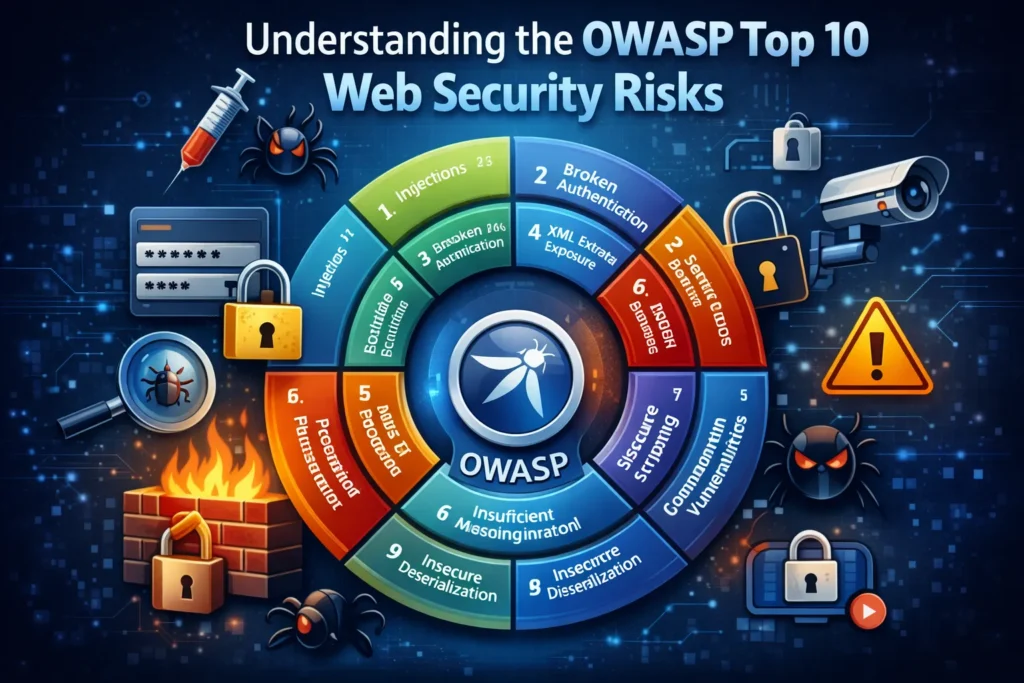
The Open Web Application Security Project (OWASP) maintains the industry-standard list of the most critical web security risks. Understanding these vulnerabilities is essential for building a secure website.
1. Broken Access Control
Broken access control occurs when users can access resources or perform actions beyond their permission levels. Attackers exploit these flaws to access unauthorized data, modify records, or elevate privileges.
Prevention:
- Implement the principle of least privilege
- Deny access by default
- Enforce access controls on the server-side
- Log access control failures for monitoring
2. Cryptographic Failures
Previously known as sensitive data exposure, this vulnerability involves inadequate protection of sensitive information like passwords, credit cards, and personal data.
Prevention:
- Encrypt all sensitive data at rest and in transit
- Use strong, modern encryption algorithms
- Implement proper key management
- Never store sensitive data unnecessarily
3. Injection Attacks
Injection flaws, including SQL, NoSQL, OS, and LDAP injection, occur when untrusted data is sent to an interpreter as part of a command or query.
Prevention:
- Use parameterized queries and prepared statements
- Implement input validation with a whitelist approach
- Escape special characters
- Use ORM frameworks that handle queries safely
4. Insecure Design
This represents missing or ineffective security controls in the design phase. Security must be built into architecture, not bolted on afterward.
Prevention:
- Implement threat modeling during design
- Use secure design patterns and principles
- Conduct security reviews at each Website Development stage
- Separate system components and apply defense in depth
5. Security Misconfiguration
Improperly configured security settings create vulnerabilities. This includes default credentials, unnecessary features enabled, verbose error messages, and unpatched systems.
Prevention:
- Remove unnecessary features and frameworks
- Implement secure configuration standards
- Keep all software and components updated
- Use automated configuration verification
6. Vulnerable and Outdated Components
Using libraries, frameworks, or components with known vulnerabilities exposes your website to attacks. Many breaches exploit publicly disclosed vulnerabilities in outdated software.
Prevention:
- Maintain inventory of all components and versions
- Monitor for security bulletins and CVEs
- Implement automated dependency checking
- Update components promptly when patches are released
7. Identification and Authentication Failures
Previously known as broken authentication, these failures allow attackers to compromise passwords, keys, or session tokens to assume other users’ identities.
Prevention:
- Implement multi-factor authentication
- Enforce strong password policies
- Protect against automated attacks with rate limiting
- Use secure session management
8. Software and Data Integrity Failures
This includes code and infrastructure that doesn’t protect against integrity violations, such as using plugins from untrusted sources or insecure CI/CD pipelines.
Prevention:
- Use digital signatures to verify software origin
- Implement code review processes
- Ensure CI/CD pipeline security
- Verify the integrity of serialized data
9. Security Logging and Monitoring Failures
Without proper logging and monitoring, breaches go undetected for months, giving attackers time to maximize damage.
Prevention:
- Log all authentication and access control events
- Implement real-time monitoring and alerting
- Protect logs from tampering
- Establish effective incident response procedures
10. Server-Side Request Forgery (SSRF)
SSRF flaws occur when a web application fetches remote resources without validating user-supplied URLs, allowing attackers to coerce the application into sending requests to unintended destinations.
Prevention:
- Sanitize and validate all user-supplied input
- Implement network segmentation
- Enforce URL schema and destination whitelisting
- Disable HTTP redirections
Common Cyber Attacks and How to Prevent Them
SQL Injection Attacks
SQL injection occurs when attackers insert malicious SQL code into input fields, allowing them to view, modify, or delete database information.
How It Works: An attacker enters ' OR '1'='1 into a login form, tricking the database into granting access without valid credentials.
Prevention Strategies:
- Use parameterized queries exclusively
- Implement stored procedures with proper parameter handling
- Apply least privilege to database accounts
- Validate and sanitize all user inputs
- Use web application firewalls to detect injection attempts
Cross-Site Scripting (XSS)
XSS attacks inject malicious scripts into web pages viewed by other users, stealing session cookies, redirecting users, or defacing websites.
Types of XSS:
- Stored XSS: Malicious code stored in the database, executed when users view the page
- Reflected XSS: Attack code reflected off the web application in error messages or search results
- DOM-based XSS: Vulnerability exists in client-side code rather than server-side code
Prevention Strategies:
- Encode all output data before rendering
- Implement Content Security Policy headers
- Validate and sanitize all user inputs
- Use HTTPOnly flags on cookies
- Employ modern frameworks with built-in XSS protection
Cross-Site Request Forgery (CSRF)
CSRF tricks authenticated users into executing unwanted actions by exploiting their existing session with a web application.
Prevention Strategies:
- Implement anti-CSRF tokens for state-changing operations
- Use SameSite cookie attribute
- Require re-authentication for sensitive actions
- Implement custom request headers
- Verify origin and referrer headers
DDoS (Distributed Denial of Service) Attacks
DDoS attacks overwhelm your website with traffic from multiple sources, causing legitimate users to lose access and potentially taking your site completely offline.
Types of DDoS Attacks:
- Volumetric attacks: Consume bandwidth with massive traffic
- Protocol attacks: Exploit weaknesses in network protocols
- Application layer attacks: Target web application resources
Prevention Strategies:
- Implement Content Delivery Network (CDN) with DDoS protection
- Use rate limiting and traffic filtering
- Deploy web application firewalls
- Maintain excess bandwidth capacity
- Implement real-time traffic monitoring and anomaly detection
- Create a DDoS response plan with the hosting provider
Malware and Ransomware
Malicious software can infect your website through vulnerabilities, compromised credentials, or infected files, leading to data theft, service disruption, or ransom demands.
Prevention Strategies:
- Install and maintain anti-malware solutions
- Scan all file uploads before processing
- Restrict file upload types and sizes
- Keep all software updated and patched
- Implement file integrity monitoring
- Maintain offline, encrypted backups
Brute Force Attacks
Attackers use automated tools to guess passwords by trying thousands of combinations until finding the correct one.
Prevention Strategies:
- Enforce strong password policies
- Implement account lockout after failed attempts
- Use CAPTCHA on login forms
- Deploy two-factor authentication
- Monitor and alert on suspicious login patterns
- Implement progressive delays after failed attempts
SSL/TLS Certificates: Your First Line of Defense
SSL (Secure Sockets Layer) and its successor TLS (Transport Layer Security) encrypt data transmitted between users and your website, preventing interception and tampering.
Why SSL Is Essential
Data Encryption: All information exchanged between the browser and the server is encrypted, protecting sensitive data like passwords, credit card numbers, and personal information.
Authentication: SSL certificates verify your website’s identity, preventing man-in-the-middle attacks where attackers impersonate your site.
SEO Benefits: Google uses HTTPS as a ranking signal, giving secure sites an advantage in search results.
Browser Trust Indicators: Modern browsers display “Not Secure” warnings for HTTP sites, immediately eroding visitor trust and increasing bounce rates.
Compliance Requirements: PCI DSS and other standards mandate SSL/TLS for websites handling sensitive information.
Implementing SSL Correctly
- Obtain certificates from trusted Certificate Authorities
- Use TLS 1.2 or higher (TLS 1.0 and 1.1 are deprecated)
- Implement HTTPS across your entire site, not just login pages
- Configure HTTP to HTTPS redirects
- Enable HTTP Strict Transport Security (HSTS)
- Renew certificates before expiration
- Use strong cipher suites and disable weak protocols
Website Security Best Practices
Keep All Software Updated
Outdated software is the number one entry point for attackers. This includes your CMS, plugins, themes, server software, and all dependencies.
Action Steps:
- Enable automatic updates where possible
- Monitor security bulletins for your software stack
- Test updates in the staging environment first
- Maintain update schedule and documentation
- Remove unused plugins and themes entirely
Implement Strong Authentication
Weak passwords and authentication mechanisms provide easy access for attackers.
Action Steps:
- Require passwords with a minimum of 12 characters, mixing uppercase, lowercase, numbers, and symbols
- Implement two-factor authentication (2FA) for all user accounts
- Use passkeys or biometric authentication where supported
- Enforce password expiration and prevent reuse
- Implement single sign-on (SSO) for enterprise environments
- Never store passwords in plain text
Deploy Web Application Firewall (WAF)
A WAF filters and monitors HTTP traffic between your website and the internet, blocking malicious requests before they reach your application.
Benefits:
- Blocks common attacks (SQL injection, XSS, CSRF)
- Protects against DDoS attacks
- Provides virtual patching for known vulnerabilities
- Offers real-time threat intelligence
- Reduces false positives through machine learning
Popular WAF Solutions:
- Cloudflare WAF
- AWS WAF
- Sucuri Website Firewall
- Imperva WAF
- ModSecurity (open-source)
Implement Regular Backups
Backups are your insurance policy against catastrophic failures, ransomware, or accidental data loss.
Backup Best Practices:
- Automate daily backups at a minimum
- Store backups in multiple locations (3-2-1 rule: 3 copies, 2 different media, 1 offsite)
- Encrypt backup data
- Test restoration procedures regularly
- Version backups to recover from different time points
- Keep backups offline and isolated from production
Apply the Principle of Least Privilege
Limit user access and permissions to only what’s necessary for their role.
Implementation:
- Create role-based access controls
- Audit user permissions regularly
- Remove access immediately when employees leave
- Limit admin account usage
- Use separate accounts for administrative tasks
- Implement just-in-time access for sensitive operations
Secure File Uploads
File uploads present significant security risks if not properly controlled.
Security Measures:
- Restrict allowed file types with a whitelist approach
- Scan uploaded files for malware
- Store uploads outside web root
- Rename uploaded files
- Limit file sizes
- Implement virus scanning
- Validate file contents, not just extensions
Implement Security Headers
HTTP security headers instruct browsers on how to handle your content, preventing various attacks.
Essential Headers:
- Content-Security-Policy: Prevents XSS by controlling resource loading
- X-Frame-Options: Prevents clickjacking
- X-Content-Type-Options: Prevents MIME sniffing attacks
- Strict-Transport-Security: Enforces HTTPS
- Referrer-Policy: Controls referrer information
- Permissions-Policy: Controls browser features
WordPress and CMS-Specific Security
WordPress powers over 43% of websites, making it a prime target for attackers. These security measures apply to WordPress and most content management systems.
Hardening Your WordPress Site
Change Default Settings:
- Use a custom database prefix instead of the default
wp_ - Change the default admin username from “admin.”
- Customize login URL
- Disable file editing fromthe dashboard
- Disable XML-RPC if not needed
Secure wp-config.php:
- Move wp-config.php outside the web root
- Set proper file permissions (440 or 400)
- Use security keys and salts
- Disable PHP execution in the uploads directory
Limit Login Attempts:
- Install the login limiting plugin
- Implement CAPTCHA on the login form
- Use two-factor authentication
- Monitor failed login attempts
Choose Plugins Wisely:
- Install only necessary plugins
- Use plugins from reputable developers
- Check the last update date and compatibility
- Read reviews and security history
- Remove unused plugins completely
File Permissions:
- Directories: 755
- Files: 644
- wp-config.php: 440 or 400
Security Plugins:
- Wordfence Security
- Sucuri Security
- iThemes Security
- All In One WP Security
- WP Security Audit Log
Website Security Compliance Requirements
GDPR (General Data Protection Regulation)
GDPR protects the personal data of EU residents regardless of where your business operates. Non-compliance risks fines up to €20 million or 4% of annual global revenue.
Key Requirements:
- Obtain explicit consent for data collection
- Provide clear privacy policies
- Allow users to access, correct, and delete their data
- Report breaches within 72 hours
- Implement appropriate security measures
- Appoint a Data Protection Officer if required
- Maintain records of processing activities
Website Implementation:
- Use cookie consent banners
- Encrypt personal data
- Implement data retention policies
- Provide data portability options
- Conduct Data Protection Impact Assessments
- Maintain processor agreements with third parties
PCI DSS (Payment Card Industry Data Security Standard)
PCI DSS applies to any organization that stores, processes, or transmits cardholder data.
12 Core Requirements:
- Install and maintain firewall configuration
- Don’t use vendor-supplied defaults
- Protect stored cardholder data
- Encrypt transmission of cardholder data
- Use and update anti-virus software
- Develop and maintain secure systems
- Restrict access to cardholder data
- Assign a unique ID to each user
- Restrict physical access to cardholder data
- Track and monitor network access
- Regularly test security systems
- Maintain information security policy
E-commerce Best Practices:
- Use payment processors instead of storing card data
- Implement tokenization for recurring payments
- Display PCI compliance certificates
- Conduct quarterly vulnerability scans
- Perform annual penetration testing
CCPA (California Consumer Privacy Act)
CCPA grants California residents rights over their personal information.
Requirements:
- Disclose data collection practices
- Allow users to opt out of data sales
- Provide data deletion upon request
- Ensure equal service regardless of privacy choices
- Implement reasonable security measures
Security Monitoring and Incident Response
Implement Security Monitoring
Continuous monitoring detects threats before they cause significant damage.
What to Monitor:
- Failed login attempts
- File integrity changes
- Unusual traffic patterns
- Database query anomalies
- Server resource usage
- Error logs and exceptions
- User privilege escalations
Monitoring Tools:
- Google Search Console (security issues)
- Uptime monitoring services
- Log management solutions (Splunk, ELK Stack)
- Security Information and Event Management (SIEM)
- Intrusion Detection Systems (IDS)
Create Incident Response Plan
Having a plan before an incident occurs significantly reduces damage and recovery time.
Incident Response Steps:
1. Preparation:
- Identify critical assets
- Establish a response team
- Create communication protocols
- Maintain up-to-date backups
2. Detection and Analysis:
- Confirm security incident
- Determine scope and impact
- Identify the attack vector
- Document all findings
3. Containment:
- Isolate affected systems
- Preserve evidence
- Implement temporary fixes
- Prevent further damage
4. Eradication:
- Remove malicious code
- Close vulnerability
- Patch systems
- Reset compromised credentials
5. Recovery:
- Restore from clean backups
- Verify system integrity
- Monitor for reinfection
- Gradual return to normal operations
6. Post-Incident:
- Conduct a thorough review
- Document lessons learned
- Update security measures
- Improve response procedures
Security Testing and Vulnerability Assessment
Regular security testing identifies weaknesses before attackers exploit them.
Vulnerability Scanning
Automated tools scan your website for known vulnerabilities.
Free Security Scanners:
- Qualys SSL Labs (SSL/TLS testing)
- Mozilla Observatory (security headers)
- SecurityHeaders.com
- Sucuri SiteCheck (malware scanning)
- WPScan (WordPress vulnerabilities)
Penetration Testing
Penetration testing simulates real-world attacks to identify security gaps.
Types of Penetration Testing:
- Black Box: Tester has no prior knowledge
- White Box: Tester has full system knowledge
- Gray Box: Tester has partial information
Frequency: Conduct penetration testing at least annually and after major changes.
Code Review
Manual code review identifies logic flaws and security issues that automated tools miss.
Focus Areas:
- Authentication and authorization logic
- Input validation and sanitization
- Cryptographic implementations
- Session management
- Error handling
Advanced Security Measures
CSP prevents XSS attacks by controlling which resources browsers can load.
Content Security Policy (CSP)
Implementation:
Content-Security-Policy: default-src 'self'; script-src 'self' 'unsafe-inline'; style-src 'self' 'unsafe-inline'
Subresource Integrity (SRI)
SRI ensures files loaded from CDNs haven’t been tampered with.
Implementation:
Copy<script src="https://cdn.example.com/script.js"
 integrity="sha384-hash"
 crossorigin="anonymous"></script>
Database Security
Best Practices:
- Use separate database users with minimal privileges
- Disable remote database access unless necessary
- Encrypt database connections
- Implement database activity monitoring
- Regular database backups with encryption
- Use prepared statements exclusively
API Security
Protection Measures:
- Implement API authentication (OAuth 2.0, API keys)
- Use rate limiting to prevent abuse
- Validate all input data
- Implement proper error handling
- Use HTTPS exclusively
- Version your APIs properly
- Monitor API usage patterns
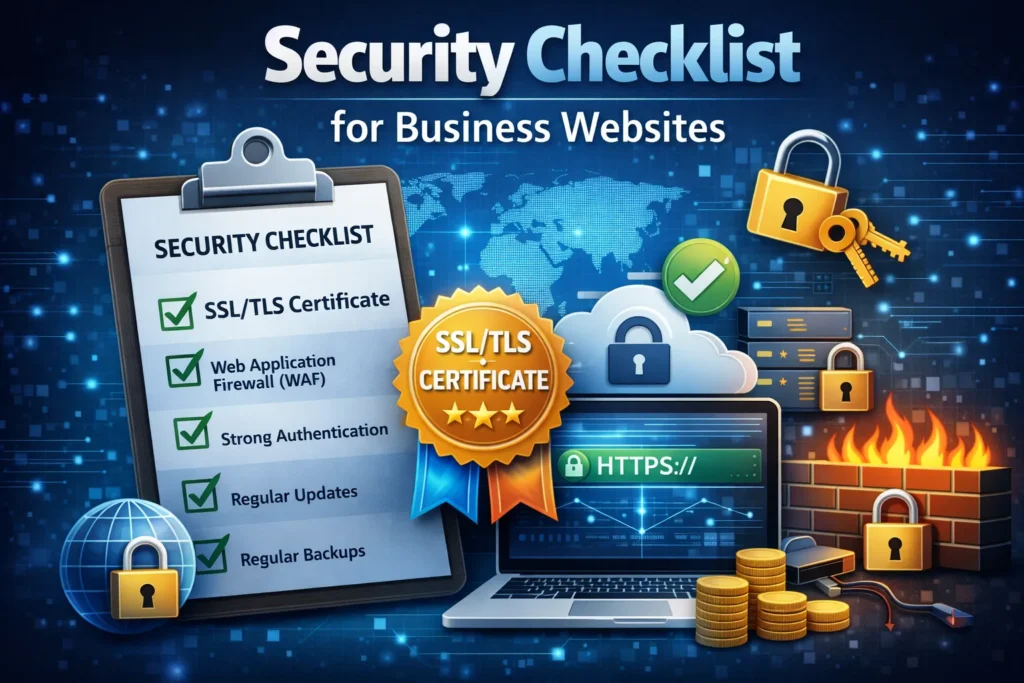
Security Checklist for Business Websites
Daily Tasks
- Monitor security alerts and notifications
- Review error logs for anomalies
- Check website uptime and performance
- Review failed login attempts
Weekly Tasks
- Verify backups completed successfully
- Test backup restoration on the subset
- Review security scan results
- Update plugins and themes
- Monitor traffic patterns for anomalies
Monthly Tasks
- Review user access and permissions
- Audit admin accounts
- Update core CMS and dependencies
- Review and update security policies
- Test incident response procedures
- Check SSL certificate expiration dates
Quarterly Tasks
- Conduct vulnerability assessment
- Review and update security documentation
- Audit third-party integrations
- Security awareness training for the team
- Review compliance requirements
Annual Tasks
- Comprehensive penetration testing
- Full security audit
- Review and update the incident response plan
- Evaluate security tools and services
- Compliance certification renewals
Conclusion
Website security is not a one-time setup but an ongoing process requiring constant vigilance and adaptation. Cyber threats evolve daily, and yesterday’s best practices may not protect against tomorrow’s attacks. By implementing the security measures outlined in this guide—from understanding OWASP Top 10 vulnerabilities to deploying WAFs, maintaining compliance, and establishing monitoring systems—you create multiple layers of defense that significantly reduce your risk.
Remember these key principles:
- Security must be built into your website from the ground up
- Regular updates and patches are non-negotiable
- Monitoring and incident response are as important as prevention
- Compliance requirements protect your business and customers
- Security is an investment, not an expense
The cost of implementing comprehensive security is always lower than recovering from a breach. Start with the fundamentals—SSL certificates, strong authentication, regular backups, and software updates—then progressively implement advanced measures based on your risk profile.
Don’t wait until after an attack to take security seriously. Every day your website remains vulnerable is another opportunity for attackers to strike.
Fqas
Use SSL/TLS encryption first—it secures data, improves SEO, and prevents attacks. Also implement strong passwords, regular updates, backups, and a web application firewall (WAF).
Update immediately after security patches are released. Check weekly and apply updates within 48 hours. Automatic updates for minor patches are recommended.
Yes, if you collect data from EU residents. Implement cookie consent, encryption, privacy policies, and data deletion options to avoid fines.
TLS is the modern version of SSL. HTTPS is HTTP over SSL/TLS. Always use TLS 1.2 or higher for security.
Signs include slow performance, unknown admin accounts, modified files, spam redirects, and Google blacklist warnings. Use security monitoring and regular scans.
A WAF blocks malicious traffic like SQL injection or DDoS attacks. Essential if your site handles data, transactions, or logins. Cloud WAFs are easy to set up.
Basic security costs $100-500/year; full protection costs $1,000-5,000+. Breaches can cost millions—investing in security is cheaper than recovery.