

Did you know that 88% of online consumers won’t return to a website after a bad experience? Your website is often the first interaction potential customers have with your business. A well-designed, fast, and user-friendly website can convert visitors into loyal customers, while a poorly designed one drives them straight to your competitors.
Unfortunately, many businesses make critical website mistakes that cost them traffic, leads, and revenue. From slow loading speeds to security vulnerabilities, these errors can damage your search engine rankings, user experience, and brand reputation.
In this comprehensive guide, we’ll explore the 25 most common and damaging website mistakes across design, SEO, accessibility, security, and conversion optimization. More importantly, you’ll learn exactly how to fix each one to create a website that attracts, engages, and converts visitors.
Why Website Mistakes Matter
When was the last time you visited a confusing, slow-loading website? How long did you stay? Probably not long. Research shows that:
- 53% of mobile users abandon sites that take longer than 3 seconds to load
- 75% of users judge a company’s credibility based on website design
- 38% of visitors will stop engaging with a website if the layout is unattractive
- 96% of websites fail accessibility standards, excluding millions of potential customers
Every mistake on your website—whether it’s a broken link, poor mobile experience, or missing security certificate—undermines visitor trust and hurts your bottom line. These website mistakes don’t just frustrate users; they directly impact your SEO rankings, making it harder for customers to find you online.
The cost of ignoring these problems? Lost revenue, damaged reputation, Digital Marketing budgets, and customers who choose your competitors instead.
Design & User Experience Mistakes
1. Slow Loading Speed
One of the biggest website mistakes is ignoring speed. Visitors expect a site to load in 3 seconds or less. Anything longer, and they’ll hit the back button. Google also uses page speed as a ranking factor, meaning slow sites rank lower in search results.
How to fix it:
- Compress and optimize images before uploading
- Use fast, reliable hosting providers
- Enable browser caching
- Minimize CSS, JavaScript, and HTML
- Use a Content Delivery Network (CDN)
- Implement lazy loading for images
- Reduce server response time (TTFB)
Pro Tip: Use Google PageSpeed Insights or GTmetrix to identify specific speed issues on your site.
2. Poor Mobile Experience
Over 60% of web traffic now comes from mobile devices, yet many websites still ignore mobile users. This is one of the most damaging common web design errors that directly impacts your ability to reach customers.
A non-responsive website that doesn’t adapt to smaller screens creates a frustrating experience. Users have to pinch, zoom, and scroll horizontally—problems that send them running to competitor sites.
How to fix it:
- Use a responsive design that adapts to all screen sizes
- Test your site on multiple devices (phones, tablets)
- Ensure buttons and links are easily tappable (minimum 44×44 pixels)
- Simplify navigation menus for mobile users
- Use larger fonts for better readability (minimum 16px)
- Avoid Flash and other mobile-incompatible technologies
- Optimize images for mobile loading speeds
Pro Tip: Google’s Mobile-Friendly Test tool can quickly identify mobile usability issues on your site.
3. Weak Navigation
Visitors should find what they need within 3 clicks. Complicated menus, unclear categories, and confusing site structures are major website mistakes that increase bounce rates and frustrate users.
Poor navigation means visitors can’t find your products, services, or contact information—resulting in lost conversions and abandoned visits.
How to fix it:
- Use clear, descriptive menu labels (avoid vague terms like “Solutions”)
- Limit main menu items to 5-7 options
- Add a prominent search bar for easy access
- Create a logical site hierarchy
- Use breadcrumb navigation for deeper pages
- Include a sitemap page for complex websites
- Make your logo clickable to return home
- Ensure consistent navigation across all pages
4. Poor Content Layout
Walls of text, tiny fonts, and a lack of visual breathing room make visitors leave quickly. This is one of the common web design errors that dramatically lowers engagement and readability.
Users scan web pages rather than reading every word. If your content looks overwhelming, they won’t even try to consume it.
How to fix it:
- Break content into short paragraphs (2-3 sentences max)
- Use descriptive headings and subheadings (H2, H3, H4 tags)
- Add bullet points and numbered lists
- Include high-quality, relevant images
- Use adequate white space between elements
- Choose readable fonts (minimum 16px for body text)
- Maintain proper line spacing (1.5-1.6 line height)
- Use bold text to highlight key points
5. Auto-Playing Media
Few things annoy visitors more than videos or music that automatically play when they land on your page. This intrusive practice disrupts user experience, especially in quiet environments like offices or public spaces.
Auto-playing media also slows down page loading and consumes mobile data without permission—major website mistakes that drive visitors away immediately.
How to fix it:
- Never auto-play videos or audio
- Always provide user controls (play, pause, volume)
- Mute videos by default if they must auto-play
- Add clear indicators for media content
- Optimize video file sizes
- Use video thumbnails with play buttons
6. Excessive Pop-ups and Interstitials
While pop-ups can be effective for capturing leads, too many or poorly timed pop-ups create a terrible user experience. Google even penalizes intrusive interstitials on mobile devices.
Bombarding visitors with pop-ups before they’ve even seen your content is one of the fastest ways to increase bounce rates.
How to fix it:
- Limit pop-ups to one per visit
- Use exit-intent pop-ups (triggered when users are about to leave)
- Delay pop-ups until visitors have spent time on your page (30-60 seconds)
- Make close buttons clearly visible
- Ensure pop-ups don’t cover the entire mobile screen
- Provide genuine value in exchange for email addresses
- A/B test timing and messaging
7. Poor Visual Hierarchy
Visual hierarchy guides users’ eyes to the most important information first. Without proper hierarchy, visitors don’t know where to look or what actions to take—resulting in confusion and lost conversions.
How to fix it:
- Use larger, bold fonts for headings
- Apply the F-pattern and Z-pattern reading principles
- Use contrasting colors for important elements
- Place critical information “above the fold.”
- Create clear focal points with size and color
- Use strategic white space to separate sections
- Ensure consistent styling throughout pages
SEO Website Mistakes to Avoid
8. Missing or Poor Keyword Strategy
Not using relevant keywords in your content is a fundamental SEO mistake. If you’re not targeting terms like “website mistakes,” you won’t rank for them—meaning potential customers can’t find you.
However, keyword stuffing (overusing keywords unnaturally) is equally damaging and can result in Google penalties.
How to fix it:
- Research relevant keywords using tools like Google Keyword Planner, SEMrush, or Ahrefs
- Include primary keywords in titles, headings, and first paragraph
- Use related keywords naturally throughout content
- Target long-tail keywords (e.g., “common website design mistakes small businesses make”)
- Optimize for user intent, not just keywords
- Update content regularly with fresh keywords
9. Broken Links
Broken links frustrate users and damage your SEO. When visitors click a link that leads to a 404 error page, they lose trust in your website. Search engines also view broken links as signs of poor site maintenance.
How to fix it:
- Regularly audit your site for broken links using tools like Screaming Frog or Ahrefs
- Fix or remove broken internal links
- Update or remove broken external links
- Create a custom 404 error page with helpful navigation
- Set up 301 redirects for moved or deleted pages
- Monitor backlinks pointing to your site
10. Missing or Poor Meta Tags
Every page should have a unique meta title and meta description. These elements tell search engines and users what your page is about. Without them, Google creates its own snippets, which are often less compelling and relevant.
How to fix it:
- Write unique meta titles (50-60 characters)
- Create compelling meta descriptions (150-160 characters)
- Include target keywords naturally
- Make each description action-oriented
- Don’t duplicate meta tags across pages
- Add relevant keywords to title tags
- Use title case for better readability
11. Poor URL Structure
URLs should be clean, descriptive, and easy to read. Generic URLs like “yoursite.com/page?id=12345” tell neither users nor search engines what the page contains.
How to fix it:
- Use descriptive, keyword-rich URLs
- Keep URLs short and simple
- Use hyphens to separate words (not underscores)
- Avoid special characters and numbers
- Create logical URL hierarchies
- Use lowercase letters only
- Remove unnecessary parameters
Good example: yoursite.com/website-design-mistakes Bad example: yoursite.com/index.php?page=12345&cat=9
12. Missing XML Sitemap
An XML sitemap helps search engines discover and index all your pages. Without one, important pages might never appear in search results—especially on larger websites with complex structures.
How to fix it:
- Generate an XML sitemap using tools or plugins
- Submit your sitemap to Google Search Console
- Update sitemap when adding new pages
- Include all important pages
- Exclude low-value pages (thank you pages, admin pages)
- Keep the sitemap updated automatically
- Check for sitemap errors regularly
13. No Schema Markup (Structured Data)
Schema markup is code that helps search engines understand your content better. It can result in rich snippets—enhanced search results with star ratings, images, prices, and more—which increase click-through rates significantly.
How to fix it:
- Implement relevant schema types (Article, LocalBusiness, Product, FAQ, etc.)
- Use Google’s Structured Data Markup Helper
- Test schema with Google’s Rich Results Test
- Add schema for reviews, ratings, and testimonials
- Include the organization schema for brand information
- Update schema when content changes
14. Duplicate Content Issues
Having identical or very similar content on multiple pages confuses search engines. They don’t know which version to rank, often resulting in neither page ranking well.
How to fix it:
- Use canonical tags to indicate preferred versions
- Avoid copying content from other websites
- Create unique product descriptions (don’t use manufacturer descriptions)
- Consolidate similar pages when possible
- Use 301 redirects for duplicate pages
- Implement proper pagination for multi-page content
- Block duplicate content with robots.txt if necessary
15. Poor Image Optimization
Images are crucial for engagement, but unoptimized images slow down your site and miss SEO opportunities. Missing alt text means search engines can’t “read” your images, and visually impaired users can’t understand them.
How to fix it:
- Compress images before uploading (use TinyPNG or ImageOptim)
- Use descriptive file names (website-mistakes-infographic.jpg, not IMG_1234.jpg)
- Add descriptive alt text to every image
- Use appropriate image formats (JPG for photos, PNG for graphics, WebP for best compression)
- Implement responsive images (srcset attribute)
- Lazy load images below the fold
- Specify image dimensions in code
16. Weak Internal Linking Structure
Internal links help users navigate your site and help search engines understand your site structure. Orphan pages (pages with no internal links) may never get indexed or found by visitors.
How to fix it:
- Link related content together naturally
- Use descriptive anchor text (not “click here”)
- Create cornerstone content and link to it frequently
- Ensure every page has at least 2-3 internal links
- Build content clusters around main topics
- Include links in navigation menus
- Update old posts with links to new content
- Use breadcrumbs for navigation clarity
Accessibility Mistakes That Exclude Users
17. Missing Alt Text for Images
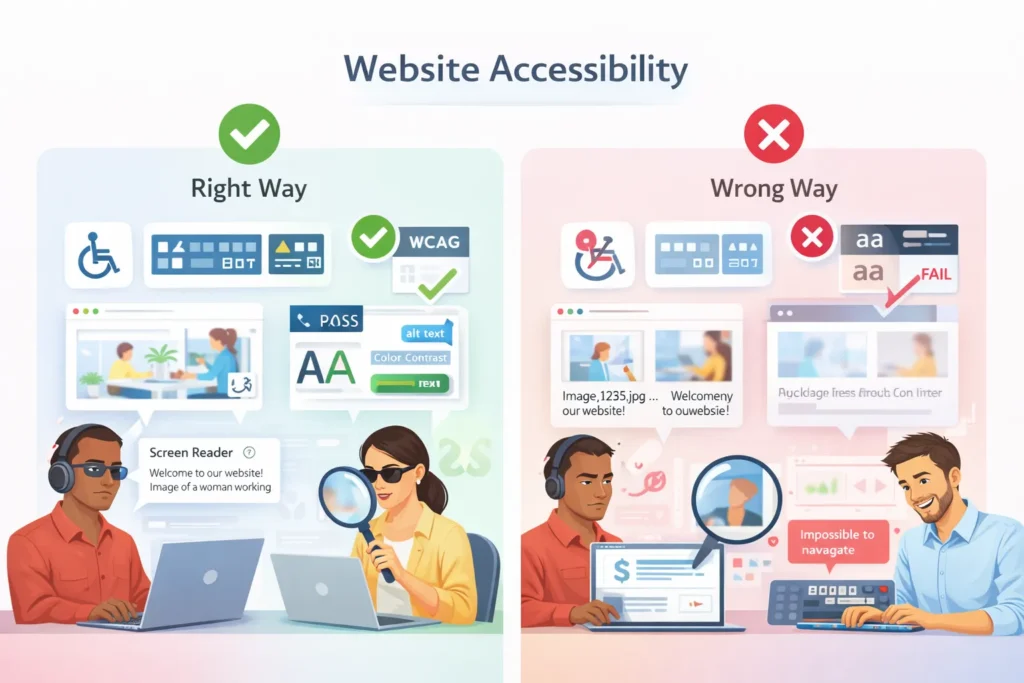
Alt text (alternative text) describes images for screen readers used by visually impaired users. Without alt text, these users have no idea what your images show. This is also an SEO mistake since search engines use alt text to understand image content.
How to fix it:
- Add descriptive alt text to every informational image
- Describe what the image shows, not just obvious details
- Keep alt text concise (125 characters or less)
- Don’t start with “image of” or “picture of.”
- Use empty alt tags (alt=””) for purely decorative images
- Include relevant keywords naturally
- Update alt text when images change
18. Poor Color Contrast
Low contrast between text and background makes content difficult or impossible to read, especially for users with visual impairments. Many Website Development fail the WCAG (Web Content Accessibility Guidelines) contrast requirements.
How to fix it:
- Maintain a contrast ratio of at least 4.5:1 for normal text
- Use a 3:1 ratio for large text (18pt+)
- Test color combinations with WebAIM’s Contrast Checker
- Avoid light gray text on white backgrounds
- Don’t rely solely on color to convey information
- Ensure link text is distinguishable from regular text
- Test your design in grayscale
19. No Keyboard Navigation Support
Many users can’t or don’t use a mouse, relying instead on keyboard navigation. Websites that require mouse clicks to access important features exclude these users entirely.
How to fix it:
- Ensure all interactive elements are keyboard accessible
- Test navigation using only Tab, Enter, and arrow keys
- Provide visible focus indicators (outline when tabbing)
- Allow users to skip navigation links
- Avoid keyboard traps (focus stuck in one element)
- Follow logical tab order (top to bottom, left to right)
- Make custom controls keyboard-accessible
20. Videos Without Captions or Transcripts
Videos without captions exclude deaf and hard-of-hearing users. Transcripts also benefit users in sound-sensitive environments and improve SEO by making video content searchable.
How to fix it:
- Add closed captions to all videos
- Provide full transcripts below the videos
- Use accurate, synchronized captions
- Include descriptions of important sounds
- Auto-generate captions, then edit for accuracy
- Offer captions in multiple languages when possible
- Include audio descriptions for complex visual content
21. Inaccessible Forms
Forms without proper labels, clear instructions, or error messages create barriers for users with disabilities and frustrate everyone when errors occur.
How to fix it:
- Add clear labels to all form fields
- Use proper HTML form elements (not divs styled as inputs)
- Provide clear error messages explaining how to fix problems
- Use required field indicators
- Group related form fields logically
- Provide inline validation feedback
- Ensure forms work with screen readers and keyboard navigation
- Don’t rely on placeholder text as labels
22. Missing ARIA Labels and Landmarks
ARIA (Accessible Rich Internet Applications) labels help screen readers understand interactive elements and page structure. Without them, users with disabilities struggle to navigate complex interfaces.
How to fix it:
- Use ARIA landmarks (navigation, main, footer, etc.)
- Add ARIA labels to icon buttons
- Use ARIA-live regions for dynamic content updates
- Implement proper ARIA roles for custom widgets
- Don’t overuse ARIA (use semantic HTML first)
- Test with actual screen readers (NVDA, JAWS, VoiceOver)
- Follow ARIA authoring practices guidelines
Security & Privacy Mistakes

23. No SSL Certificate (HTTP Instead of HTTPS)
An HTTP website leaves user data vulnerable to interception, destroying trust and potentially exposing sensitive information.
How to fix it:
- Purchase and install an SSL certificate (or use free Let’s Encrypt)
- Redirect all HTTP traffic to HTTPS
- Update all internal links to use HTTPS
- Fix mixed content warnings (HTTP elements on HTTPS pages)
- Update external links when possible
- Renew certificates before expiration
- Test SSL configuration with SSL Labs
24. Weak Security Protocols
Outdated software, plugins, and weak passwords create vulnerabilities that hackers exploit. A single security breach can destroy your reputation and result in massive data loss.
How to fix it:
- Update your CMS, themes, and plugins regularly
- Delete unused plugins and themes
- Use strong, unique passwords (consider a password manager)
- Enable two-factor authentication (2FA)
- Limit login attempts to prevent brute force attacks
- Use security plugins or services
- Regularly scan for malware and vulnerabilities
- Keep regular backups in secure locations
25. Missing Privacy Policy and Cookie Consent
Privacy laws like GDPR, CCPA, and others require websites to disclose how they collect and use visitor data. Missing privacy policies can result in heavy fines and legal issues.
Cookie consent is legally required in many jurisdictions when using tracking cookies.
How to fix it:
- Create a comprehensive privacy policy
- Include cookie consent banners for EU visitors
- Clearly explain what data you collect and why
- Provide opt-out options for tracking
- Update privacy policy when practices change
- Make privacy policy easily accessible (footer link)
- Document data retention and deletion practices
- Comply with GDPR, CCPA, and other relevant laws
Conversion & Call-to-Action Mistakes
26. Vague or Weak Call-to-Action Language
Generic CTAs like “Click Here,” “Submit,” or “Learn More” don’t communicate value or urgency. They fail to motivate visitors to take action, resulting in lost conversions.
How to fix it:
- Use action-oriented, specific language
- Communicate clear value (“Get Your Free Quote, not ‘Submit”)
- Create urgency when appropriate (“Start Your Free Trial Today”)
- Use first-person language (“Start My Free Trial”)
- Be specific about what happens next
- Match CTA to page content and intent
- A/B test different CTA copy
Good examples:
- “Download Your Free website launch checklist.”
- “Book Your Free Consultation Now”
- “Get Instant Access”
Bad examples:
- “Click Here”
- “Submit”
- “Learn More”
27. Hidden or Hard-to-Find CTAs
If visitors can’t find your call-to-action buttons, they can’t convert. CTAs that blend into the background, appear only at the bottom of long pages, or use poor color choices result in missed opportunities.
How to fix it:
- Use contrasting colors that stand out
- Place primary CTAs above the fold
- Make buttons large enough to see and click (minimum 44×44 pixels)
- Use white space around CTAs
- Include multiple CTAs throughout long pages
- Make CTAs visually distinct from other elements
- Use directional cues (arrows) to draw attention
- Ensure CTAs are visible on mobile devices
28. Too Many CTAs (Decision Fatigue)
Presenting visitors with too many options creates decision paralysis. When everything is important, nothing stands out, and visitors often choose to do nothing.
How to fix it:
- Focus on one primary CTA per page
- Limit secondary CTAs to 2-3 maximum
- Create a clear visual hierarchy (primary vs secondary)
- Guide visitors through a logical flow
- Remove unnecessary choices
- Use progressive disclosure (show options step by step)
- Test different CTA configurations
29. No Sense of Urgency
Without urgency, visitors postpone taking action—often never returning. Generic CTAs that don’t create FOMO (fear of missing out) or time sensitivity result in lower conversion rates.
How to fix it:
- Use time-limited offers (“Offer Ends Friday”)
- Show limited availability (“Only 3 Spots Left”)
- Use urgent language carefully and honestly
- Add countdown timers for genuine limited offers
- Highlight the consequences of inaction
- Create scarcity (limited quantity, time-sensitive bonuses)
- Don’t overuse urgency tactics (reduces credibility)
30. Mismatched CTA and Page Intent
CTAs must match what visitors expect based on page content and their position in the buyer journey. Asking for a sale when visitors are still researching creates friction and drives them away.
How to fix it:
- Match CTA to page purpose (blog post = download, product page = buy)
- Align CTA with the buyer journey stage
- Offer appropriate next steps
- Don’t ask for too much too soon
- Provide micro-conversions for early-stage visitors
- Use softer CTAs for informational content
- Save sales CTAs for bottom-of-funnel pages
Content & Copywriting Mistakes
31. Writing for Yourself, Not Your Audience
Many businesses make the mistake of writing content that showcases their expertise without addressing what their audience actually needs or cares about. This creates a disconnect that drives visitors away.
How to fix it:
- Research your target audience’s pain points
- Use language your audience uses (not industry jargon)
- Focus on benefits, not just features
- Answer common questions your customers ask
- Use “you” language instead of “we” language
- Create buyer personas to guide content creation
- Conduct surveys to understand audience needs
32. No Clear Value Proposition
Visitors should understand what you offer and why they should choose you within seconds of landing on your site. A missing or unclear value proposition leaves visitors confused about what makes your business different.
How to fix it:
- State your unique value in a prominent headline
- Explain what you do and for whom
- Highlight your key differentiators
- Place the value proposition above the fold
- Make it specific and concrete (not vague claims)
- Support claims with evidence
- Test different value propositions
33. Grammar and Spelling Errors
Typos, grammatical mistakes, and spelling errors destroy credibility instantly. They signal carelessness and lack of professionalism, making visitors question your entire business.
How to fix it:
- Proofread all content multiple times
- Use tools like Grammarly or Hemingway Editor
- Have someone else review your content
- Read content aloud to catch errors
- Check industry-specific terminology
- Maintain a style guide for consistency
- Update and fix errors when found
34. Poor Readability and Wall of Text
Large blocks of unbroken text overwhelm readers. Most people scan web content rather than reading every word. Dense paragraphs without visual breaks ensure your content won’t be read at all.
How to fix it:
- Keep paragraphs to 2-3 sentences maximum
- Use descriptive subheadings every 200-300 words
- Add bullet points and numbered lists
- Use bold text to highlight key points
- Include images to break up text
- Use adequate white space
- Write in short, simple sentences
- Aim for an 8th-grade reading level for broad appeal
35. Missing Trust Signals
New visitors don’t trust you yet. Without trust signals—social proof, testimonials, certifications, and credibility indicators—they have no reason to believe your claims or take action.
How to fix it:
Outdated Content and Copyright Dates
Nothing says “abandoned website” like a copyright date from five years ago or blog posts that haven’t been updated since 2019. Outdated content signals that your business may be inactive or unreliable.
How to fix it:
- Update copyright dates annually (use current year)
- Refresh old content with new information
- Add “Last Updated” dates to articles
- Remove or update outdated statistics
- Archive very old, irrelevant content
- Maintain an active blog with regular posts
- Review and update cornerstone content quarterly
Analytics & Measurement Mistakes
37. Not Using Analytics Tools
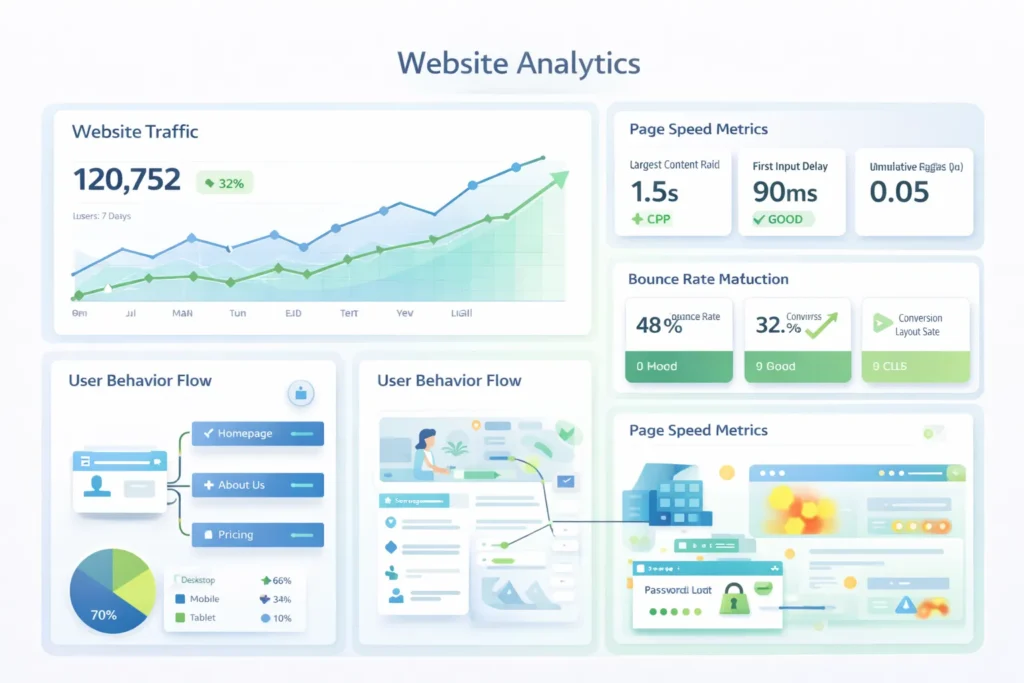
Flying blind without tracking user behavior, traffic sources, and conversions means you can’t identify problems or measure success. Without data, you’re guessing about what works.
How to fix it:
- Install Google Analytics or a similar tool
- Set up conversion tracking for key goals
- Configure event tracking for important actions
- Monitor traffic sources and user behavior
- Set up custom reports for key metrics
- Regularly review analytics data
- Use insights to make informed decisions
38. No Conversion Tracking
Page views and visits are vanity metrics. What matters is whether visitors take desired actions—purchases, form submissions, calls, downloads. Without conversion tracking, you can’t measure ROI or optimize effectively.
How to fix it:
- Define clear conversion goals
- Set up goal tracking in Google Analytics
- Track micro-conversions (email signups, downloads)
- Track macro-conversions (purchases, leads)
- Monitor conversion rates by traffic source
- Set up e-commerce tracking for online stores
- Use UTM parameters to track campaign performance
- Create custom conversion funnels
39. Ignoring User Behavior Data
Analytics tell you what’s happening, but not why. Heat maps, session recordings, and user testing reveal how visitors actually interact with your site—where they click, where they get stuck, and where they abandon.
How to fix it:
- Use heat mapping tools (Hotjar, Crazy Egg)
- Watch session recordings of real users
- Track scroll depth to see how far users read
- Identify high-exit pages
- Find and fix form abandonment issues
- Conduct user testing with real people
- Survey visitors to understand pain points
40. Not Monitoring Site Health and Uptime
If your website goes down and you don’t know about it, you’re losing customers and revenue every minute. Technical errors, broken functionality, and downtime damage your reputation and SEO.
How to fix it:
- Use uptime monitoring services (UptimeRobot, Pingdom)
- Set up alerts for downtime
- Monitor site speed regularly
- Check for broken links monthly
- Monitor for security issues
- Track Core Web Vitals (Google’s performance metrics)
- Test forms and checkout processes regularly
- Monitor the search console for crawl errors
41. No A/B Testing
Making changes based on assumptions rather than data leads to poor decisions. A/B testing different versions of pages, headlines, CTAs, and layouts reveals what actually improves conversions.
How to fix it:
- Test one element at a time for clear results
- Test headlines, CTAs, images, and layouts
- Run tests long enough for statistical significance
- Use tools like Google Optimize or Optimizely
- Test high-traffic pages first
- Document test results
- Implement winning variations
- Continue testing iteratively
How Bad Websites Affect Your Business
The cumulative impact of website mistakes extends far beyond user frustration. When you don’t fix these critical errors, your business suffers in multiple ways:
Lost Potential Customers: Every second your site takes to load, every confusing navigation element, and every broken link costs you visitors who could have become paying customers. Studies show that a one-second delay in page load time can reduce conversions by 7%.
Lower Search Rankings: Google rewards websites that provide excellent user experiences. Website mistakes like slow speeds, poor mobile experience, missing SSL certificates, and accessibility issues directly harm your search rankings—making it harder for customers to find you organically.
Damaged Brand Reputation: Your website represents your brand 24/7. An outdated, insecure, or poorly functioning website suggests your business is unprofessional, unreliable, or no longer operating. First impressions matter, and you don’t get a second chance.
Wasted Marketing Investment: If you’re driving traffic through ads, social media, or email marketing to a website full of mistakes, you’re literally throwing money away. Conversion Rate Optimization requires fixing foundational issues first.
Legal and Compliance Risks: Accessibility failures can result in lawsuits. Missing privacy policies and improper data handling can lead to GDPR or CCPA violations with fines reaching millions of dollars.
Competitive Disadvantage: While you struggle with website mistakes, your competitors with better websites are capturing market share, building customer relationships, and growing their businesses.
The good news? Every mistake is fixable, and addressing them creates immediate opportunities for improvement.
How Professional Help Can Prevent Website Mistakes
Many business owners attempt DIY websites to save money, but this often results in compounding problems. What seems like a cost-saving measure frequently leads to expensive fixes later—plus lost revenue from poor performance.
Professional web designers and developers:
- Identify common website mistakes before they affect your business
- Build websites with SEO, accessibility, and security best practices from the start
- Create scalable sites designed for growth
- Implement proper tracking and analytics from day one
- Ensure mobile responsiveness across all devices
- Optimize for speed and performance
- Maintain compliance with legal requirements
- Provide ongoing maintenance and updates
The Investment Pays Off: While professional web design requires upfront investment, the ROI comes from increased conversions, better search rankings, reduced bounce rates, and avoided legal issues. A well-built website becomes a revenue-generating asset rather than a source of constant problems.
Not sure where your website stands? Book a free consultation with our team. We’ll audit your site for these common mistakes and provide a clear roadmap for improvement.
Why Fixing Website Mistakes Improves Conversions
Ultimately, fixing website mistakes isn’t just about design aesthetics or technical compliance—it’s about conversions and revenue growth.
Better User Experience = Higher Conversions: When visitors can easily navigate your site, find information quickly, and trust your business, they’re far more likely to take action. Even small improvements in user experience can dramatically increase conversion rates.
Trust Drives Action: Security certificates, clear privacy policies, professional design, error-free copy, and accessibility features all build trust. Trust is the foundation of conversions—people buy from businesses they trust.
Speed Matters: A fast-loading website keeps visitors engaged. According to research, conversion rates drop by an average of 4.42% with each additional second of load time.
Mobile Optimization Captures More Customers: With mobile traffic surpassing desktop, a mobile-friendly website is no longer optional. Responsive design ensures you don’t lose more than half your potential customers.
Clear CTAs Guide Action: When you eliminate confusion, reduce choices, and create clear conversion paths, more visitors complete desired actions.
SEO Brings Qualified Traffic: Fixing SEO mistakes means more people find your website when searching for your products or services. More qualified traffic means more conversion opportunities.
By systematically addressing these 41 website mistakes, you create a seamless user experience that naturally guides visitors toward conversion—whether that’s making a purchase, booking a consultation, or submitting a contact form.
Conclusion
Your website is your digital storefront, often the first—and sometimes only—impression potential customers have of your business. The 41 website mistakes covered in this guide represent the most common and damaging errors that drive visitors away, hurt your search rankings, and cost you revenue.
The good news? Every single one of these mistakes is fixable.
Whether you’re dealing with slow loading speeds, poor mobile experience, weak navigation, accessibility failures, security vulnerabilities, ineffective CTAs, or any combination of these issues, taking action now will immediately improve your website’s performance.
Start with the highest-impact fixes:
- Implement SSL (HTTPS) for security and trust
- Optimize for mobile devices
- Improve page loading speed
- Fix navigation and improve user experience
- Add clear, compelling calls-to-action
- Ensure accessibility compliance
- Implement proper SEO best practices
Don’t let common web design errors and bad website mistakes continue to hurt your business. Every day you delay fixing these issues is another day of lost revenue, damaged reputation, and missed opportunities.
Ready to transform your website from a liability into a high-performing asset? Book a free consultation with our team today. We’ll conduct a comprehensive audit of your site, identify critical mistakes, and create a customized plan to build a website that attracts visitors, builds trust, and drives real results.
Your website should work for you, not against you. Let’s make that happen.
[Book Your Free Website Consultation Now →]
Faqs
Web design mistakes like slow loading, poor mobile experience, broken links, and missing meta tags harm SEO, increase bounce rates, and prevent search engines from crawling your site properly. Fixing them improves rankings and traffic.
Bad websites hurt credibility, reduce conversions, and risk security issues. Poor design drives visitors away, and search engines may penalize technical flaws. Investing in a fast, secure, professional website protects your brand and revenue.
Simple issues like broken links or meta tags can be fixed DIY. Complex problems—speed optimization, security, accessibility, and technical SEO—often require professional help to avoid costly mistakes.
Do a full audit every 3–6 months. Monitor uptime daily, broken links monthly, analytics weekly, and test forms after updates. Regular checks prevent small issues from becoming big problems.
Ignoring your audience’s needs. Most errors—slow speed, poor navigation, weak content—stem from not prioritizing user experience. Design for your visitors, not for yourself.
Consultants identify hidden issues, audit your site for SEO, security, accessibility, and UX, and provide an action plan. Professional guidance ensures fixes are effective and efficient.
Top costly mistakes: no mobile optimization, slow loading, missing SSL, weak CTAs, and no conversion tracking. These reduce traffic, trust, and revenue. Fixing them delivers high ROI.