
Your business website isn’t just a digital brochure—it’s your hardest-working sales representative, operating 24/7 to attract, engage, and convert customers. But here’s the reality: 88% of online consumers won’t return to a website after a bad experience, and 75% of users judge your business’s credibility based on your website design alone.
In 2026, having a website isn’t enough. You need the right features working together to create an exceptional user experience that builds trust, drives engagement, and ultimately grows your business. Whether you’re launching a new site or improving an existing one, this comprehensive guide covers every essential feature your business website needs to succeed.
We’ve organized these features into five strategic categories, moving from foundational elements to advanced capabilities that give you a competitive edge.
Foundation Features (The Non-Negotiables)
These are the fundamental elements every business website must have. Without them, you risk losing customers before they even understand what you offer.
1. Clear Value Proposition
Your homepage needs to immediately communicate three things: what you do, who you serve, and why customers should choose you. Visitors decide whether to stay or leave within 7 seconds of landing on your site.
Best practices:
- Place your value proposition above the fold in a clear headline
- Use simple, jargon-free language that speaks directly to customer pain points
- Support your headline with a brief subheading that adds context
- Avoid vague statements like “We provide quality services.”
Think of your value proposition as your elevator pitch—concise, compelling, and crystal clear.
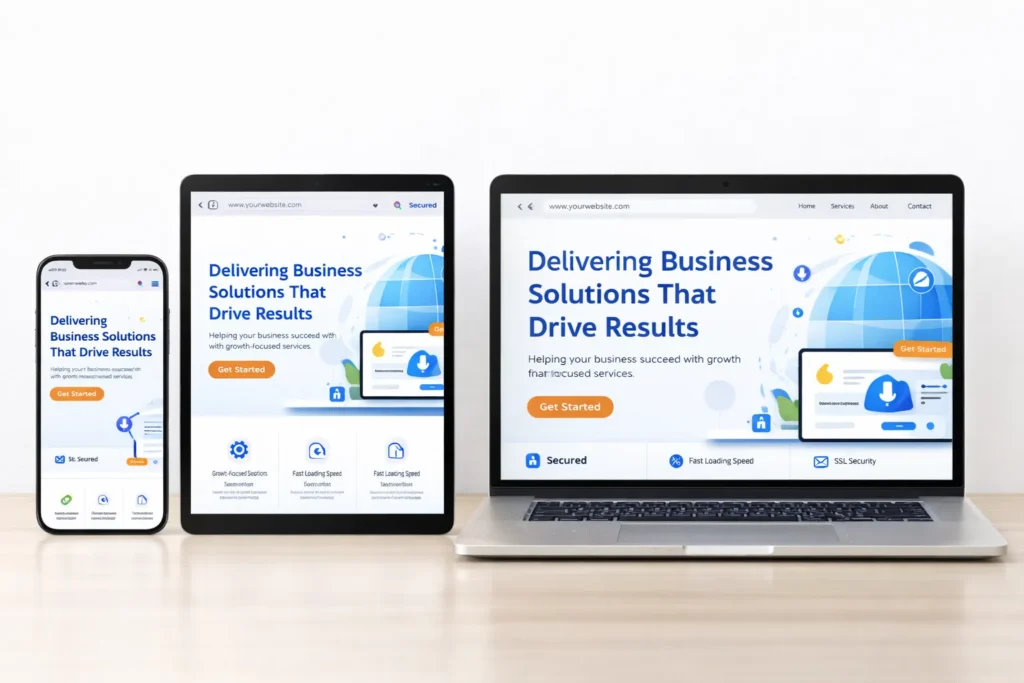
2. Mobile-First Responsive Design
With over 60% of web traffic now coming from mobile devices, responsive design isn’t optional—it’s essential. Google uses mobile-first indexing, meaning your mobile site directly impacts your search rankings.
What responsive design includes:
- Layouts that automatically adjust to any screen size
- Touch-friendly buttons and navigation elements (minimum 44×44 pixels)
- Readable text without zooming (minimum 16px font size)
- Fast loading on mobile networks
- Properly scaled images that don’t require horizontal scrolling
Test your website on actual mobile devices, not just desktop browser resizing tools. Real-world testing reveals issues that simulators miss.
3. Intuitive Navigation
Your navigation menu functions like aisle signs in a store—it helps visitors find what they need without frustration. Complex or confusing navigation is one of the top reasons visitors abandon websites.
Navigation best practices:
- Limit main menu items to 5-7 options
- Use clear, descriptive labels (avoid creative naming that confuses users)
- Implement a logical hierarchy for dropdown menus
- Include a search function for content-rich sites
- Add breadcrumb navigation for deep page structures
- Ensure your logo links back to the homepage
Remember: confused visitors don’t convert—they leave.
4. Fast Loading Speed (Core Web Vitals)
Website speed directly impacts both user experience and search rankings. Google research shows that 53% of mobile users abandon sites that take longer than 3 seconds to load.
Key performance metrics to optimize:
- Largest Contentful Paint (LCP): Should occur within 2.5 seconds
- First Input Delay (FID): Should be less than 100 milliseconds
- Cumulative Layout Shift (CLS): Should be less than 0.1
Speed optimization strategies:
- Compress and optimize images (use WebP format)
- Enable browser caching
- Minimize CSS, JavaScript, and HTML
- Use a Content Delivery Network (CDN)
- Choose quality hosting with adequate resources
- Implement lazy loading for images and videos
Use Google PageSpeed Insights to identify specific performance issues and get actionable recommendations.
5. SSL Certificate & HTTPS
The small padlock icon in your browser’s address bar signals that your website is secure. SSL (Secure Sockets Layer) certificates encrypt data transmitted between your website and visitors, protecting sensitive information.
Why SSL matters:
- Protects customer data and privacy
- Required for processing payments
- Google ranks HTTPS sites higher than HTTP sites
- Browsers display “Not Secure” warnings for non-HTTPS sites, damaging trust
- Essential for legal compliance (GDPR, PCI DSS)
Most hosting providers now offer free SSL certificates through Let’s Encrypt. There’s no excuse not to have one.
Trust & Credibility Features
Once visitors land on your site, these features help build the trust necessary for them to become customers.
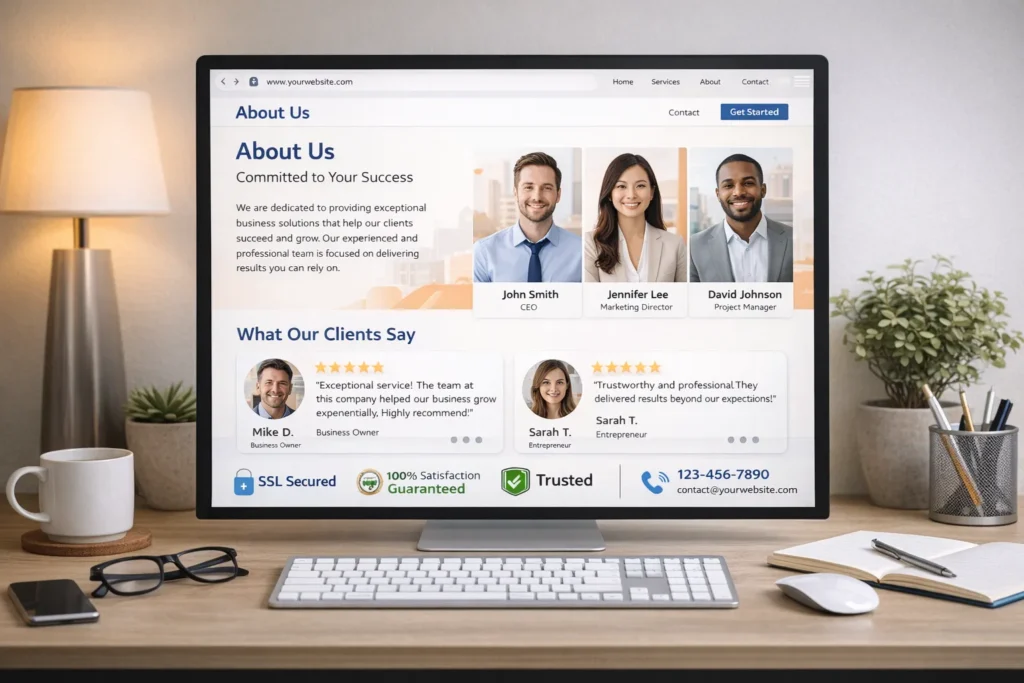
6. Professional About Us Page
The About Us page is typically among the top three most-visited pages on business websites. People want to know who they’re doing business with before making a purchase decision.
Essential About Us elements:
- Your company’s story and mission
- The problem you solve for customers
- Team photos and bios that humanize your brand
- Company values and what makes you different
- Your experience, credentials, and achievements
- Timeline or milestones showing your growth
- Physical location (if applicable) for local trust
Make it authentic and relatable—corporate jargon creates distance, while genuine storytelling builds connection.
7. Customer Testimonials & Reviews
Social proof is one of the most powerful conversion tools available. 92% of consumers read online reviews before making a purchase, and displaying reviews can increase conversions by up to 270%.
Effective testimonial strategies:
- Feature customer photos and full names (with permission) for authenticity
- Include specific results and benefits, not just generic praise
- Display star ratings prominently
- Embed third-party reviews from Google, Yelp, or industry-specific platforms
- Add video testimonials for higher impact
- Show review counts to demonstrate volume
- Place testimonials strategically on service pages and checkout flows
Recent, specific testimonials convert better than old, vague ones.
8. Trust Badges & Security Seals
Trust badges are visual indicators that your business is legitimate, secure, and verified. They address customer concerns about safety and credibility.
Types of trust badges:
- Security badges: SSL certificates, Norton Secured, McAfee Secure
- Payment badges: Visa, Mastercard, PayPal, Stripe
- Business verification: Better Business Bureau, Chamber of Commerce
- Industry certifications: Relevant professional associations
- Money-back guarantees: Risk-reversal badges
- Privacy compliance: GDPR compliant, Privacy Shield
Place security badges near forms, checkout buttons, and payment information. Studies show trust badges near checkout can reduce cart abandonment by up to 15%.
9. Privacy Policy & Legal Compliance
In 2026, privacy compliance isn’t optional—it’s legally required. Depending on your location and customer base, you may need to comply with GDPR (Europe), CCPA (California), and other privacy regulations.
Required legal pages:
- Privacy Policy: Explains how you collect, use, and protect customer data
- Terms of Service: Defines the rules for using your website
- Cookie Policy: Discloses cookie usage and tracking (often integrated with privacy policy)
- Disclaimer: Limits your liability for information provided
- Refund/Return Policy: Sets expectations for e-commerce transactions
Cookie consent requirements:
- Display clear cookie banners on first visit
- Allow users to accept or reject non-essential cookies
- Provide granular cookie controls (necessary, functional, analytics, and Digital Marketing)
- Document user consent preferences
- Make it easy for users to change their preferences
Link to these policies in your website footer and make them easily accessible. Consider using privacy policy generators for basic templates, but have a lawyer review them for your specific business.
10. Contact Information (Multiple Channels)
One of the most frustrating user experiences is wanting to contact a business but being unable to find its information. Make it ridiculously easy for customers to reach you.
Essential contact elements:
- Phone number: Click-to-call on mobile devices
- Email address: Visible and clickable
- Physical address: For local businesses (helps local SEO)
- Contact form: Simple fields with clear privacy information
- Business hours: Set accurate expectations
- Response time expectations: “We’ll respond within 24 hours.”
Place contact information in multiple locations: header, footer, dedicated contact page, and relevant service pages. Each additional contact method increases trust and conversion potential.
User Experience Features
These features enhance how visitors interact with your website, making their journey smoother and more satisfying.
11. Advanced Search Functionality
For websites with substantial content—blogs, documentation, product catalogs, or knowledge bases—search functionality is essential. 30% of website visitors use on-site search, and these searchers typically have higher purchase intent.
Search feature best practices:
- Place the search bar in a prominent, expected location (usually top right)
- Implement autocomplete suggestions to guide users
- Display relevant results with clear titles and descriptions
- Include filters for refining results (category, date, price, etc.)
- Show search result counts
- Handle misspellings and synonyms gracefully
- Track search queries to understand what users can’t find
Advanced options include faceted search, voice search integration, and AI-powered semantic search that understands user intent beyond exact keyword matches.
12. Strategic Calls-to-Action (CTAs)
CTAs are the signposts that guide visitors toward conversion. Without clear CTAs, even interested visitors may leave without taking action.
CTA best practices:
- Use action-oriented language: “Get Your Free Quote,” “Start Your Free Trial,” “Download the Guide.”
- Create visual contrast with color, size, and white space
- Place CTAs above the fold and at natural decision points
- Use first-person language when possible: “Start My Free Trial” converts better than “Start Your Free Tria.l”
- Limit choices to avoid decision paralysis (one primary CTA per page section)
- Add urgency when appropriate: “Limited Time Offer” or “Only 3 Spots Left.”
- Ensure CTAs are large enough for easy mobile tapping
A/B test different CTA colors, copy, and placements to optimize conversion rates continually.
13. Web Accessibility (WCAG 2.2 Compliance)
Website accessibility ensures people with disabilities can perceive, understand, navigate, and interact with your website. By April 2026, the Americans with Disabilities Act (ADA) requires state and local government websites to meet WCAG 2.1 Level AA standards, and private businesses face increasing legal pressure.
Essential accessibility features:
Visual Accessibility:
- Sufficient color contrast (minimum 4.5:1 for normal text)
- Text that can be resized up to 200% without loss of functionality
- Alternative text for all images and graphics
- Visible focus indicators for keyboard navigation
- No content that relies solely on color to convey meaning
Navigation Accessibility:
- Full keyboard navigation without a mouse
- Skip navigation links to bypass repetitive content
- Logical heading hierarchy (H1, H2, H3) for screen readers
- ARIA labels for complex interface elements
- Consistent, predictable navigation patterns
Interactive Accessibility:
- Clear form labels associated with input fields
- Descriptive error messages with correction suggestions
- Sufficient time for users to read and interact with content
- Warning before time limits expire
- Pause, stop, or hide controls for moving content
Media Accessibility:
- Captions for video content
- Transcripts for audio content
- Audio descriptions for video content when necessary
Beyond legal compliance, accessible websites reach 15% more potential customers (people with disabilities) and improve usability for everyone. Use tools like WAVE, axe DevTools, or Lighthouse to audit your accessibility and identify issues.
14. Multi-Language Support
If your business serves international customers or operates in multilingual regions, language options significantly improve user experience and expand your market reach.
Implementation considerations:
- Automatic language detection based on browser settings or location
- Prominent language selector (usually top navigation or footer)
- Complete translations, not just main pages
- Localized content that respects cultural differences (not just direct translation)
- Separate URLs for each language version (subdirectories or subdomains)
- Hreflang tags to tell search engines about language variations
- Currency converters for e-commerce sites
- Right-to-left (RTL) support for Arabic, Hebrew, and other RTL languages
Use professional translation services rather than automated tools for business-critical content. Machine translation has improved, but it still produces awkward or incorrect phrasing that can damage credibility.
15. Live Chat & AI Chatbots
Real-time communication transforms the customer experience. Companies using live chat see 48% higher revenue per chat hour and 40% higher conversion rates compared to those without.
Live chat and chatbot benefits:
- Instant answers to customer questions
- Reduced support ticket volume
- 24/7 availability through AI chatbots
- Lead qualification and routing
- Proactive engagement based on user behavior
- Multilingual support through AI translation
Implementation strategy:
- Start with a chatbot for FAQs and basic queries
- Route complex questions to human agents
- Set clear expectations (response time, availability hours)
- Use conversational, friendly language
- Personalize greetings based on user behavior or page
- Make it easy to escalate to human support when needed
- Train AI chatbots on your specific products, services, and common questions
Popular platforms include Intercom, Drift, Zendesk Chat, and HubSpot Live Chat. Many now include AI capabilities that learn from conversations to improve over time.
Conversion & Growth Features
These features help you understand user behavior, improve performance, and drive measurable business results.
16. Analytics & Performance Tracking
You can’t improve what you don’t measure. Analytics provide the insights needed to make data-driven decisions about your website and marketing efforts.
Essential analytics setup:
Google Analytics 4 (GA4):
- Track page views, sessions, and user behavior
- Identify traffic sources (organic, paid, social, direct, referral)
- Monitor conversion events (form submissions, purchases, downloads)
- Analyze user demographics and interests
- Identify high-performing content and pages with high bounce rates
- Track user journeys across devices
Core metrics to monitor:
- Traffic metrics: Sessions, users, page views, new vs. returning visitors
- Engagement metrics: Average session duration, pages per session, bounce rate
- Conversion metrics: Goal completion rate, Conversion Rate Optimization, revenue
- Technical metrics: Page load time, Core Web Vitals, mobile vs. desktop performance
Advanced tracking:
- Heat maps showing where users click and scroll (Hotjar, Crazy Egg)
- Session recordings to watch how users interact with your site
- Form analytics to identify where users abandon forms
- A/B testing platforms for optimizing page elements (Optimizely, VWO)
- Event tracking for specific interactions (video plays, downloads, outbound clicks)
Set up conversion tracking for every important action: contact form submissions, phone calls, email clicks, quote requests, purchases, and newsletter signups. Tag your marketing campaigns with UTM parameters to understand which efforts drive results.
17. SEO Optimization Features
Search engine optimization determines whether potential customers can find your website. 75% of users never scroll past the first page of search results, making SEO critical for visibility.
On-page SEO elements:
Technical SEO:
- XML sitemap submitted to Google Search Console
- The robots.txt file is properly configured
- Structured data markup (Schema.org) for rich results
- Clean URL structure (descriptive, keyword-rich URLs)
- Canonical tags to prevent duplicate content issues
- 301 redirects for moved or deleted pages
- Mobile-friendly responsive design
- Fast page loading (Core Web Vitals)
Content SEO:
- Unique, descriptive title tags (50-60 characters)
- Compelling meta descriptions (150-160 characters)
- Proper heading hierarchy (H1, H2, H3) with target keywords
- Keyword-optimized content that matches search intent
- Internal linking between related pages
- Alt text for images with descriptive keywords
- Original, high-quality content that provides value
Local SEO (for location-based businesses):
- Google Business Profile is fully optimized
- Consistent NAP (Name, Address, Phone) across the web
- Location pages for each service area
- Local keywords in content and meta tags
- Customer reviews on Google and other platforms
- Local business schema markup
Conduct keyword research to understand what terms your customers search for, then create content targeting those keywords. Use tools like Google Keyword Planner, Ahrefs, SEMrush, or Moz to identify opportunities.
18. Social Media Integration
Social media drives traffic, builds brand awareness, and provides social proof. Integrating social elements into your website creates seamless connections between platforms.
Social integration features:
- Social sharing buttons: Allow visitors to share your content easily (especially for blog posts)
- Social login options: Let users create accounts using existing social profiles
- Social media feeds: Display recent posts from Instagram, Twitter, or Facebook
- Follow buttons: Link to your social profiles in the header or footer
- Social proof widgets: Show follower counts, recent activity, or engagement metrics
- Social reviews: Aggregate reviews from Facebook, Google, and other platforms
- Click-to-tweet quotes: Pre-populated tweets for key insights or statistics
Focus on the platforms where your audience actually engages. A small business might prioritize Facebook and Instagram, while a B2B company might emphasize LinkedIn.
19. Email Capture & Newsletter Signup
Email marketing delivers an average ROI of $42 for every $1 spent, making your email list one of your most valuable business assets.
Effective email capture strategies:
Signup form placement:
- Header or navigation bar (persistent visibility)
- Exit-intent popups (triggered when users move to leave)
- Inline forms within blog content
- Sidebar widgets on content pages
- Footer area (expected location)
- Dedicated landing pages for lead magnets
Conversion optimization:
- Minimize required fields (email address only for initial signup)
- Clear value proposition: “Get weekly marketing tips.”
- Incentivize signups with lead magnets (free guides, checklists, discounts)
- Set expectations (frequency, content type)
- Privacy assurance: “We never share your email.”
- Mobile-optimized forms with large input fields and buttons
Email marketing best practices:
- Double opt-in for list quality
- Welcome email series for new subscribers
- Segmentation based on interests and behavior
- Personalized content using subscriber data
- Mobile-responsive email templates
- Clear unsubscribe options (required by law)
Integrate your website forms with email marketing platforms like Mailchimp, Constant Contact, ConvertKit, or HubSpot for automated workflows.
20. Blog & Content Hub
A regularly updated blog establishes your expertise, improves SEO, and provides shareable content that attracts new visitors.
Why businesses need blogs:
- Companies that blog receive 97% more backlinks
- Businesses with blogs generate 67% more leads than those without
- Blog content targets long-tail keywords and informational search queries
- Fresh content signals to search engines that your site is active
- Educational content builds trust and positions you as an industry authority
- Blog posts provide ongoing content for social media and email marketing
Blog best practices:
- Publish consistently (weekly minimum)
- Focus on topics your customers actually search for
- Create comprehensive, in-depth content (1,500+ words)
- Include visuals, videos, and infographics
- Use clear formatting with headings, bullet points, and short paragraphs
- Add internal links to related blog posts and service pages
- Include author bios and contact information
- Enable comments or engagement options
- Optimize every post for SEO (title tags, meta descriptions, keywords)
- Update and refresh older posts to maintain relevance
Organize your blog with categories and tags that make content easy to browse. Feature your best or most popular posts prominently.
Advanced Features (For Competitive Edge)

These cutting-edge features help forward-thinking businesses stand out and provide exceptional experiences.
21. AI-Powered Personalization
Personalization uses data to create customized experiences for each visitor. Websites with personalization see 20% increases in sales on average.
Personalization strategies:
- Display different content based on visitor location (localized offers, nearby locations)
- Show product recommendations based on browsing history
- Customize homepage content based on traffic source (paid ads, social media, email)
- Display returning visitor welcome messages
- Adjust messaging based on user behavior (time on site, pages visited)
- Personalized email capture offers based on viewed content
- Dynamic pricing or promotions for specific segments
AI-powered personalization platforms like Dynamic Yield, Optimizely, or Evergage can automatically test and optimize experiences for different user segments.
22. Progressive Web App (PWA) Capabilities
Progressive Web Apps combine the best features of websites and native mobile apps, offering app-like experiences directly in the browser.
PWA features:
- Offline functionality: Access content without an internet connection
- Push notifications: Re-engage users with timely updates
- Add to home screen: Install website like a native app (no app store required)
- Fast loading: Advanced caching for instant performance
- App-like navigation: Full-screen mode without browser chrome
- Background sync: Queue actions when offline, sync when online
PWAs are particularly valuable for e-commerce, news sites, social platforms, and any business wanting to increase engagement. They work across all devices and browsers without platform-specific Website Development.
23. Video Integration
Video is the most engaging content format available. Including video on landing pages can increase conversions by 80%, and visitors spend 88% longer on pages with video.
Effective video uses:
- Homepage hero videos showcasing your brand or product
- Product demonstration and tutorial videos
- Customer testimonial videos (more impactful than text)
- About Us videos introducing your team
- FAQ videos answering common questions
- Behind-the-scenes content building a connection
- Live streaming for events, Q&As, or product launches
Video optimization:
- Host on YouTube or Vimeo for better performance (embed on your site)
- Add captions for accessibility and silent viewing
- Optimize thumbnails to encourage clicks
- Keep videos concise (under 2 minutes for promotional content)
- Include CTAs within or after videos
- Create video transcripts for SEO value
24. Interactive Elements
The interactive features engage visitors more deeply than static content, increasing time on site and conversion rates.
Interactive elements to consider:
Calculators:
- Price calculators for services
- ROI calculators showing value
- Loan or mortgage calculators
- Savings calculators
- Sizing or measurement tools
Quizzes and assessments:
- Product recommendation quizzes
- Knowledge tests for educational sites
- Personality or style assessments
- Readiness assessments (for consulting services)
Configurators:
- Product customization tools
- Service package builders
- Design visualizers
Maps and location tools:
- Store locators with directions
- Service area maps
- Interactive territory maps
- Event location maps
Interactive elements provide value to users while collecting valuable data about their preferences and needs.
25. E-commerce Capabilities
For businesses selling products or services online, robust e-commerce features are essential for conversion.
Core e-commerce features:
Product display:
- High-quality product images with zoom capability
- Multiple product photos from different angles
- 360-degree product views or videos
- Detailed product descriptions and specifications
- Customer reviews and ratings on product pages
- Related product recommendations
- Stock availability indicators
Shopping experience:
- Advanced product search and filtering (price, category, brand, features)
- Comparison tools for similar products
- Wishlist or favorites functionality
- Guest checkout option (don’t force account creation)
- Multiple payment methods (credit cards, PayPal, Apple Pay, etc.)
- Real-time shipping cost calculation
- Promo code and discount application
Checkout optimization:
- Progress indicators showing checkout steps
- Save cart for later functionality
- Address autocomplete
- Order summary with edit capabilities
- Multiple shipping options
- Clear security indicators
- One-click reordering for returning customers
Post-purchase features:
- Order confirmation emails
- Shipping tracking integration
- Account dashboard for order history
- Easy returns and refunds process
- Product recommendations based on purchase
Abandoned cart recovery:
- Email reminders for incomplete purchases
- Exit-intent offers
- Save cart across devices
- Incentives to complete purchase (discounts, free shipping)
Platforms like Shopify, WooCommerce, BigCommerce, and Magento provide comprehensive e-commerce functionality with extensive customization options.
How to Prioritize These Features
Not every business needs every feature immediately. Here’s how to approach implementation strategically:
Phase 1: Essential Foundation (Weeks 1-4)
- Mobile-responsive design
- SSL certificate and HTTPS
- Clear value proposition
- Fast loading speed
- Basic navigation
- Contact information
- Privacy policy
Phase 2: Trust Building (Weeks 5-8) 8. Professional About Us page 9. Customer testimonials 10. Trust badges 11. Basic SEO optimization 12. Analytics setup
Phase 3: User Experience (Weeks 9-12) 13. Accessibility features (WCAG compliance) 14. Strategic CTAs 15. Improved navigation 16. Search functionality (if needed) 17. Blog or content hub
Phase 4: Conversion Optimization (Weeks 13-16) 18. Email capture forms 19. Live chat or chatbot 20. Social media integration 21. Advanced analytics 22. A/B testing implementation
Phase 5: Advanced Capabilities (Ongoing) 23. AI personalization 24. Video integration 25. Interactive elements 26. PWA features 27. E-commerce (if applicable)
Budget-based priorities:
Low budget ($500-$2,000): Focus on foundation features using templates and DIY tools. Prioritize mobile design, speed, SSL, clear messaging, and basic SEO.
Medium budget ($2,000-$10,000): Add custom design, professional copywriting, accessibility compliance, live chat, analytics setup, and initial content creation.
High budget ($10,000+): Include custom functionality, AI features, video production, advanced personalization, e-commerce capabilities, and comprehensive content strategy.
Common Mistakes to Avoid
Even with the right features, poor implementation can sabotage your website’s effectiveness.
Feature overload: Adding every possible feature creates complexity that confuses users. Prioritize features that serve your specific business goals and customer needs.
Neglecting mobile users: Designing for desktop first ignores your majority audience. Always test on actual mobile devices throughout development.
Poor accessibility: Skipping accessibility features excludes customers and invites legal issues. Build accessibility into your process from the start rather than retrofitting later.
Weak security: Basic SSL isn’t enough if you handle sensitive data. Implement comprehensive security including regular updates, backups, and monitoring.
No clear conversion path: Beautiful design without strategic CTAs and user flows doesn’t drive business results. Every page should guide users toward a specific action.
Ignoring page speed: Heavy images, excessive plugins, and poor hosting kill conversions. Optimize ruthlessly for speed across all devices.
Missing analytics: You can’t improve what you don’t measure. Implement tracking from day one to understand user behavior and identify opportunities.
Stale content: Launching a blog that’s never updated signals abandonment. Commit to consistent publishing or focus on evergreen content that doesn’t require frequent updates.
Cookie-cutter approach: Using the same features and layout as every competitor makes you forgettable. Understand what your specific audience needs and deliver it distinctively.
Set-it-and-forget-it mentality: Websites require ongoing maintenance, content updates, and optimization. Schedule regular audits and improvements.
Measuring Success: Key Metrics to Track
Once your features are implemented, monitor these metrics to assess performance:
Traffic metrics:
- Organic search traffic growth
- Direct traffic (brand awareness indicator)
- Referral traffic from quality sources
- Social media traffic
- Paid traffic ROI
Engagement metrics:
- Average session duration (aim for 2+ minutes)
- Pages per session (3+ indicates strong engagement)
- Bounce rate (under 50% for most pages)
- Scroll depth (percentage of page viewed)
- Video play rates and completion rates
- Return visitor rate
Conversion metrics:
- Overall conversion rate (2-5% is typical for most industries)
- Form submission rates
- Phone call volumes (track with call tracking numbers)
- Email signup rates
- Chat conversation initiation rates
- E-commerce metrics (cart abandonment, average order value, purchase completion)
Technical metrics:
- Core Web Vitals scores (all green in Google Search Console)
- Page load times (under 3 seconds)
- Mobile usability errors (zero in Google Search Console)
- Uptime percentage (aim for 99.9%+)
- Security incidents (should be zero)
SEO metrics:
- Keyword rankings for target terms
- Organic search impressions
- Click-through rates from search results
- Backlinks from quality domains
- Domain authority growth
Set benchmarks, establish realistic goals, and review metrics monthly to identify trends and opportunities.
Next Steps: Building Your Winning Website
Now that you understand the essential features your business website needs, it’s time to take action.
Start with an audit: Evaluate your current website against this checklist. Identify which features you’re missing and which need improvement.
Create a roadmap: Prioritize features based on your business goals, budget, and timeline. Focus on foundation features first, then layer in advanced capabilities.
Invest in quality: Your website is often your first impression and primary sales tool. Cutting corners on design, Shopify Development, or content typically costs more in lost opportunities than you save in upfront costs.
Think long-term: Build with scalability in mind. Choose platforms and technologies that can grow with your business rather than requiring complete rebuilds every few years.
Test and optimize: Launch isn’t the finish line—it’s the starting line. Continuously test elements, gather user feedback, and refine based on data.
Stay current: Web technology, user expectations, and legal requirements evolve constantly. Schedule regular reviews to ensure your website remains competitive and compliant.
The businesses that win online aren’t those with the flashiest websites—they’re the ones that deliver exceptional user experiences through strategic feature implementation. Your website should work as hard as you do, converting visitors into customers 24/7.
Ready to transform your business website into a customer-winning machine? Use this guide as your roadmap to building a website that attracts, engages, and converts.
faqs
Mobile-responsive design, fast loading, clear value proposition, SSL security, easy navigation, contact info, and customer testimonials. These build trust and usability on a small budget.
Basic sites using templates: $500–$2,000. Custom designs with advanced features: $5,000–$25,000. Full e-commerce sites can exceed $25,000.
Yes. ADA requires accessibility in the U.S., with WCAG 2.1 compliance by 2026. Many countries have similar laws. Accessible sites reach more customers and avoid legal risks.
Not mandatory, but blogs improve SEO, authority, and lead generation. If you can post quality content regularly, a blog is valuable.
Update content continuously, refresh testimonials quarterly, and audit your site yearly. Redesign every 2–3 years to stay current.
HTTPS encrypts data, protecting users’ info and improving trust and SEO. HTTP is not secure and marked as unsafe by browsers.
Builders (Wix, Squarespace, WordPress) suit small businesses with basic needs. Hire a developer for custom features, complex e-commerce, or unique designs.