
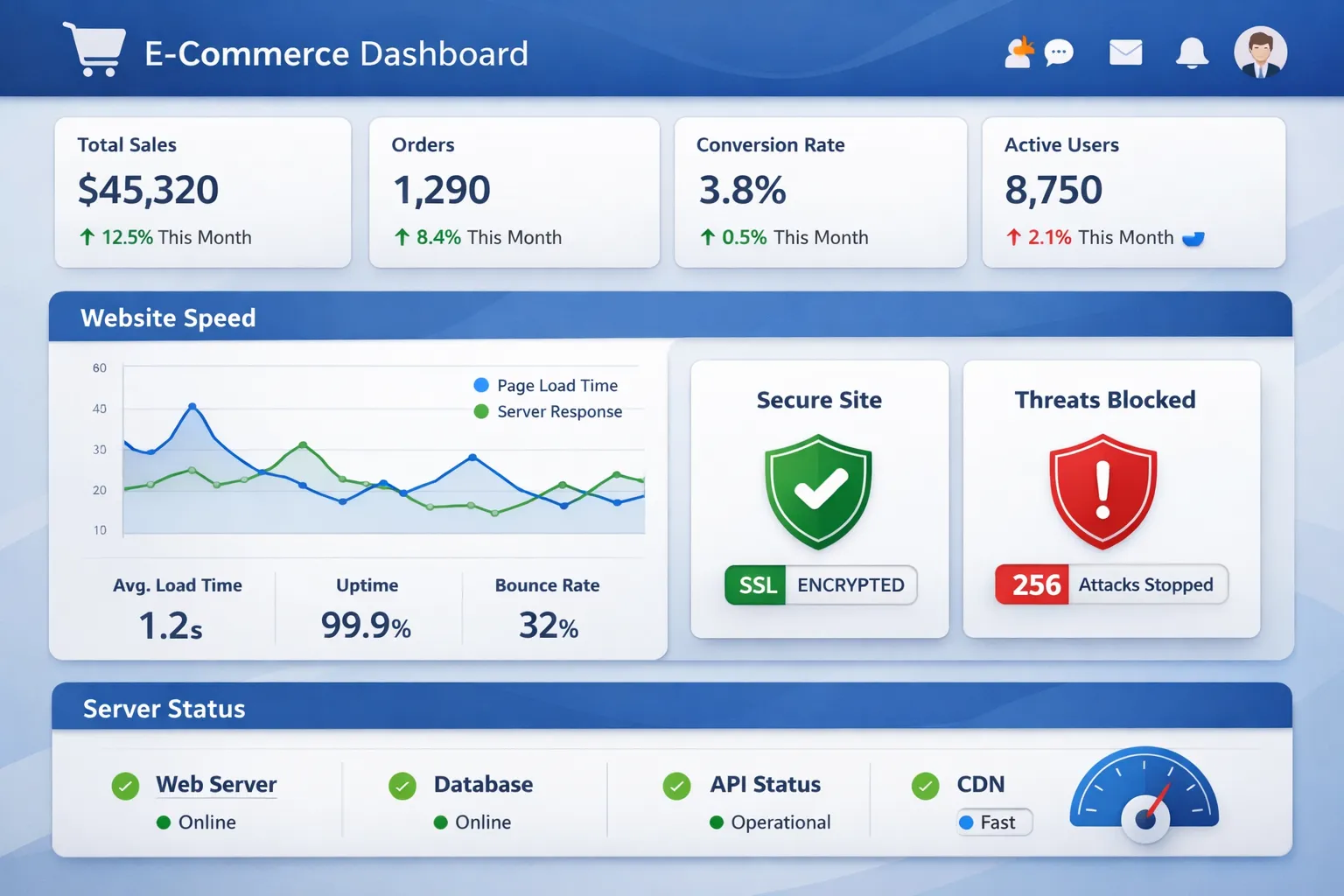
Choosing the right hosting for your e-commerce website can make or break your online business. With payment processing, customer data protection, and sales conversions all depending on your hosting infrastructure, this decision requires careful consideration.
In this comprehensive guide, we’ll explore the top e-commerce hosting providers, essential features you need, and how to choose the perfect solution for your online store
Understanding E-commerce Hosting Requirements
E-commerce hosting differs significantly from standard web hosting. Your online store needs specialized infrastructure to handle transactions, protect sensitive data, and maintain performance during traffic spikes.
What Makes E-commerce Hosting Different?
E-commerce websites face unique challenges that regular websites don’t encounter:
Transaction Processing: Your hosting must support secure payment gateways and maintain PCI DSS compliance standards for handling credit card information.
Data Protection: Customer information, order histories, and payment details require enterprise-grade security measures, including SSL certificates, firewalls, and regular malware scanning.
Performance Demands: Online stores typically have larger databases, more dynamic content, and higher resource requirements than informational websites. Product catalogs, customer accounts, and shopping carts all demand substantial server resources.
Traffic Fluctuations: E-commerce sites experience dramatic traffic spikes during sales events, holidays, and promotional campaigns. Your hosting must scale seamlessly to handle these surges without downtime.
Critical Requirements Checklist
Before selecting a hosting, ensure it meets these fundamental requirements:
- 99.9% or higher uptime guarantee – Every minute of downtime costs you sales
- SSL/TLS certificates included – Essential for secure transactions and SEO Optimization
- PCI DSS compliance support – Required for payment card processing
- Automated daily backups – Protect against data loss
- CDN integration – Faster loading times for global customers
- Scalable resources – Handle traffic growth without migration
- 24/7 technical support – Immediate help when issues arise
- Platform compatibility – Works with your chosen e-commerce software
Essential Features for E-commerce Hosting
1. Security & Compliance
Security breaches can destroy customer trust and result in massive financial penalties. Your hosting must provide comprehensive protection.
PCI DSS Compliance: The Payment Card Industry Data Security Standard is mandatory for any business that accepts credit cards. While your payment gateway handles most compliance requirements, your hosting infrastructure must support PCI-compliant operations through secure servers, regular security audits, and proper data handling.
SSL/TLS Certificates: Secure Socket Layer certificates encrypt data transmitted between your customers and your server. Modern hosting should include free SSL certificates through Let’s Encrypt or similar providers. Beyond security, SSL is a confirmed Google ranking factor and displays the padlock icon that customers trust.
DDoS Protection: Distributed Denial of Service attacks can crash your site during peak sales periods. Look for hosting with built-in DDoS mitigation that can handle volumetric attacks, application layer attacks, and protocol attacks.
Web Application Firewall (WAF): A WAF filters malicious traffic before it reaches your website, protecting against SQL injection, cross-site scripting, and other common exploits.
Malware Scanning: Automated daily malware scans detect compromised files, backdoors, and malicious code before they can harm your business or customers.
2. Performance & Speed
Page load speed directly impacts Conversion Rate. Research shows that a one-second delay in page load time can reduce conversions by 7%.
Server Response Time (TTFB): Time to First Byte measures how quickly your server responds to requests. E-commerce sites should target TTFB under 200 milliseconds.
SSD Storage: Solid State Drives are up to 20 times faster than traditional hard drives, significantly improving database queries and page load times.
Server-Level Caching: Built-in caching mechanisms like Varnish, Redis, or Memcached reduce server load and accelerate page delivery by storing frequently accessed data in memory.
Content Delivery Network (CDN): CDNs distribute your content across global servers, serving files from locations closest to your customers. This dramatically reduces latency for international shoppers.
HTTP/2 and HTTP/3 Support: Modern protocols enable faster, more efficient data transfer through multiplexing and improved compression.
3. Scalability & Traffic Management
Your hosting must grow with your business without requiring complex migrations.
Auto-Scaling: Cloud-based hosting can automatically allocate additional resources during traffic spikes. This ensures your site remains responsive during Black Friday, flash sales, or viral Digital Marketing campaigns.
Load Balancing: Distributes incoming traffic across multiple servers, preventing any single server from becoming overwhelmed. This maintains performance and availability even under extreme load.
Resource Allocation: A clear understanding of RAM, CPU cores, and bandwidth allocation helps you plan for growth. E-commerce sites typically need at least 2GB RAM for small stores, scaling to 8GB+ for larger catalogs.
Bandwidth Considerations: Product images, videos, and high-traffic volumes consume substantial bandwidth. Ensure your plan includes adequate bandwidth or unmetered options.

4. Backup & Disaster Recovery
Data loss can be catastrophic for e-commerce businesses. Comprehensive backup systems are non-negotiable.
Automated Daily Backups: Your hosting should automatically back up your entire site, database, and files at least once daily without manual intervention.
Retention Period: Look for hosts that maintain multiple backup versions spanning 30 days or more, allowing you to restore from various points in time.
One-Click Restoration: Emergencies require fast recovery. The ability to restore your entire site with a single click minimizes downtime and lost revenue.
Off-Site Storage: Backups stored on a separate infrastructure protect against catastrophic failures affecting your primary hosting environment.
Recovery Time Objective (RTO): Understanding how quickly you can restore operations helps assess the true value of backup systems. Target RTO under 1 hour for critical e-commerce operations.
5. Customer Support Quality
Technical issues with e-commerce sites require immediate attention. Every hour of downtime directly impacts revenue.
24/7 Availability: Problems don’t respect business hours. Your host must provide round-the-clock support through multiple channels.
Multiple Support Channels: Live chat for quick questions, phone support for complex issues, and ticket systems for detailed troubleshooting provide flexibility.
Technical Expertise: Support staff should understand e-commerce platforms, payment gateways, and security protocols beyond basic hosting issues.
Response Time Metrics: Average first response time under 5 minutes for critical issues indicates a quality support infrastructure.
Types of E-commerce Hosting
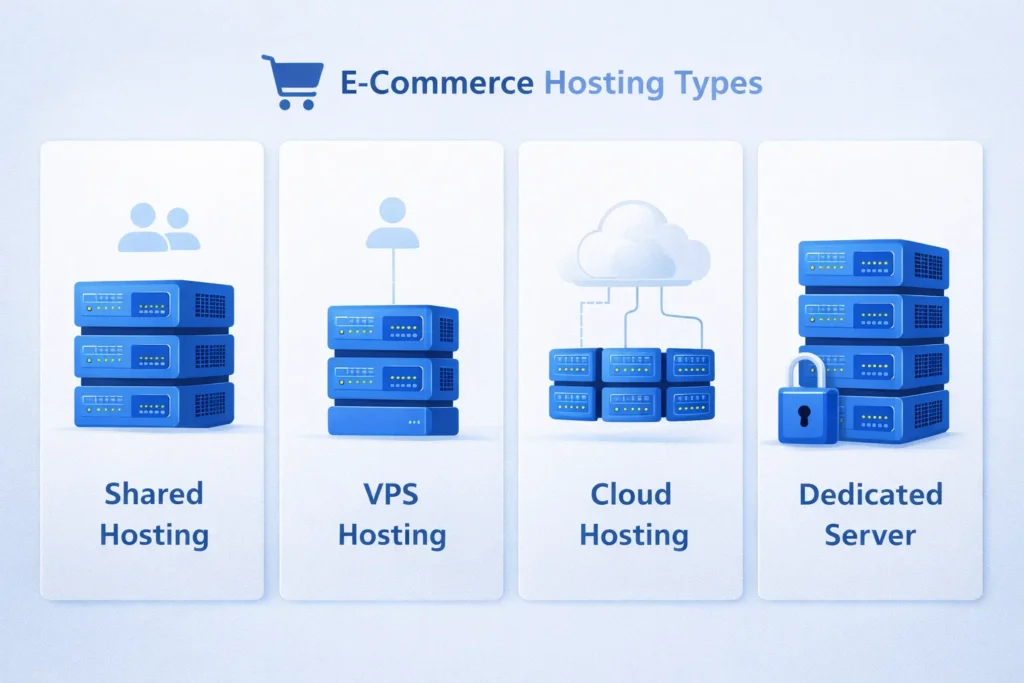
Shared Hosting
How It Works: Multiple websites share resources on a single server, reducing costs but limiting performance and control.
Best For: New online stores with limited budgets, testing business concepts, or small catalogs with low traffic (under 1,000 visitors per day).
Pros:
- Lowest cost option ($2-10/month)
- Minimal technical knowledge required
- Easy setup with one-click installers
- Managed security and maintenance
Cons:
- Limited resources affect performance during traffic spikes
- Slower loading times than dedicated options
- Security risks from neighboring sites
- Restricted customization capabilities
Recommended When: Starting your first online store, selling fewer than 50 products, or validating your business model before scaling.
VPS (Virtual Private Server) Hosting
How It Works: Virtualization technology divides a physical server into multiple isolated virtual servers, each with dedicated resources.
Best For: Growing online stores, medium-sized catalogs (100-1,000 products), and businesses experiencing consistent growth.
Pros:
- Dedicated CPU, RAM, and storage allocation
- Better security through isolation
- Root access for custom configurations
- Scalable resources without migration
- Handles traffic spikes more effectively
Cons:
- Higher cost ($20-100/month)
- Requires more technical knowledge
- Self-managed versions need server administration skills
- More complex than shared hosting
Recommended When: Outgrowing shared hosting, experiencing slow load times during moderate traffic, or needing specific software configurations.
Dedicated Hosting
How It Works: An entire physical server dedicated exclusively to your website with complete control over hardware and software.
Best For: Large e-commerce operations, enterprise stores, and high-traffic websites (50,000+ monthly visitors).
Pros:
- Maximum performance and resources
- Complete control and customization
- Highest security level
- No resource sharing or “noisy neighbor” issues
- Best for handling massive traffic volumes
Cons:
- Expensive ($100-500+/month)
- Requires significant technical expertise
- You manage all server maintenance
- Overkill for small to medium stores
Recommended When: Processing thousands of daily orders, managing extensive product catalogs (10,000+ items), or requiring custom server configurations.
Cloud Hosting
How It Works: Your website runs on a network of connected virtual and physical servers, providing flexibility and redundancy.
Best For: Stores with unpredictable traffic, seasonal businesses, and companies prioritizing scalability and uptime.
Pros:
- Excellent scalability – add resources instantly
- Pay for what you use
- Superior uptime through redundancy
- Handles traffic spikes seamlessly
- Geographic distribution options
Cons:
- Variable pricing can be unpredictable
- More complex pricing structure
- May require technical knowledge
- Costs can escalate with growth
Recommended When: Experiencing dramatic seasonal variations, running flash sales, or requiring guaranteed uptime during critical periods.
Managed E-commerce Hosting
How It Works: Specialized hosting optimized specifically for e-commerce platforms with expert management handling all technical aspects.
Best For: Store owners who want to focus on business rather than technical management, regardless of store size.
Pros:
- Platform-specific optimizations
- Expert support familiar with your e-commerce software
- Automated updates and security patches
- Performance tuning for online stores
- Proactive monitoring and maintenance
Cons:
- Higher monthly costs
- Less flexibility for custom configurations
- Platform-specific (may require migration if switching)
Recommended When: Lacking technical expertise, wanting enterprise-grade performance without hiring IT staff, or prioritizing reliability over cost savings.
Top 6 E-commerce Hosting Providers
1. Bluehost
Bluehost powers over 2 million websites globally and offers officially recommended hosting for WordPress and WooCommerce.
Key Features:
- Free domain name for the first year
- Free SSL certificate included
- One-click WordPress/WooCommerce installation
- 24/7 customer support via phone and chat
- 30-day money-back guarantee
- Built-in CDN for faster loading
Pricing Structure:
- Basic Plan: $2.95/month (renewal $10.99/month) – 50GB SSD storage, suitable for small stores
- Plus Plan: $5.45/month (renewal $16.99/month) – Unlimited websites and storage
- Choice Plus: $5.45/month (renewal $23.99/month) – Includes domain privacy and automated backups
- Pro Plan: $13.95/month (renewal $31.99/month) – Dedicated IP and high-performance server
Performance Benchmarks:
- Average uptime: 99.98%
- Page load speed: 450ms
- Support response time: 3-5 minutes (chat)
E-commerce Specific Features:
- WooCommerce pre-installed option
- Payment gateway integrations (PayPal, Stripe)
- Dedicated WooCommerce support team
- Shopping cart optimization tools
Best For: WordPress/WooCommerce stores, beginners, and small to medium e-commerce businesses.
Pros: ✓ Excellent value for money ✓ Strong WordPress integration ✓ Reliable uptime performance ✓ User-friendly interface
Cons: ✗ Higher renewal prices ✗ Upsells during checkout ✗ Basic shared hosting can slow down under heavy traffic
2. HostGator
HostGator provides robust hosting solutions with flexible scalability options for growing online stores.
Key Features:
- Unmetered bandwidth on most plans
- Free website migration service
- 45-day money-back guarantee (industry-leading)
- 99.9% uptime guarantee
- Free SSL certificate
- $100 Google Ads credit
Pricing Structure:
- Hatchling Plan: $2.64/month (renewal $11.99/month) – Single domain
- Baby Plan: $3.19/month (renewal $14.99/month) – Unlimited domains
- Business Plan: $5.24/month (renewal $19.99/month) – Free dedicated IP, upgraded CPU/RAM
- VPS Plans: Starting at $23.95/month – Dedicated resources
Performance Benchmarks:
- Average uptime: 99.96%
- Page load speed: 490ms
- Support response time: 5-7 minutes
E-commerce Specific Features:
- QuickInstall for popular platforms (WooCommerce, PrestaShop, OpenCart)
- PCI compliance support
- Unlimited MySQL databases
- Shopping cart software included
Best For: Budget-conscious store owners, businesses needing unlimited domains, and stores requiring flexible scalability.
Pros: ✓ Extended money-back guarantee ✓ Unlimited domains on most plans ✓ Strong customer support ✓ Free migration assistance
Cons: ✗ Renewal prices increase significantly ✗ . Daily backups are only available on higher-tier plans ✗ . Limited storage on entry plans
3. InMotion Hosting
InMotion focuses on business-class hosting with superior performance and U.S.-based support.
Key Features:
- Free SSD storage on all plans
- Free website migration
- 90-day money-back guarantee (best in industry)
- U.S.-based 24/7 support
- Free domain with annual plans
- Advanced security features
Pricing Structure:
- Launch Plan: $2.29/month (renewal $8.99/month) – 2 websites, 100GB storage
- Power Plan: $4.49/month (renewal $11.99/month) – 6 websites, unlimited storage
- Pro Plan: $8.49/month (renewal $17.99/month) – Unlimited websites, enhanced performance
- VPS Plans: Starting at $17.99/month
Performance Benchmarks:
- Average uptime: 99.99%
- Page load speed: 420ms
- Support response time: 2-3 minutes
E-commerce Specific Features:
- Pre-installed e-commerce platforms
- Advanced caching (eCommerce specific)
- Free automatic backups
- PCI compliance assistance
- Enhanced security suite
Best For: Serious e-commerce businesses, stores prioritizing uptime and support, and mid-sized online retailers.
Pros: ✓ Excellent uptime reliability ✓ 90-day money-back guarantee ✓ U.S.-based expert support ✓ Strong security features
Cons: ✗ Higher starting prices ✗ , Limited server locations ✗ , More technical for beginners
4. SiteGround
SiteGround excels in managed hosting with proprietary speed and security technologies.
Key Features:
- Custom SuperCacher technology
- Free daily backups
- Free CDN integration (Cloudflare)
- Staging environment
- Proactive security monitoring
- Best-in-class customer satisfaction
Pricing Structure:
- StartUp Plan: $2.99/month (renewal $17.99/month) – 10GB storage, 1 website
- GrowBig Plan: $4.99/month (renewal $29.99/month) – 20GB storage, unlimited websites
- GoGeek Plan: $7.99/month (renewal $44.99/month) – 40GB storage, advanced features
- Cloud Hosting: Starting at $100/month
Performance Benchmarks:
- Average uptime: 99.99%
- Page load speed: 390ms (fastest in category)
- Support response time: Under 2 minutes
E-commerce Specific Features:
- WooCommerce optimized plans
- Free SSL wildcard certificates
- PCI compliance-ready infrastructure
- HTTP/2 enabled servers
- Managed WordPress/WooCommerce updates
Best For: WooCommerce stores prioritizing speed, stores needing managed services, and businesses valuing premium support.
Pros: ✓ Exceptional loading speeds ✓ Outstanding customer support ✓ Advanced security measures ✓ Developer-friendly features
Cons: ✗ Highest renewal rates ✗ , Limited storage on basic plans ✗ , Monthly billing is higher than annual ✗ , No email hosting on basic plan
5. WP Engine
WP Engine specializes in premium managed WordPress hosting with enterprise-grade infrastructure.
Key Features:
- Fully managed WordPress environment
- Automatic WordPress updates
- Daily automated backups with one-click restore
- Global CDN included (over 250 locations)
- Staging environments
- Genesis Framework included
Pricing Structure:
- Startup Plan: $20/month (annual) – 1 site, 25,000 visits/month
- Professional Plan: $39/month (annual) – 3 sites, 75,000 visits/month
- Growth Plan: $77/month (annual) – 10 sites, 100,000 visits/month
- Scale Plan: $193/month (annual) – 30 sites, 400,000 visits/month
Performance Benchmarks:
- Average uptime: 99.99%
- Page load speed: 350ms
- Support response time: 1-2 minutes
E-commerce Specific Features:
- WooCommerce optimized infrastructure
- Smart plugin updates
- Threat detection and blocking
- Advanced performance caching
- eCommerce SSL certificates
Best For: Established WooCommerce stores, high-traffic online shops, and businesses requiring enterprise reliability.
Pros: ✓ Premium managed service ✓ Exceptional performance and speed ✓ Expert WordPress support ✓ Enterprise-level security
Cons: ✗ Significantly higher cost ✗ , WordPress/WooCommerce only ✗ , strict plugin restrictions ✗ Traffic limits enforced
6. Hostinger
Hostinger delivers exceptional value with modern infrastructure at budget-friendly prices.
Key Features:
- Custom hPanel control panel
- LiteSpeed web server
- 99.9% uptime guarantee
- Free domain registration
- Weekly automated backups
- 24/7 multilingual support
Pricing Structure:
- Single Plan: $1.99/month (renewal $3.99/month) – 1 website, 50GB storage
- Premium Plan: $2.99/month (renewal $7.99/month) – 100 websites, 100GB storage
- Business Plan: $3.99/month (renewal $9.99/month) – 200GB storage, daily backups
Performance Benchmarks:
- Average uptime: 99.98%
- Page load speed: 480ms
- Support response time: 3-5 minutes
E-commerce Specific Features:
- One-click WooCommerce installer
- Free SSL certificates
- Cloudflare protected nameservers
- LiteSpeed cache for WooCommerce
- PCI-compliant infrastructure
Best For: Startups and small businesses, budget-conscious entrepreneurs, and international stores (supports 15 languages).
Pros: ✓ Most affordable pricing ✓ Modern technology stack ✓ Transparent renewal pricing ✓ Generous resource allocation
Cons: ✗ Limited advanced features on basic plans ✗ , no phone support ✗ , custom control panel (not cPanel) ✗ . Weekly backups only (not daily)
Detailed Hosting Comparison
Performance Comparison
| Provider | Avg Uptime | Load Speed | Storage (Base) | Bandwidth |
|---|---|---|---|---|
| Bluehost | 99.98% | 450ms | 50GB | Unmetered |
| HostGator | 99.96% | 490ms | 100GB | Unmetered |
| InMotion | 99.99% | 420ms | 100GB | Unmetered |
| SiteGround | 99.99% | 390ms | 10GB | ~10,000 visits |
| WP Engine | 99.99% | 350ms | 25GB | 25,000 visits |
| Hostinger | 99.98% | 480ms | 50GB | ~25,000 visits |
Pricing Comparison (Starting Prices)
| Provider | Initial Cost | Renewal Cost | Money-Back Guarantee |
|---|---|---|---|
| Bluehost | $2.95/mo | $10.99/mo | 30 days |
| HostGator | $2.64/mo | $11.99/mo | 45 days |
| InMotion | $2.29/mo | $8.99/mo | 90 days |
| SiteGround | $2.99/mo | $17.99/mo | 30 days |
| WP Engine | $20/mo | $20/mo | 60 days |
| Hostinger | $1.99/mo | $3.99/mo | 30 days |
Security Features Comparison
| Feature | Bluehost | HostGator | InMotion | SiteGround | WP Engine | Hostinger |
|---|---|---|---|---|---|---|
| Free SSL | ✓ | ✓ | ✓ | ✓ | ✓ | ✓ |
| DDoS Protection | ✓ | ✓ | ✓ | ✓ | ✓ | ✓ |
| Malware Scanner | Paid | Paid | ✓ | ✓ | ✓ | Paid |
| Web Firewall | ✓ | ✓ | ✓ | ✓ | ✓ | ✓ |
| Daily Backups | Paid | Paid | ✓ | ✓ | ✓ | Paid |
| PCI Compliance | ✓ | ✓ | ✓ | ✓ | ✓ | ✓ |
Support Comparison
| Provider | 24/7 Support | Live Chat | Phone | Avg Response Time |
|---|---|---|---|---|
| Bluehost | ✓ | ✓ | ✓ | 3-5 minutes |
| HostGator | ✓ | ✓ | ✓ | 5-7 minutes |
| InMotion | ✓ | ✓ | ✓ | 2-3 minutes |
| SiteGround | ✓ | ✓ | ✓ | Under 2 minutes |
| WP Engine | ✓ | ✓ | ✓ | 1-2 minutes |
| Hostinger | ✓ | ✓ | ✗ | 3-5 minutes |
Best Provider by Category
Best Overall: SiteGround – Exceptional balance of speed, support, and features
Value: Hostinger – Unbeatable pricing with solid performance
for WooCommerce: WP Engine – Premium managed WordPress/WooCommerce hosting
Bor Beginners: Bluehost – User-friendly with excellent documentation
for Scalability: InMotion Hosting – Smooth upgrade paths with consistent performance
Money-Back Guarantee: InMotion Hosting – 90-day risk-free trial period
How to Choose the Right Hosting
Assess Your Business Size
Startup/New Store (0-1,000 monthly visitors):
- Budget: $2-10/month
- Recommended: Hostinger or Bluehost shared hosting
- Requirements: Basic security, SSL, simple setup
- Products: Under 100 items
Growing Business (1,000-25,000 monthly visitors):
- Budget: $10-40/month
- Recommended: SiteGround GrowBig or InMotion Power
- Requirements: Auto-backups, CDN, better support
- Products: 100-1,000 items
Established Store (25,000-100,000 monthly visitors):
- Budget: $40-100/month
- Recommended: SiteGround GoGeek or WP Engine
- Requirements: Advanced caching, staging environments
- Products: 1,000-5,000 items
Enterprise Level (100,000+ monthly visitors):
- Budget: $100-500+/month
- Recommended: WP Engine Scale or Dedicated Server
- Requirements: Dedicated resources, premium support
- Products: 5,000+ items
Platform Compatibility Considerations
WooCommerce (WordPress-based):
- Best choices: WP Engine, SiteGround, Bluehost
- Look for: WordPress optimization, automatic updates, staging
- Avoid: Generic shared hosting without a WordPress focus
Shopify:
- Hosting is included with a Shopify subscription
- No separate hosting needed
- Shopify Development handles all infrastructure
Magento:
- Requirements: Minimum 4GB RAM, dedicated server recommended
- Best choices: InMotion VPS, Dedicated servers
- Avoid: Shared hosting (insufficient resources)
BigCommerce:
- Hosting is included with a BigCommerce subscription
- No separate hosting needed
PrestaShop/OpenCart:
- Best choices: HostGator, InMotion, SiteGround
- Look for: PHP 7.4+, MySQL 5.6+, adequate storage
Budget Planning
Calculate total first-year costs, including:
- Hosting subscription
- Domain registration ($10-15/year)
- SSL certificate (often free, but verify)
- Backup services ($24-60/year if not included)
- Security plugins ($50-200/year)
- Email hosting ($12-60/year)
Budget Allocation Guide:
- Tight Budget ($100-200/year): Hostinger with essential add-ons
- Moderate Budget ($200-500/year): Bluehost or HostGator with upgrades
- Performance Focus ($500-1,000/year): SiteGround with enhanced features
- Premium Service ($1,000+/year): WP Engine or managed solutions
Technical Expertise Assessment
Minimal Technical Skills: Choose: Bluehost, SiteGround, or WP Engine. Features needed: cPanel, one-click installers, managed updates, comprehensive support
Intermediate Skills: Choose: InMotion, HostGator, or SiteGround. Can handle: Basic server configurations, plugin management, manual backups
Advanced Skills: Choose: VPS or Cloud hosting from any provider. Comfortable with: SSH access, command line, server optimization, and custom configurations
Growth Projections
Consider your 12-24 month trajectory:
Stable Traffic: Shared hosting is adequate with performance monitoring
Moderate Growth (2-3x traffic): VPS hosting or scalable cloud solutions
Rapid Growth (5-10x traffic): Cloud hosting with auto-scaling from day one
Seasonal Fluctuations: Cloud hosting with the ability to scale up/down based on demand
E-commerce Hosting Migration Guide
When to Switch Hosting Providers
Consider migration when experiencing:
- Frequent downtime or slow loading (response times exceeding 1 second)
- Poor customer support (response times over 24 hours)
- Security vulnerabilities or repeated breaches
- Inability to handle traffic growth
- Prohibitively expensive upgrade costs
- Lack of essential features (SSL, backups, CDN)
Pre-Migration Checklist
Week Before Migration:
- Full Backup: Download complete site files, database, and email accounts
- Document Current Setup: Note all plugins, themes, and custom configurations
- Inventory Email Accounts: List all email addresses and forwarding rules
- Test New Hosting: Set up staging environment on new host
- Notify Stakeholders: Inform team members of planned migration window
- Reduce TTL: Lower DNS Time to Live to 300 seconds for faster propagation
Day of Migration:
- Enable Maintenance Mode: Display maintenance page to customers
- Final Backup: Create a last-minute backup of all data
- Stop New Orders: Temporarily disable checkout to prevent data loss
- Export Database: Get the most recent database export
- Record DNS Settings: Screenshot current DNS configuration
Step-by-Step Migration Process
1: Set up New Hosting Account
- Complete a new hosting purchase
- Configure domain settings
- Install SSL certificate
- Set up email accounts
2: Transfer Files
- Upload website files via FTP or hosting file manager
- Maintain exact directory structure
- Verify all files transferred successfully
3: Migrate Database
- Export database from old hosting
- Import the database to the new hosting
- Update wp-config.php or configuration files with new database credentials
4: Test Thoroughly
- Use the hosts file or preview the domain to test before the DNS change
- Test all critical functions: checkout, account creation, payment processing
- Verify that all pages load correctly
- Check email functionality
- Test mobile responsiveness
5: Update DNS Settings
- Point the domain nameservers to the new hosting
- Update A records and MX records
- DNS propagation takes 4-48 hours
6: Monitor Post-Migration
- Watch for 404 errors
- Monitor site speed and uptime
- Verify email delivery
- Check analytics tracking
- Test all forms and payment gateways
Minimizing Downtime
Zero-Downtime Strategy:
- Set up a complete duplicate on the new hosting
- Use a temporary URL to test thoroughly
- Schedule migration during the lowest traffic period (typically 2-6 AM)
- Keep the old hosting active for 30 days as a fallback
- Use Cloudflare or a similar CDN to cache content during transition
Common Migration Mistakes to Avoid:
- Not testing payment gateway functionality
- Forgetting to migrate email accounts
- Ignoring plugin compatibility issues
- Failing to update hardcoded URLs
- Not monitoring search rankings post-migration
- Canceling old hosting too quickly
Post-Migration Optimization
Within the first week:
- Install caching plugins
- Configure CDN settings
- Optimize database
- Update security settings
- Enable automated backups
- Submit the updated sitemap to search engines
- Monitor Core Web Vitals
Performance Optimization Tips
Server-Level Optimization
Enable Caching: Implement multiple caching layers, including browser caching, server-side caching (Varnish, Redis), and object caching. This reduces server load by serving stored versions of pages rather than generating them for each request.
Database Optimization: Regularly clean and optimize your database by removing post revisions, spam comments, transient options, and unused tables. Schedule weekly optimization tasks to maintain database efficiency.
PHP Version: Always use the latest stable PHP version. PHP 8.1 is up to 30% faster than PHP 7.4 and includes significant performance improvements and security enhancements.
Compression: Enable Gzip or Brotli compression to reduce file sizes by 50-70%. This dramatically decreases bandwidth usage and improves loading times.
Content Optimization
Image Optimization: Compress images without quality loss using tools like ShortPixel or Imagify. Convert to WebP format for 25-35% smaller file sizes. Implement lazy loading so images load only when visible in viewport.
Code Minification: Minify HTML, CSS, and JavaScript files to remove unnecessary characters, reducing file sizes by 20-40%. Combine multiple files to reduce HTTP requests.
Database Queries: Limit database queries per page load. Inefficient queries slow page generation. Use query monitoring tools to identify bottlenecks.
Content Delivery Network: Route static assets (images, CSS, JavaScript) through CDN servers close to your customers. This reduces latency and server load.
Platform-Specific Optimization
WooCommerce:
- Disable cart fragments on non-cart pages
- Limit the number of products per page
- Use transient caching for widgets
- Optimize product image sizes
- Implement AJAX-based cart updates
Magento:
- Enable all cache types
- Use Varnish for full page caching
- Implement flat catalogs for large stores
- Optimize indexing schedules
- Use Redis for session storage
Shopify:
- Minimize apps (each adds code)
- Optimize theme code
- Use lazy loading for images
- Implement AMP for mobile pages
Monitoring Performance
Regularly test using:
- Google PageSpeed Insights: Core Web Vitals assessment
- GTmetrix: Detailed performance analysis
- Pingdom: Global speed testing
- WebPageTest: Advanced diagnostics
Set performance benchmarks:
- Page load time: Under 2 seconds
- Time to First Byte: Under 200ms
- Largest Contentful Paint: Under 2.5s
- First Input Delay: Under 100ms
- Cumulative Layout Shift: Under 0.1
Final Recommendations
Selecting the right e-commerce hosting forms the foundation of your online business success. While all six providers reviewed offer solid solutions, your specific needs determine the ideal choice.
Quick Decision Guide
Hostinger is ideal when you’re launching your first online store on a tight budget and need dependable, no-frills hosting.
Bluehost works best if you’re creating a WooCommerce store and want beginner-friendly hosting with strong documentation and support.
HostGator is a solid choice when you need the flexibility to host multiple websites or stores and prefer a longer money-back guarantee.
InMotion Hosting makes sense if uptime and U.S.-based customer support are top priorities and you’re okay investing a bit more for stability.
SiteGround is perfect when speed and premium-level support matter most, along with managed updates and built-in security.
WP Engine is the right option if you run a high-revenue WooCommerce store and require enterprise-level performance, security, and scalability.
Action Steps
- Assess Your Requirements: Determine your product count, expected traffic, technical expertise, and budget
- Start with Annual Plan: Lock in promotional pricing and save 40-60% compared to monthly billing
- Test During Money-Back Period: Thoroughly evaluate performance, support, and features within the guarantee window
- Implement Security First: Immediately configure SSL, enable backups, and install security plugins
- Monitor Performance: Use speed testing tools monthly to ensure hosting meets your standards
- Plan for Growth: Choose hosting that allows seamless upgrades as your business scales
Critical Success Factors
Beyond hosting selection, ensure your e-commerce success with:
- Regular backups are tested for restoration capability
- Security monitoring with automatic malware scanning
- Performance testing monthly with optimization implementations
- Customer support relationship with the hosting provider
- Scalability planning before hitting resource limits
- Compliance maintenance for PCI and data protection regulations
Your hosting investment directly impacts customer experience, search rankings, and ultimately, revenue. Prioritize reliability, security, and performance over price alone. The difference between adequate hosting and excellent hosting often costs less than a single lost customer.
Remember that hosting can be changed if your initial choice doesn’t meet expectations. Use money-back guarantees to test providers risk-free, and don’t hesitate to migrate when growth demands better infrastructure.
Start with a provider matching your current needs, but choose one offering clear upgrade paths. Your e-commerce hosting should grow with your business, not limit it.
Ready to launch your online store? Choose the hosting provider that aligns with your business goals and start building your e-commerce success today.
Faqs
PCI DSS (Payment Card Industry Data Security Standard) is required if you accept credit cards. Most e-commerce stores use payment gateways that handle compliance, but your hosting must support secure infrastructure.
Shared hosting typically handles 1,000-5,000 monthly visitors. Beyond this, performance degrades and VPS or cloud hosting becomes necessary.
Yes. CDNs improve loading speeds globally, boost SEO rankings, and reduce server load even for small stores. Many hosts include free CDN integration.
TLS (Transport Layer Security) is the updated, more secure version of SSL (Secure Sockets Layer). Modern “SSL certificates” actually use the TLS protocol.
Daily automated backups minimum. High-volume stores should implement real-time or hourly backups to minimize potential data loss.
Yes, with proper planning. Set up the complete site on new hosting, test thoroughly, then update DNS during low-traffic periods.